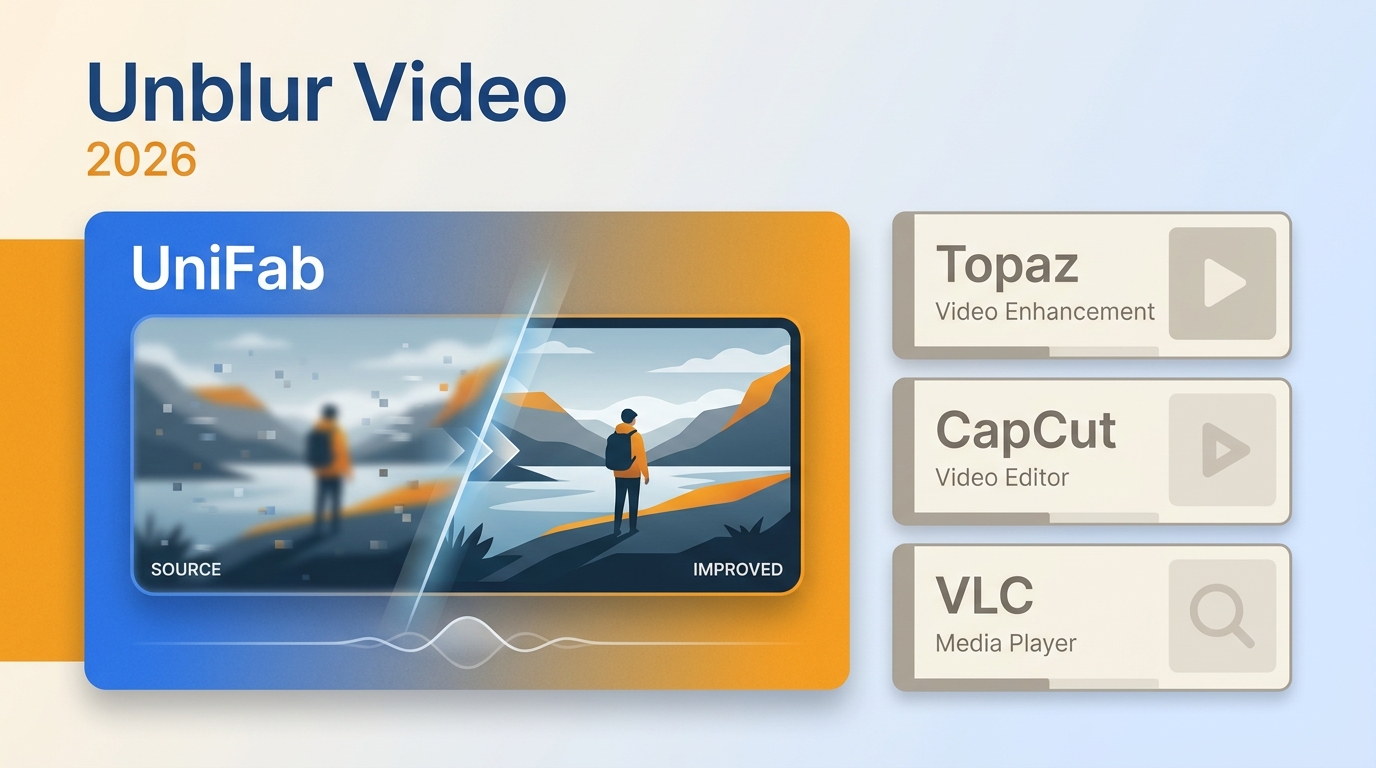
If you need to unblur video, start by identifying whether the softness comes from motion, missed focus, noise, or compression. A video clearer can improve perceived detail, but it cannot reliably reconstruct information the camera never captured.
This guide follows a four-step path, sets realistic AI recovery limits, and compares six desktop and online tools by privacy, file handling, export path, and the type of footage each workflow suits.
Unblur Video in Four Practical Steps
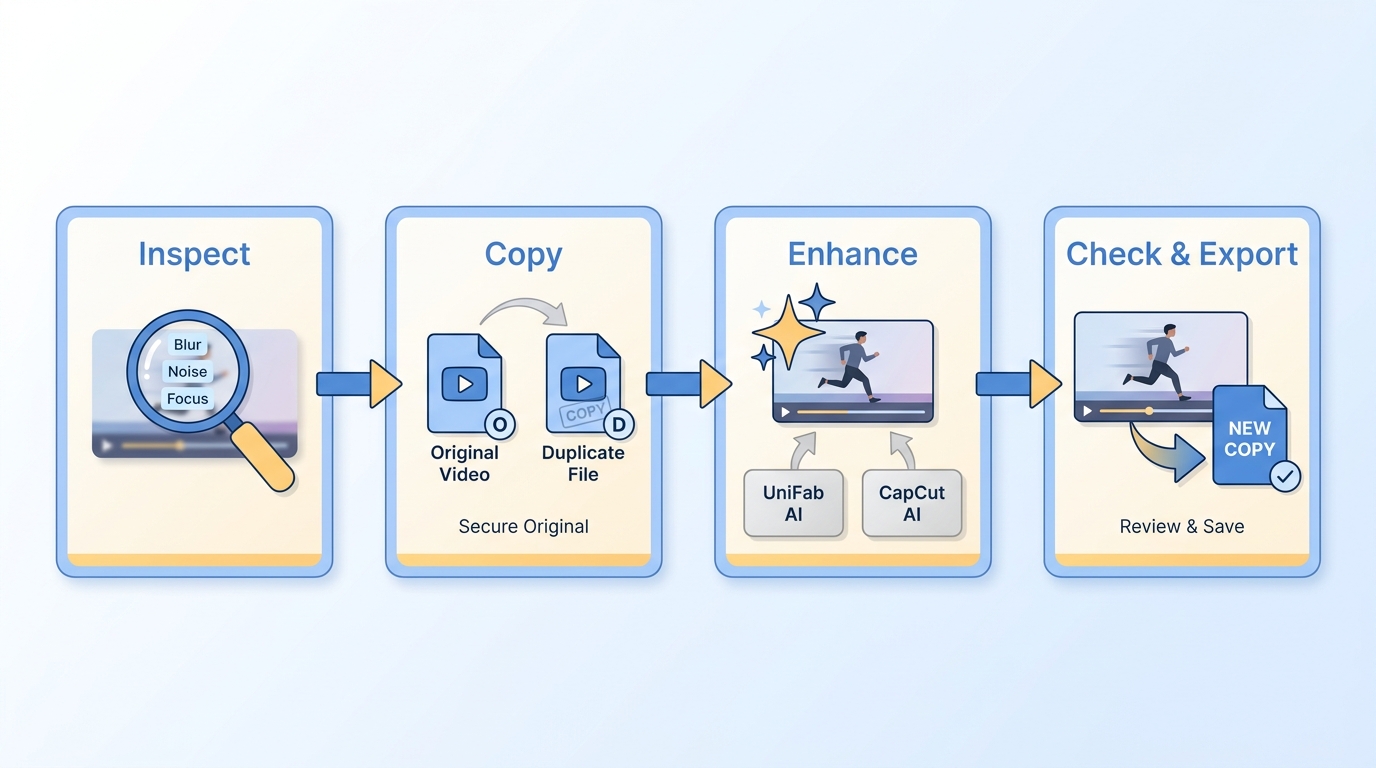
The practical way to fix blurry video is to diagnose the source, protect the original, apply the matching treatment, and judge the result while it is moving.
- Identify the blur type. Scrub through several frames and separate motion blur, missed focus, low-light noise, and compression softness.
- Preserve the original file. Work from a duplicate and avoid another messaging-app transfer or low-bitrate export before enhancement.
- Apply the matching enhancement. Use deblurring for motion, restrained sharpening for soft focus, denoising for grain, and artifact reduction for compression damage.
- Preview motion, then export. Check faces, text, edges, and texture during playback before saving a new copy.
Understanding how to unblur a video begins with diagnosis, while learning how to make a video clearer more broadly may also involve denoising, color correction, and careful upscaling.
Diagnosis matters more than maximum sharpening strength. The wrong treatment can turn ordinary softness into halos, flicker, or waxy texture.
Match the Blur Type to the Fix
A video blur remover works best when its treatment matches the source problem. Video deblurring software can address some motion or focus softness, while noise and compression need different tools.
| Visible problem | Likely cause | Useful first treatment |
| Directional smearing | Camera or subject motion | Deblur, then light stabilization |
| Uniform soft focus | Missed focus | Restrained sharpening or AI estimation |
| Grainy softness | Low light or high ISO | Denoise before light sharpening |
| Blocks and ringing | Heavy compression | Use the original, then reduce artifacts |
| Small frame size | Low-resolution source | Upscale after cleanup |
The practical upshot is simple: use a video clearer to solve the visible defect, not to push every control to its maximum.
What AI Can and Cannot Recover
AI can estimate missing detail and improve perceived clarity, but it cannot reliably recover information that was never captured or was deliberately obscured.
That boundary matters for faces, license plates, text, severe defocus, and deliberate redaction. An AI video clearer may create a plausible Edge or texture, but plausibility is not proof of identity or original detail.
Tools can make videos clearer through sharpening, denoising, stabilization, artifact reduction, color correction, and upscaling. Upscaling increases pixel dimensions; it does not independently remove blur from video or restore lost information.
2 Desktop Video Clearers for Local Workflows
A desktop video enhancer is better suited to private footage, repeated jobs, and batch work because files can stay local and the workflow is less dependent on browser uploads.
UniFab Video Enhancer AI
UniFab Video Enhancer AI runs on Windows and Mac, supports local processing and batch workflows, and exports MP4 or MKV at up to 4K. An optional online route suits shorter jobs when browser access matters.
- Local workflow: Source footage can remain on the computer.
- Batch handling: Multiple files can be queued in one workflow.
- Output control: MP4 and MKV exports support up to 4K.
Your Complete Video Enhancement Suite
- AI-Powered for Professional-Level Results
- 30-day Free Trial for Full Features, No Watermark!
UniFab Video Enhancer Pro
Your Complete Video Enhancement Suite
- AI-Powered for Professional-Level Results
- 30-day Free Trial for Full Features, No Watermark!
UniFab Video Enhancer Pro for Mac
UniFab Denoise AI can reduce visible noise from low light, high ISO settings, and compression, which can improve perceived clarity before restrained sharpening or upscaling.
Best for: Windows or Mac users working with private, long, high-resolution, or batch footage.
Not ideal for: Someone who wants one quick browser adjustment without installing desktop software.
Higher output resolution can support archival or delivery workflows, but 4K output does not by itself recover blur detail missing from the source.
30-day Free Trial for full features, without watermark!
- Step 1
Install and launch the UniFab program on your computer > select your desired mode from “All Features” > click the “+” Symbol to upload your required uncleared video for enhancement.
- Step 2
To get personalized, enhanced output, you can adjust various output parameters such as resolution, codec, audio channels, formats, frame rate, etc. If you want to avoid these manual customization steps, you can use default settings.
- Step 3
When you are satisfied with the output profile, select the “Start” option to enhance the uncleared video instantly and automatically.
CapCut AI Video Clearer
CapCut AI Video Clearer combines upload, AI upscaling, editing, and export in browser and desktop workflows. Its active US tool page presents a 4K-oriented path, with access and export conditions tied to account and project settings.
- Upload or import the clip. Add footage from the device or a supported cloud source.
- Apply upscaling and edits. Use the enhancement path, then adjust the project if needed.
- Preview and export. Check motion and texture before choosing the output settings.
Best for: Casual edits, social clips, and users who want enhancement inside a broader editor.
Not ideal for: Footage that must remain off-cloud, large batch queues, or workflows requiring documented long-file handling.
Easy-to-use interface for editing, unblurring, and enhancing unclear video
4K upscaling Support without losing data and needing technical skill
AI-automated tool with denoising, unblurring, and adding details option
It can handle videos with different resolutions, contexts, and formats
It doesn't support advanced color grading
Landscape mode is not available on the smartphone
4 Online Video Clearers for Quick Fixes
An online video clearer reduces setup friction for short clips, but media is uploaded for processing and access, account, watermark, or export conditions can differ by service.
Clideo Video Clearer
Clideo Video Clearer is a browser-based adjustment workflow, not a dedicated AI deblurring model. It changes brightness, contrast, saturation, and related settings before export.
Because the workflow relies on uploaded files and manual controls, Clideo is a practical fit for quick tonal cleanup, not severe motion blur or missing detail.
- Method: Manual brightness, contrast, saturation, and color adjustment.
- Input and export: Device or cloud upload; device or cloud save.
- Best for: Quick browser cleanup without installing an editor.
- Not ideal for: Severe blur, private footage, or batch work.
Simple & smart interface for beginners and professional users
Extensive & exclusive format support with MP4, MKV, AVI, MOV etc
Clideo Video Clearer clears the video by adjusting brightness, saturation, and contrast parameters.
This video clearer online program can be accessed on all platforms or devices, including Windows, Mac, Android, & Mac.
It doesn't have output video customization or batch processing function
Extremely blurry video can not be cleared using this tool
Flixier Video Clearer
Flixier Video Clearer follows a browser workflow: upload or import footage, apply enhancement or manual edits, then export. Its cloud editor also supports collaboration around the same project.
The cloud workflow discussed in Flixier reviews suits teams that value shared editing and fast handoffs more than a private local process.
- Method: Enhancement controls plus a broader browser editor.
- Input and export: Device or cloud import; browser-based export.
- Best for: Collaborative editing and quick project handoffs.
- Not ideal for: Offline work, sensitive footage, or large batches.
Video color adjustment settings with brightness, saturation, contrast, vibrance, and HueRotation
Simple settings adjustment using dedicated sliders
Downloading and installation-free tool with AI automation
It offers a free version with all features accessibility
Flexible video editing support with trimming, cropping & cutting
There is no dedicated function for denoising and upscaling
Video compression, conversion, and batch processing are not supported
FlexClip Video Enhancer
FlexClip Video Enhancer uses browser-based adjustment and editing controls for exposure, color, filters, text, music, and other project elements. It is better framed as a quick editor than a forensic deblurring tool.
- Method: Manual adjustment, filters, and timeline editing.
- Input and export: Uploaded media with plan-based export conditions.
- Best for: Casual clips that need editing and tonal cleanup.
- Not ideal for: Private footage, batch jobs, or severe defocus.
This free video clearer tool gives complete control over settings adjustments such as brightness, saturation, and contrast
Installation & registration-free video accessible on any device or platforms
Intuitive interface with simple drag & drop option for any blurry video
It doesn't require any video editing skills or complex technical knowledge
It offers multiple format support such as MOV, MP4, M4V, etc
The video processing speed is relatively slow
Users have found glitches in the program
InVideo Video Enhancer
InVideo Video Enhancer provides a browser workflow for uploaded footage or built-in media, with adjustment controls for brightness, contrast, saturation, color, and sharpness before download.
- Method: Tonal correction and sharpening inside an online editor.
- Input and export: Uploads or library media; account-based download conditions.
- Best for: Template-led edits and quick social-video cleanup.
- Not ideal for: Private local processing, batch restoration, or heavy blur.
Correct and clear video using color correction, sharpening, toning, and more
It supports multiple adjustable parameters under the “Effects” and “Adjust Color” option
This video clearer AI-powered online tool offers dedicated functions like exposure and sharpness
Ready-to-use filters & color grading transform the entire look of any blurry or grainy video
Very minimum functions for video enhancing process
Video file format conversation & compression are not supported
Online or Desktop: Choose by Workflow
The right app to make videos clearer depends less on a universal winner and more on clip length, privacy, batch needs, output target, and installation constraints.
| Scenario | Better starting point | Why |
| Short casual clip | Browser tool | Low setup friction |
| Private footage | Local desktop | Files stay on the computer |
| Long file | Local desktop | Avoids a browser upload step |
| Batch work | Desktop tool | Queues multiple files |
| High-resolution output | Desktop or CapCut | More explicit output control |
| No installation allowed | Browser tool | Runs through an online editor |
Browser tools are the lower-friction choice for quick trials and no-install use. Local processing is usually the stronger fit for private footage, long files, and batch work. UniFab is not a fit for someone who wants a one-off browser adjustment without installing software.
Six-Tool Comparison
Use this six-tool comparison to narrow the field by processing mode, file handling, export path, privacy, and practical fit.
| Tool | Processing mode | Input limits | Export and privacy | Best fit |
| UniFab Video Enhancer AI | Windows/Mac desktop; online option | Local files; batch queues | MP4/MKV to 4K; local processing | Private, long, or batch footage |
| CapCut AI Video Clearer | Browser and desktop editor | Uploads and project imports | Account-based export; cloud upload | Casual edits and 4K workflows |
| Clideo Video Clearer | Browser manual adjustments | Device or cloud uploads | Device/cloud export; uploaded processing | Brightness and contrast cleanup |
| Flixier Video Clearer | Browser cloud editor | Device and cloud imports | Cloud collaboration and export | Team editing and handoffs |
| FlexClip Video Enhancer | Browser editor and adjustments | Uploaded files | Plan-based export; cloud processing | Casual clips and manual tuning |
| InVideo Video Enhancer | Browser editor | Uploads or built-in media | Account-based download; cloud processing | Template-led edits and tonal correction |
Access and export conditions are current as of August 2026.
What the Comparison Can Prove
Workflow fit becomes clearer when the source problem leads the choice. Motion blur calls for deblurring, low-light softness usually needs denoising before sharpening, and compression damage often improves most when you start from the original file.
For face detail and fine texture, judge several moving frames instead of one paused image. Natural detail that remains stable during playback is more useful than maximum Edge sharpness in a still frame.
Video Unblur Questions Readers Still Ask
These questions cover authorization, phone compression, mobile workflows, and the most common signs of overprocessing.
Can I unblur a video I did not record?
Only enhance footage you own or have permission to process. Technical improvement does not grant permission to identify, publish, or misuse another person's image, so treat ownership and consent as prerequisites.
Why is a video blurry after phone sharing?
Messaging apps often recompress video, reducing detail and introducing blocks or softness. Transfer the original file through a full-quality method before denoising, sharpening, or upscaling; processing the compressed copy cannot restore everything discarded during sharing.
Can I improve a blurry video on iPhone?
Yes, an iPhone browser or app can improve a short clip with light sharpening, denoising, or color adjustment. A free video enhancer app may suit non-sensitive mobile footage, while long or private clips are usually better handled in a local desktop workflow.
How can I avoid waxy faces and oversharpening?
Lower the enhancement strength, use a face-aware model when available, and preview normal-speed motion rather than judging one frame. Stop when skin texture, hair, text, or edges begin to shimmer, flatten, or form halos.