Talk-to-text software turns speech into usable text, but the right choice depends on where that text must go. Start by separating system-wide dictation, meetings, uploaded recordings, local processing, and video subtitles, then compare platform support, connectivity, access limits, and output formats.
For a wider category overview beyond this PC-focused guide, see the speech-to-text software roundup.
Talk-to-Text Tools at a Glance
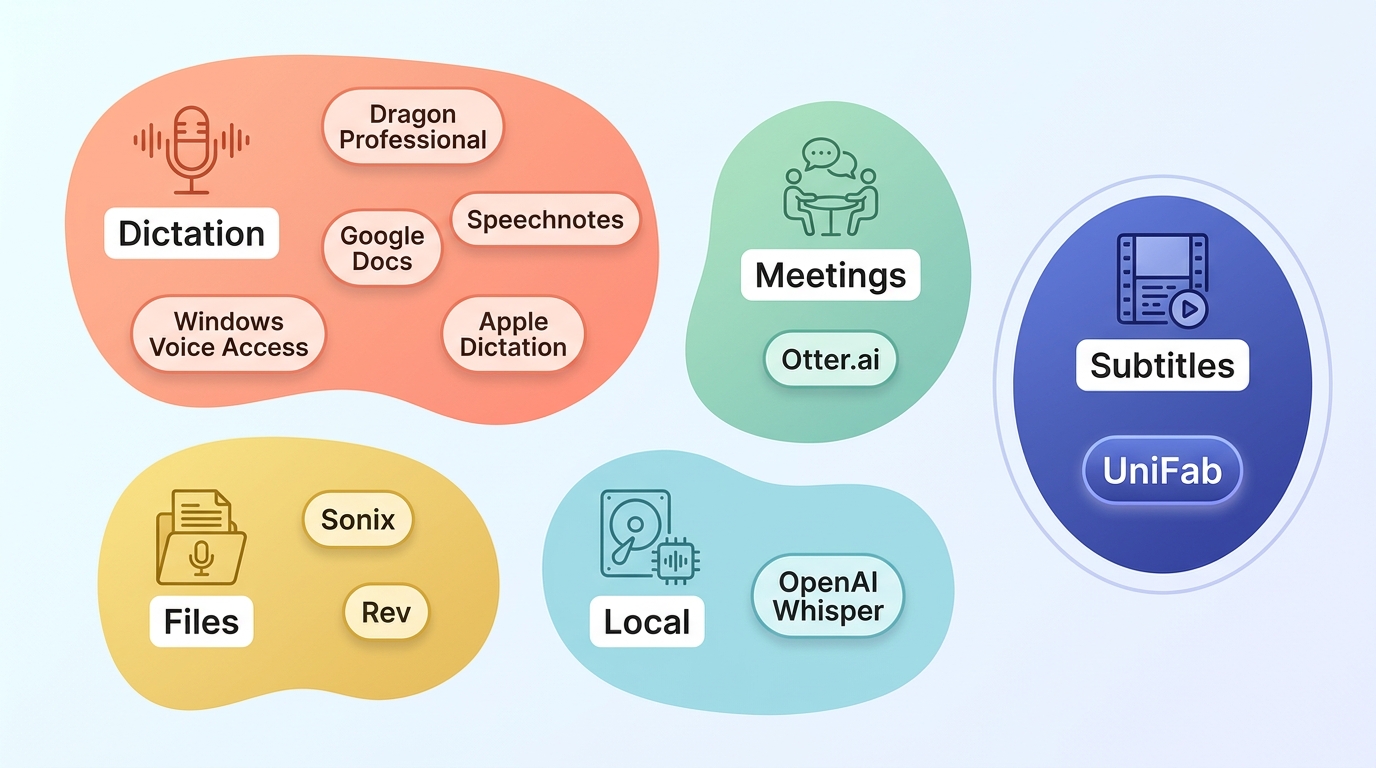
This table separates direct dictation from meeting, file-transcription, developer, and subtitle workflows. It also shows why a free voice to text software option may be useful for one task but limiting for another.
| Tool | Primary workflow | Platform | Input | Processing | Access model | Language support | Output | Recommended fit | Key limitation |
| Dragon Professional v16 | Professional dictation | Windows 10 and 11 | Live voice | Desktop workflow | Contact-based licensing; no public US price | Language editions vary | Text in supported applications | Specialized, vocabulary-heavy writing | Windows-focused and requires setup |
| Otter.ai | Meetings and collaboration | Web and supported apps | Live meetings and recordings | Cloud | Free tier and subscription plans | Selected transcription languages | Meeting transcripts, notes, and summaries | Teams that need searchable meeting records | Not system-wide desktop dictation |
| Windows Voice Access | PC control and direct dictation | Windows 11 version 22H2 or later | Live voice | On-device after setup | Included with supported Windows 11 systems | Supported language availability varies | Text in supported fields plus voice control | Hands-free Windows navigation and typing | Windows-only; distinct from cloud-based Voice Typing |
| Google Docs Voice Typing | Browser document dictation | Google Docs in a supported browser | Live voice | Cloud-connected | Included with Google Docs access | Broad language selection | Text inside a document | Drafting directly in Google Docs | Does not provide system-wide typing |
| Speechnotes | Long-form web dictation | Browser and supported apps | Live voice and selected file workflows | Cloud-connected for web dictation | Free web access with optional upgrades | Multiple languages through supported speech services | Editable text and export options | Writers who want a distraction-light dictation pad | Workflow and export features vary by mode |
| Sonix | Team file transcription | Web | Uploaded audio and video | Cloud | Usage-based paid service | Multiple transcription languages | Editable transcripts and subtitle formats | Teams processing recorded media | Upload workflow rather than system-wide dictation |
| Apple Dictation | Built-in Apple dictation | macOS and supported Apple devices | Live voice | Device and service behavior varies by language and system | Included with supported Apple devices | Availability varies by language and region | Text in supported applications | Mac users who want built-in voice input | Less vocabulary customization than specialist software |
| Rev | AI or human-reviewed transcription | Web | Uploaded recordings | Cloud and human service options | Pay-per-minute service options | Service coverage varies | Transcripts and caption files | Projects that need an optional human review layer | Human review increases cost and turnaround time |
| OpenAI Whisper | Developer-controlled transcription | Windows, macOS, and Linux through local implementations | Recorded audio or integrated streams | Local when self-hosted | Open-source model; compute and app costs vary | Multilingual model | Developer-defined text or subtitle output | Technical users building private or custom workflows | Requires installation, hardware, and workflow design |
| UniFab Video Subtitle Generator AI | Video subtitle workflow | Windows and Mac | Video-focused desktop workflow | Desktop application | Commercial desktop license options | Subtitle support is included in the verified profile | Timed-subtitle workflow with MP4 and MKV project support | Creators preparing subtitles for video projects | Not intended for system-wide typing or live meeting notes |
Pricing and free-plan limits are accurate as of July 2026. Where a vendor does not publish a fixed public price, the table identifies the access model instead of inventing a figure.
The practical takeaway is simple: voice to text software for PC should be compared by destination and workflow first, not by a single accuracy claim.
How These Tools Differ and Were Tested
Speech to text software now covers several distinct jobs. A computer dictation software tool that types into an active field should not be judged as if it were a meeting recorder, file-transcription service, subtitle app, or developer model.
Dictation, Meetings, Files, and Subtitles
Dictation converts live speech into text where you are working. Meeting tools capture multiple speakers and organize notes. File-transcription services process recordings after upload. Subtitle tools add timing, while developer models provide building blocks for custom or local workflows.
- System-wide dictation: useful when talk to type software must enter text across supported applications.
- Meeting transcription: prioritizes speakers, collaboration, and searchable records.
- Uploaded-media transcription: suits recorded interviews, podcasts, and video files.
- Subtitle generation: adds timing and media-oriented exports.
- Developer workflows: trade convenience for local control and customization.
My editorial view is that choosing the workflow first is more reliable than choosing the most familiar brand. Cross-platform dictation matters only if the same direct-input behavior is available on each system you actually use.
My Testing Environment and Scorecard
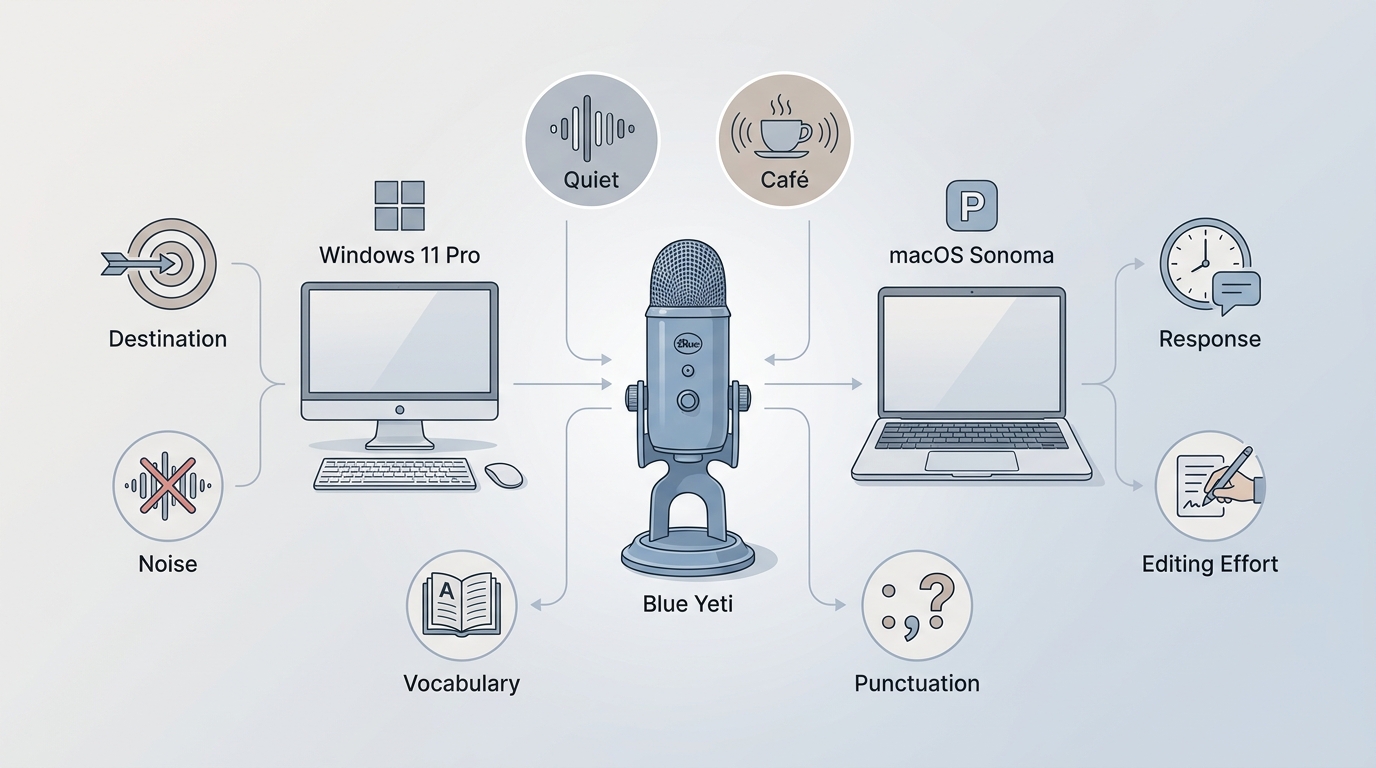
The original evaluation used Windows 11 Pro, macOS Sonoma, and a Blue Yeti USB microphone across a quiet room, café background noise, and a passage containing AI and codec terms. The revised scorecard separates observed behavior from specification-based fit.
| Check | How it was assessed | What can be concluded |
| Text destination | Dictate the same short passage into an active field or the tool's own editor | Whether text appears system-wide or stays inside one app |
| Noise handling | Repeat the passage in quiet and café-like background sound | Qualitative change in correction effort |
| Technical vocabulary | Use the same AI and codec terms | Whether specialized words require repeated correction |
| Punctuation | Speak commas, periods, and paragraph breaks consistently | How much cleanup the draft needs |
| Response | Observe whether text appears during or after speech | Live versus delayed workflow, without an invented latency figure |
| Editing effort | Review corrections before the text is usable | Relative friction within the tested passage |
One reproducible result was the destination difference: on Windows 11 Pro, Voice Access placed the spoken passage into a supported active text field, while Google Docs Voice Typing kept the passage inside the document editor. Comparable raw correction counts were not retained for every product, so this guide does not publish accuracy percentages or a numeric ranking.
9 Talk-to-Text Tools by Workflow
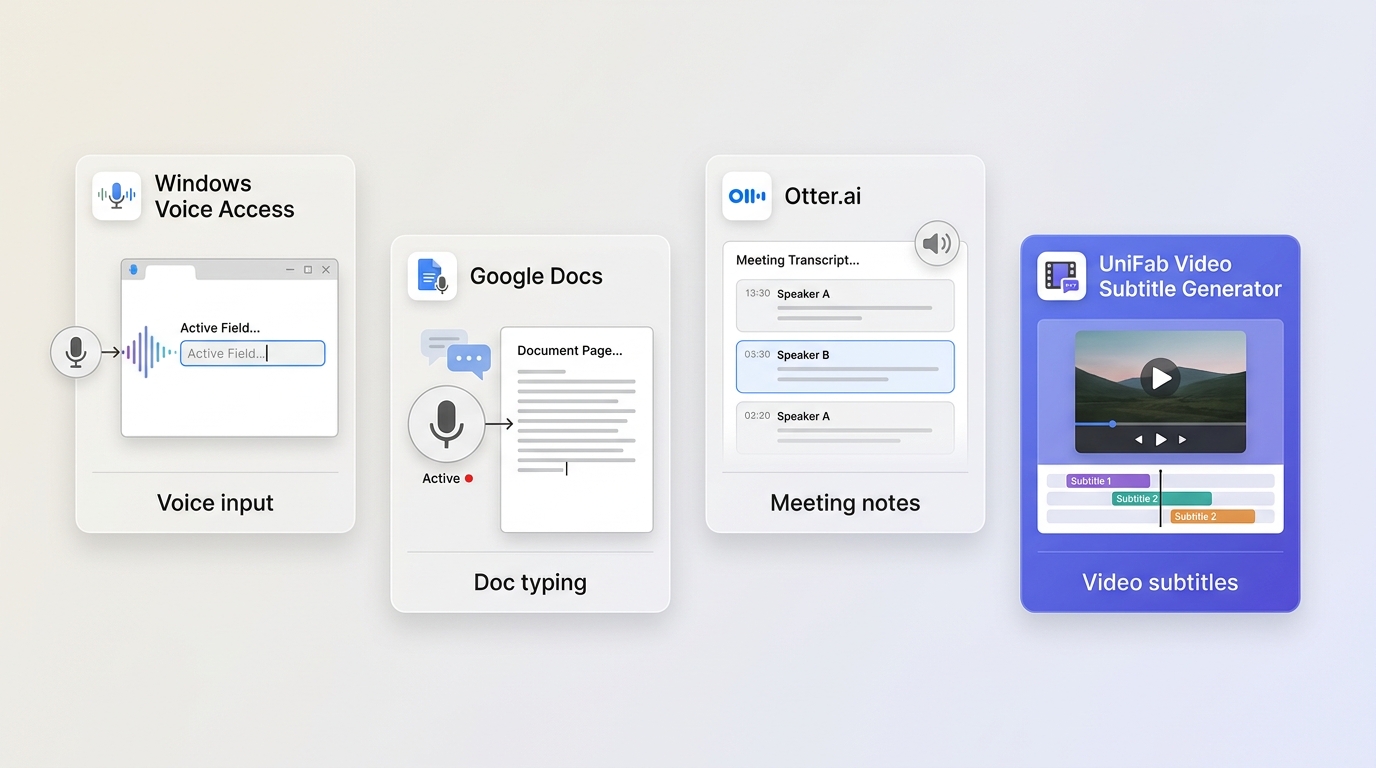
The nine options below cover PC speech to text software, browser writing, meetings, uploaded recordings, Apple dictation, and local development. Each card states where the tool fits and where it does not.
Dragon Professional v16 for Professional Dictation
Dragon Professional v16 is dictation software for PC users who need specialized vocabulary and direct text entry in professional Windows workflows. Nuance lists current US support for Windows 10 and Windows 11 and uses contact-based licensing rather than a public price.
Suitable for: professionals producing long, terminology-heavy documents. Less suitable for: casual users who want an instant browser tool or Mac support.
- Strengths: vocabulary customization and application-focused dictation.
- Limitations: Windows-focused setup and no simple public-price comparison.
The fit is strongest when correction time has a real business cost and a dedicated PC workflow is acceptable.
Otter.ai for Meetings and Collaboration
Otter.ai is meeting-focused speech to text software built around live conversations, recordings, speaker context, and shared notes. It is not a replacement for direct typing across desktop applications.
Suitable for: recurring meetings and collaborative review. Less suitable for: privacy-sensitive local transcription or system-wide dictation.
- Strengths: searchable meeting records, collaboration, and summaries.
- Limitations: cloud dependence and plan-based usage limits.
Choose Otter when the output should become a shared meeting record, not simply a paragraph in the app currently open.
Windows Voice Access for Built-In PC Control
Windows Voice Access combines on-device PC control with dictation on Windows 11 version 22H2 or later after setup. Windows Voice Typing is a separate feature that requires an internet connection and uses Azure Speech services.
Suitable for: hands-free control and speech to text Windows 11 input across supported fields. Less suitable for: macOS users or teams that need meeting summaries.
- Strengths: built into supported Windows systems and designed for system-wide navigation.
- Limitations: Windows-only, with language and command availability varying.
For talk to text software for PC, this is the clearest starting point when the goal is direct Windows control rather than a separate transcript.
Google Docs Voice Typing for Browser Dictation
Google Docs Voice Typing is free voice to text software for drafting inside a document in a supported browser. Its convenience comes from staying in Docs, which is also its main boundary.
Suitable for: students, writers, and editors already working in Google Docs. Less suitable for: system-wide entry, offline work, or uploaded-media transcription.
- Strengths: quick access, broad language selection, and direct document editing.
- Limitations: browser and document dependence, plus weaker control over specialist vocabulary.
This is a practical choice when the document is the destination and moving text between apps is not part of the workflow.
Speechnotes for Long-Form Free Dictation
Speechnotes is a talk to type software option centered on a distraction-light dictation pad. It works well for drafting long passages, but its web workflow is not the same as system-wide voice control.
Suitable for: long-form drafting in a simple editor. Less suitable for: multi-speaker meetings or users who require uniform offline behavior.
- Strengths: minimal interface and practical export paths.
- Limitations: features and access conditions differ across web, app, and file-transcription modes.
Its value is the focused writing surface; choose another category when collaboration or media timing matters more.
Sonix for Team File Transcription
Sonix processes uploaded audio and video for teams that need editable transcripts and subtitle-format exports. It is a file workflow rather than live computer dictation software.
Suitable for: recorded interviews, research media, and team review. Less suitable for: typing live into desktop applications.
- Strengths: browser-based editing, collaboration, and media-oriented exports.
- Limitations: cloud upload requirements and usage-based cost.
Sonix makes sense when the recording already exists and several people need to review the resulting text.
Apple Dictation for Mac Users
Apple Dictation provides built-in voice input across supported Mac applications. It covers the direct-input role well for Apple users, although language availability, processing behavior, and features vary by system and region.
Suitable for: Mac users who want integrated voice entry. Less suitable for: Windows teams or specialized vocabulary training.
- Strengths: built-in activation and broad application access.
- Limitations: less customization than specialist professional dictation products.
Apple Dictation is the sensible first check on a Mac before adding a separate cross-platform dictation service.
Rev for Human-Reviewed Transcripts
Rev offers AI transcription and a separate human-review service for uploaded recordings. The distinction is useful when editorial review matters more than immediate live dictation.
Suitable for: recorded interviews, publishable transcripts, and projects that may benefit from human review. Less suitable for: continuous desktop typing or cost-sensitive high-volume drafts.
- Strengths: AI and human service paths plus caption-file options.
- Limitations: human review adds cost and turnaround time.
Rev is a service decision rather than a PC typing decision, so compare it on review needs and delivery format.
OpenAI Whisper for Custom Local Workflows
OpenAI Whisper is a multilingual speech-recognition model that developers can run through local or custom applications. It supports private, developer-controlled workflows, but it is not a ready-made dictation interface by itself.
Suitable for: technical users building local transcription pipelines. Less suitable for: anyone who wants immediate setup, support, or polished collaboration tools.
- Strengths: local deployment options and flexible integrations.
- Limitations: installation, hardware demands, and application design are left to the user or chosen implementation.
The tradeoff is control versus convenience: Whisper can anchor a local workflow, but the surrounding product experience must still be built or selected.
Video Subtitle Workflow With UniFab
UniFab Video Subtitle Generator AI is a creator-focused option for turning authorized media into a timed-subtitle workflow when its supported project formats match the job. It belongs beside file-transcription tools, not live dictation or meeting-note apps.
The verified product profile lists Windows and Mac support, handling up to 4K, MP4 and MKV project output, batch processing, and subtitle downloading. Those capabilities are relevant when several video files need consistent subtitle handling.
Suitable for: creators preparing subtitles from video projects. Less suitable for: system-wide typing, live meeting notes, or a browser-only writing pad.
Use UniFab Video Subtitle Generator AI when the deliverable is tied to video rather than a general text document. Readers comparing the wider subtitle category can use the subtitle generator comparison, while the SRT file creation guide covers that format-specific workflow.
My editorial judgment is to keep this choice narrow: its value is media timing and video-oriented output, not a claim that it replaces every speech-recognition category.
Choose the Right Tool for Your Workflow
The right choice follows the destination of the text. Decide whether you need direct PC input, a shared meeting record, an uploaded-file transcript, local developer control, or timed video subtitles before comparing access models and features.
- Professional Windows dictation: consider Dragon Professional v16 when vocabulary customization justifies dedicated setup.
- System-wide Windows control: start with Voice Access on a supported Windows 11 system.
- Browser writing: use Google Docs Voice Typing or Speechnotes when the draft can stay in their editors.
- Meetings: choose Otter.ai when collaboration and searchable notes matter.
- Uploaded recordings: compare Sonix and Rev by editing, review, output, and cost needs.
- Privacy-sensitive local development: evaluate a locally hosted Whisper implementation and the hardware required.
- Video subtitles: use a media-oriented workflow such as UniFab when timing and video project support are central.
The most common buying mistake is comparing brand names before deciding where the text must go. Once that destination is clear, the meaningful differences are platform support, local versus cloud processing, editing effort, and output format.
FAQs
These quick answers address common boundary questions that can change which tool category you need.
Can I dictate into any Windows app without copying text?
Windows Voice Access can enter text in supported fields while also controlling the PC on supported Windows 11 versions. That makes it closer to system-wide dictation than a browser editor. Google Docs Voice Typing, by contrast, keeps dictation inside the document environment, so moving text elsewhere requires a separate step.
Does Windows Voice Typing work without an internet connection?
No. Windows Voice Typing requires an internet connection and uses Azure Speech services. Do not confuse it with Windows Voice Access, which supports on-device control and dictation after setup on Windows 11 version 22H2 or later. The two features have different commands, connectivity behavior, and intended workflows.
Can speech-to-text software transcribe an MP4 file?
Some tools can process an uploaded MP4, but direct dictation apps generally cannot. File-transcription and subtitle products are the relevant categories. Check whether the chosen product accepts the media file and whether it produces the text, caption, SRT, or VTT format your editing workflow requires.
Are free dictation tools practical for long documents?
They can be, especially when the tool offers stable sessions, useful export options, and acceptable correction effort. The limits usually appear in system-wide access, connectivity, privacy, specialist vocabulary, or quotas. For long documents, test one representative passage before committing an entire project to the workflow.