What Neural.love Does
Neural.love is a browser-based creative platform for AI images, restoration, video, and audio, but the right fit depends on whether you need broad creative access or a repeatable production workflow. This Neural.love brand review examines Free-plan limits, image quality, privacy, and where video-focused work may call for a specialist.
Bottom line: Neural.love is best suited to image-first creative work with occasional multimedia tasks; its workflow needs closer scrutiny when video processing or output consistency becomes central.
Neural.love positions itself as a platform that makes creative AI tools more accessible for creators and businesses. Its browser-based design makes it practical for image-first projects, but that convenience does not automatically make every output or workflow equally predictable.
Key Stats:
- Founded: March 2020
- Headquarters: Estonia
- Access: Browser-based
- Core focus: AI image generation and enhancement
- Additional tools: Video and audio processing
Neural.love Features and Image Quality
Neural.love combines image generation, photo enhancement, restoration, video tools, and audio processing in one browser-based workspace. Its strongest fit is broad creative access rather than a tightly controlled production pipeline.
| Tool | What it does | Best for |
| AI Image Generator | Text-to-image (up to 4K) | Social posts, concept art, marketing visuals |
| AI Photo Studio | Generate headshots from one upload | LinkedIn / dating profile photos |
| AI Uncrop (Outpainting) | Extends image borders intelligently | Aspect-ratio repurposing |
| Image-to-Video | Animates a still into MP4 (up to 4K 60fps) | Quick social motion content |
| AI Video Enhancer | Upscale + frame interpolation + face restoration | Old footage, low-res clips |
| AI Audio Enhancer | Noise reduction + clarity boost | Voiceover cleanup, podcasts |
The video enhancer matters most for readers comparing Neural.love with dedicated upscalers, but image generation remains the platform’s core use case. Neural.love supports image creation, restoration, and upscaling, while video processing time varies by job rather than following a fixed turnaround.
| Image review area | What to expect | Practical limit |
| Prompt adherence | Broad concepts work well | Detailed constraints may drift |
| Subject accuracy | Useful for concepts | Fine attributes can change |
| Faces and detail | Restoration can improve clarity | Overprocessing is possible |
| Image upscaling | Helps moderate-quality images | Cannot restore missing detail |
| Output controls | Designed for accessible creation | Not a technical control suite |
For broad creative work, Neural.love’s value is its accessible range of tools. Detailed technical prompts and repeatable image outputs need more cautious expectations; the reproducibility limits are covered in the user-evidence section below.
Who Should Use Neural.love?
Ideal For
| User type | Why neural.love fits |
| Casual creators | Zero learning curve, browser-only, instant access |
| Self-published authors | Image generation + book-cover AI in one tool |
| Social-first marketers | Fast text-to-image for blog & post graphics |
| Photo hobbyists | One-click restoration on old family photos |
| Voice / podcast hobbyists | Quick noise reduction without DAW skills |
Not Ideal For
| User type | Limitation | Better online alternative |
| Sustained video workflows | Video is not included with Free access | Dedicated video enhancer |
| Technical image workflows | Limited production controls | Tool with deeper controls |
| Film / TV professionals | AI artifacts on faces & motion | DaVinci Resolve + dedicated upscaler |
| Enterprise content teams | Limited collaboration / role controls | Adobe Express / Canva Enterprise |
| Audio engineers | Basic noise reduction only | Adobe Audition / iZotope RX |
Neural.love Safety, Privacy, and Rights
Whether Neural.love is suitable for sensitive work depends on what you upload, how long that asset may remain available, and the rights attached to the source material.
Data Retention and Commercial Rights
| Asset or policy | What it means | Retention or responsibility |
| Processed source files | Uploaded materials used for processing | Up to 21 days |
| Final videos | Completed video outputs | Up to three months |
| Final non-video files | Completed image and other outputs | Up to six months |
| Uploaded content | Use requires appropriate rights | User responsibility |
| Commercial use | Governed by current platform terms | Not blanket copyright protection |
| Deletion | Manage assets through the account | Review account controls |
These retention periods are current as of August 2026. Before uploading client or copyrighted material, confirm that you have the necessary permissions and remain responsible for complying with applicable terms and copyright rules.
Reported Limitations
- AI overprocessing can produce unnatural smoothing on portraits.
- The Free plan does not include video editing, video generation, or audio editing.
- Some users report the audio enhancer can introduce artifacts at higher sample rates.
Safety Verdict
Neural.love can suit general creative work when its browser workflow and retention Windows fit the project. For sensitive client material, assess the specific asset type, retention period, permissions, and account controls before uploading.
Neural.love Video Workflow and Formats
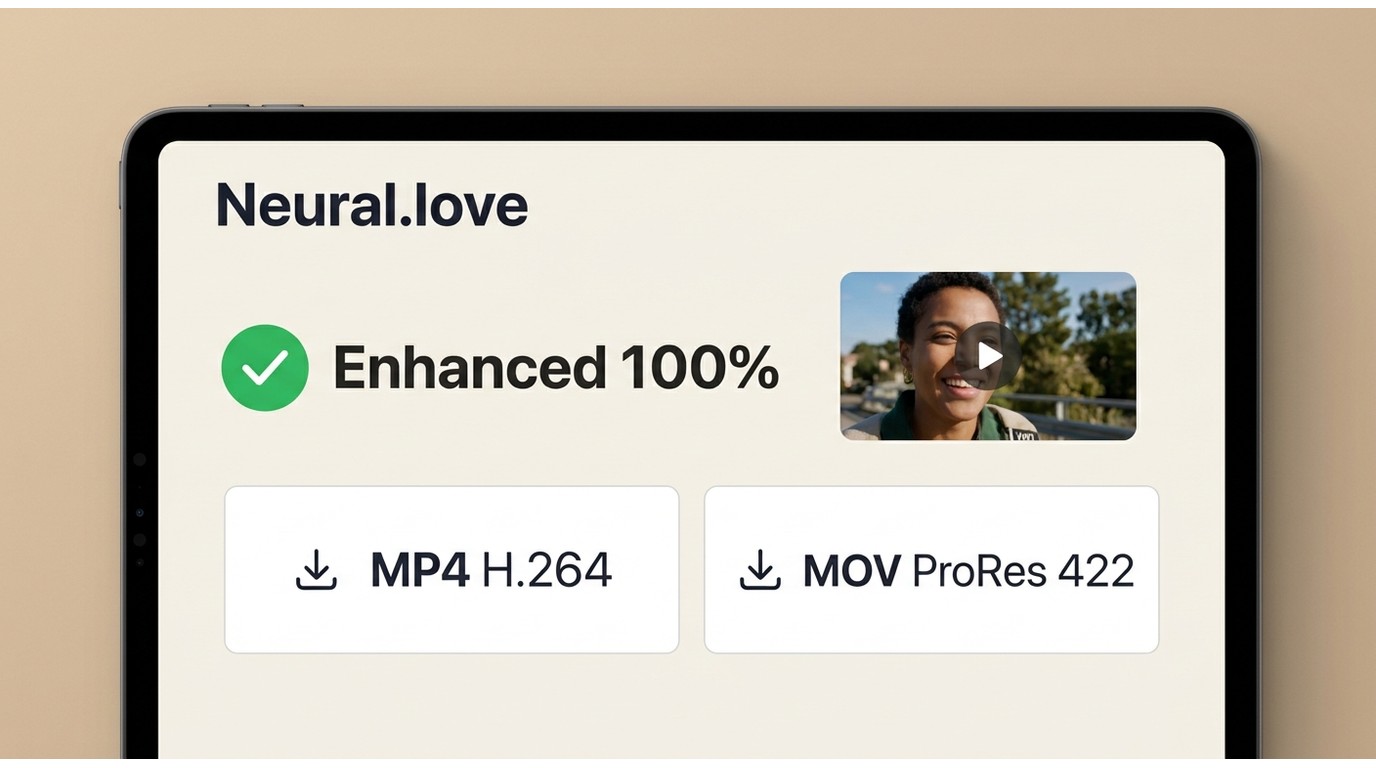
Prerequisites: You need a Neural.love account, an eligible video workflow, and enough credits for the selected job. The following steps cover the basic Video Enhancer process.
Step 1: Sign in and upload
- Open neural.love and create an account (email or Google sign-in).
- Pick Video Enhancer from the dashboard.
- Upload the source file accepted by the current workflow. If sign-in fails, retry in a current browser, disable conflicting extensions, and contact support if the account cannot be accessed.
Step 2: Choose enhancement settings
| Workflow area | What to decide | Practical guidance |
| Enhancement goal | Resolution or visual cleanup | Match the delivery need |
| Source quality | Compression, blur, and motion | Expect limits on damaged footage |
| Output format | MP4 H.264 or MOV ProRes 422 | Choose for playback or editing |
| Processing | Cloud job queue | Timing varies by job |
Step 3: Process and download
Choose Enhance, wait for the cloud queue, then download the finished file. MP4 H.264 is broadly compatible, while MOV ProRes 422 is more suitable for an editing workflow.
Practical tip: Process a short sample first to assess the result and credit use before committing a longer clip.
Neural.love Plans and Credit Value
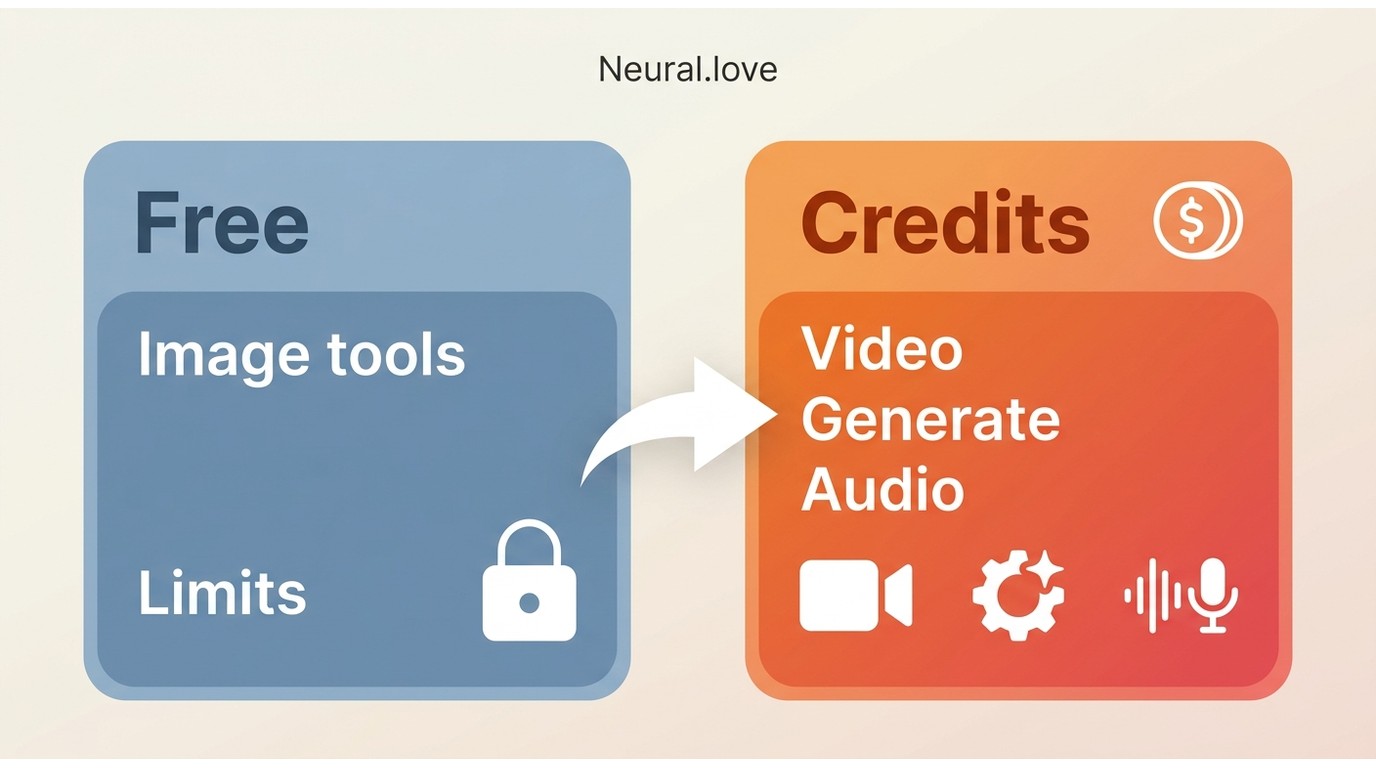
Neural.love uses a credit-based model across its creative tools. Its current plans and access details distinguish Free image-focused access from credit-based workflows. Shared credits can be convenient for mixed image work, but task-level consumption is harder to forecast for sustained video processing.
Current plan access
| Plan area | Free access | Credit-based access |
| Image tools | Available with plan limits | Expanded access varies by plan |
| Video editing | Not included | Requires eligible credits |
| Video generation | Not included | Requires eligible credits |
| Audio editing | Not included | Requires eligible credits |
| Video access | Not included | Credit use varies by task |
Task-Level Credit Costs
Plan access and listed credits do not by themselves establish a reliable cost per image, audio task, or video job. For recurring video work, use a representative project to gauge credit use before treating the platform as a predictable monthly production cost.
Value Assessment
Shared credits make sense when image generation, restoration, and occasional video work live in the same workflow. They are less straightforward when video enhancement becomes the recurring task, because project length and settings can change the total credit requirement.
Neural.love Pros, Cons, and User Evidence
This August 2026 user-evidence snapshot consolidates public feedback from Trustpilot alongside the platform’s stated capabilities. Reviews can highlight recurring experiences, but they do not establish the same outcome for every workflow.
Pros of Neural.love
| Strength | What users report |
| Ease of use | "Ease of use" — recurring praise |
| Multi-tool hub | One login covers image, video, audio |
| Image-first access | Useful for trying core image workflows |
| Company responses | Public responses appear on some reviews |
| Quality on simple inputs | "The video quality is much improved. Very impressive!" |
Cons of Neural.love
| Weakness | What users report |
| Free-generation timer | "Why for me have timer but for my friend no" |
| Prompt misinterpretation | "I had clear instructions, but every time it somehow found a way to get it wrong" |
| Hit "Free Generation Limit" mid-task | Re-do becomes impossible on free tier |
| Credit forecasting | Video-task costs can be harder to predict |
| Reproducibility | Model updates can change reused prompts |
Overall Verdict
Neural.love is strongest as a creative-AI hub for image-first work that also includes occasional restoration, video, or audio tasks. The evidence above points to a practical trade-off: broad access is useful, while repeatable production work can require more planning around prompt behavior and credits.
Neural.love Alternatives for Video Work
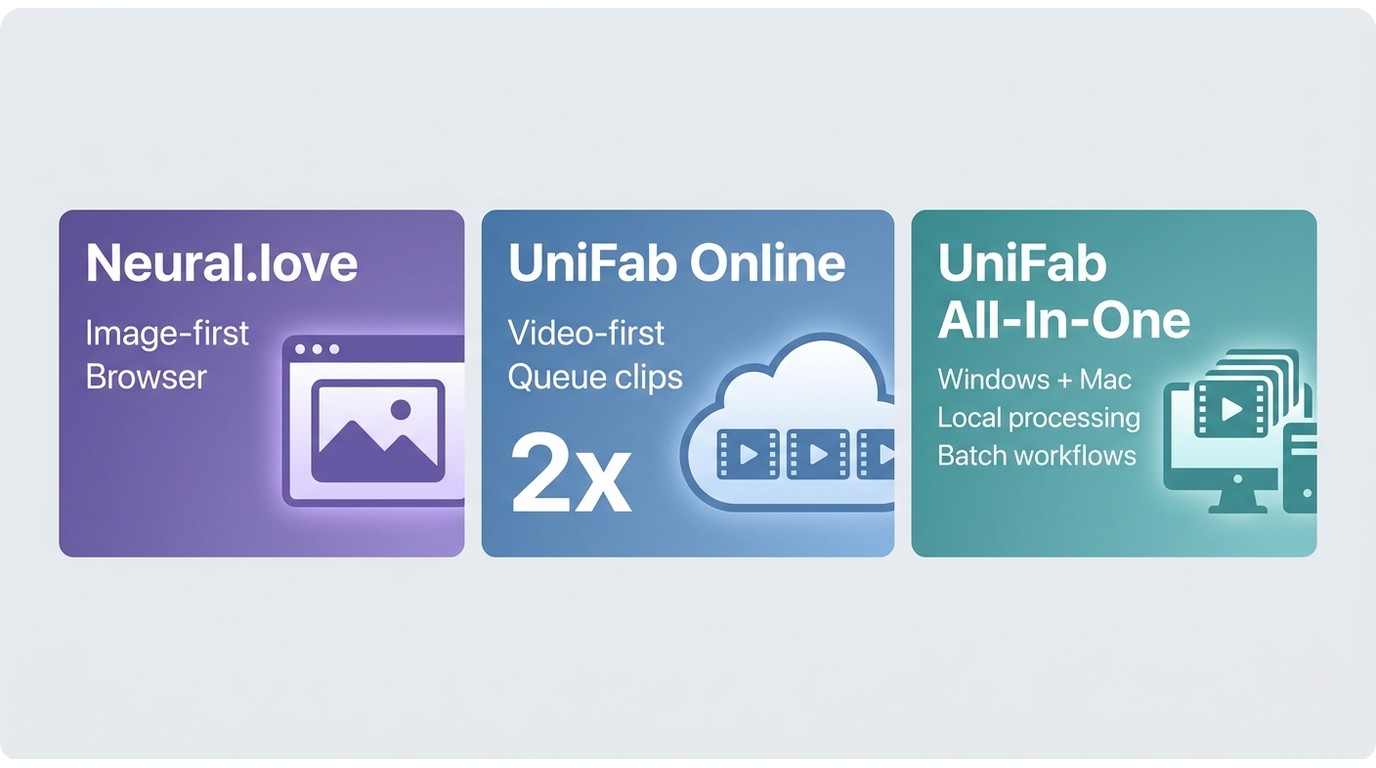
Neural.love is a broad creative platform with image generation and enhancement at its core, alongside video and audio tools. A video-focused alternative is relevant when enhancement, rather than image creation, is the task that dominates your workflow.
UniFab’s AI Video Enhancer is a browser-based option for video-first work. It supports queueing multiple clips, frame-by-frame compression-noise cleanup, and 2x video enhancement. It is not a fit for users whose main need is image generation.
UniFab Online vs Neural.love
| Workflow area | Neural.love | UniFab Online | UniFab All-In-One |
| Primary use | Broad creative AI | Video enhancement | Local video workflows |
| Access | Browser-based | Browser-based | Windows and Mac |
| Free video access | Not included | Under UniFab access terms | Not stated here |
| Batch workflow | Credit-based workflow | Queue multiple clips | Batch workflows |
| Noise cleanup | Broader toolset | Frame-by-frame cleanup | Local processing |
| Best fit | Image-first projects | Video-first projects | Installed workflows |
Best Fit for Each Tool
- Choose UniFab Online if: Video enhancement is your main task and batch queueing or frame-by-frame noise cleanup would help your workflow.
- Choose Neural.love if: Image generation, art, restoration, and occasional multimedia work matter more than a video-only workflow.
- Neither is ideal if: You need highly reproducible technical image prompts; choose a tool with the controls your production process requires.
UniFab All-In-One for Local Processing
For users who prefer local processing, the UniFab All-In-One desktop suite is available for Windows and Mac, with batch workflows and MP4 or MKV output up to 4K. It is not a fit for readers who do not want desktop software; the linked UniFab review covers the desktop workflow in more detail.
UniFab All-In-One
UniFab All-In-One
UniFab All-In-One
UniFab All-In-One for Mac
Example: Upscaling Old Footage to 4K
For old footage, UniFab Online can combine 2x enhancement with frame-by-frame compression-noise cleanup, while the desktop option serves users who prefer local processing. Results still depend on the source, especially when blur or compression has removed original detail.
Denoise AI is designed to reduce film grain and compression noise; detail retention depends on the source, including old camcorder footage and low-light phone clips.
The HDR converter (desktop) lifts SDR footage into HDR10 / Dolby Vision — relevant when you need TV-quality output, not just a web upload.
Colorizer AI works on black-and-white archival footage. Worth knowing if your video enhancement need is restoring family history rather than upscaling modern content.
Enhancing Video with UniFab
30-day Free Trial for full features, without watermark!
- Step 1Choose Desired Module & Import Your File
Launch the UniFab application and select your desired module from "All Features" on the left side of the interface. Then, import your video or audio file to enhance.
- Step 2Customize Video Output Settings
Adjust the video's output preferences by selecting the desired quality level, such as Standard or High. You can tweak parameters like resolution, codec, format, and more.
- Step 3Enhance Your Video
Review the configured settings, then click the Start button to initiate the enhancement process and instantly upgrade your video quality.
For a browser-first comparison of tools and workflows, this overview of a video upscaler online free can help narrow the options.
Neural.love Review Verdict
Choose Neural.love when you want broad, image-first creative access with restoration and occasional multimedia tools in the same browser workspace. Its documented retention Windows and Free-plan boundaries are appropriate decision points before uploading project assets.
Consider a video specialist such as UniFab Video Enhancer Online when enhancement is the main job. Neural.love remains the better-aligned choice when image generation and a broader creative workspace matter more.
Neural.love FAQs
Is Neural.love free?
Neural.love offers Free-plan access for eligible image-focused tools. The Free plan does not include video editing, video generation, or audio editing.
Can Neural.love improve very low-quality media?
It can improve moderately soft or low-resolution images and video, but it cannot reliably reconstruct detail that is missing because of severe blur, heavy compression, or motion damage. Review a small output before committing a larger project.
Can I sell art made with Neural.love?
Commercial use is governed by Neural.love’s current terms, not by a universal copyright guarantee. Confirm that you have rights to uploaded material and that your intended use complies with applicable terms and copyright rules.
Why does Neural.love sometimes produce unexpected results?
Results can change when Neural.love updates an active model, and an older model version may no longer be available for exact reproduction. For the full evidence and workflow implications, see the reproducibility point in the user-evidence section above.
Does Neural.love offer a mobile app?
There is no native iOS or Android app — neural.love is delivered through the mobile browser. The interface works on phones and tablets without download.
What should I try if Neural.love sign-in fails?
Start by refreshing the sign-in page in a current browser, clearing site data, and disabling extensions that can interfere with account Windows. If the problem continues, use Neural.love’s support channel with the account email and any displayed error message.