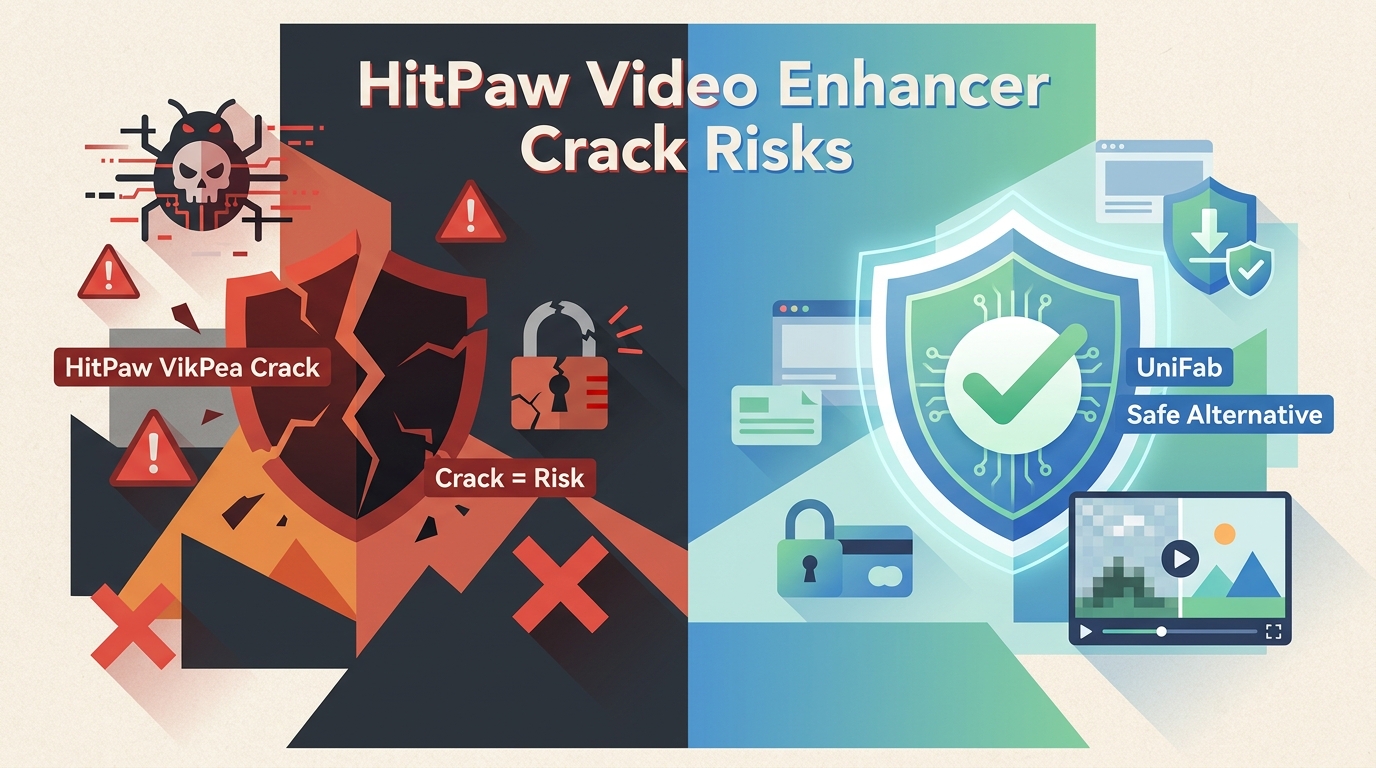
HitPaw Video Enhancer Is Now VikPea
If you searched for a HitPaw Video Enhancer crack, HitPaw VikPea crack, or HitPaw Video Enhancer torrent, you are probably weighing two fears: infecting your machine with malware, or paying nothing and then watching a long enhancement job fail right at the MP4 export. This guide answers both, and it starts with a naming clarification, because the product you remember has been rebranded.
The tool once sold as HitPaw Video Enhancer is now marketed as HitPaw VikPea, an AI video enhancement app for Windows and Mac that upscales resolution, denoises, and restores older footage. The legacy name still drives most search traffic, so both names appear throughout this article.
Legacy 3.2.2 Queries Explained
Queries like "HitPaw Video Enhancer 3.2.2" are ambiguous: some results point to old Video Enhancer builds captured before the VikPea rebrand, and others actually refer to HitPaw Edimakor 3.2.2, a separate editor. Treat 3.2.2 as a legacy modifier rather than a current VikPea release number, and verify the version on HitPaw's official site before installing anything.
Is a HitPaw VikPea Crack Safe?
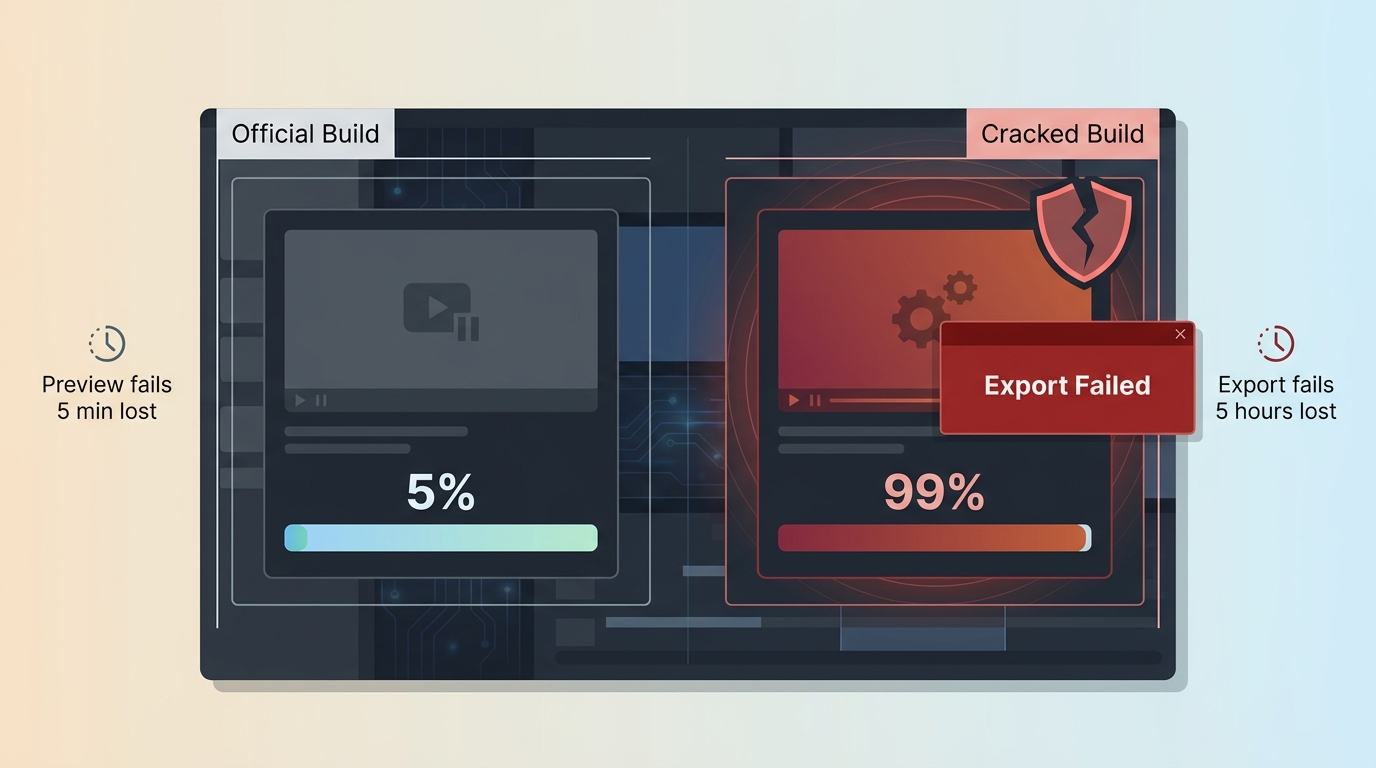
Short answer: no. A HitPaw Video Enhancer crack, HitPaw VikPea mod, or HitPaw torrent build is not safe to run, and the failure mode most readers underestimate is not the initial install: it's discovering, after a multi-hour render, that the modified build cannot complete an MP4 export because its AI dependencies or license checks are broken. In my view, a preview limitation you hit in five minutes is far cheaper than a failed export you hit after five hours.
What Modified Builds Can Break
Modified HitPaw builds are unofficial copies that alter the original installer to sidestep license checks. What they promise is free access; what actually breaks first is usually the AI model pipeline: upscaling appears to run, then the export writes a zero-byte MP4, throws a codec error, or produces a watermarked output the reader wasn't expecting. The reader loses the render time, not just the license fee.
Cracked Software Risks at a Glance
- Malware in fake installers: Security researchers have documented cracked software installers repackaged with information stealers, cryptominers, and remote-access trojans; the specific payload varies by file and source.
- Credential and data exposure: Stealers bundled with unofficial installers can harvest browser-saved passwords, session tokens, and wallet data.
- System instability: Modified binaries can corrupt files, break AI dependencies, or leave your system in a state that requires a full reinstall.
- No official updates: Once a build is patched to bypass licensing, it can no longer receive security fixes or AI model refreshes from the vendor.
- Licensing and copyright exposure: Using an unauthorized copy violates the vendor's license agreement; the legal consequences depend on jurisdiction and use case.
Official, Paid, and Modified Versions Compared
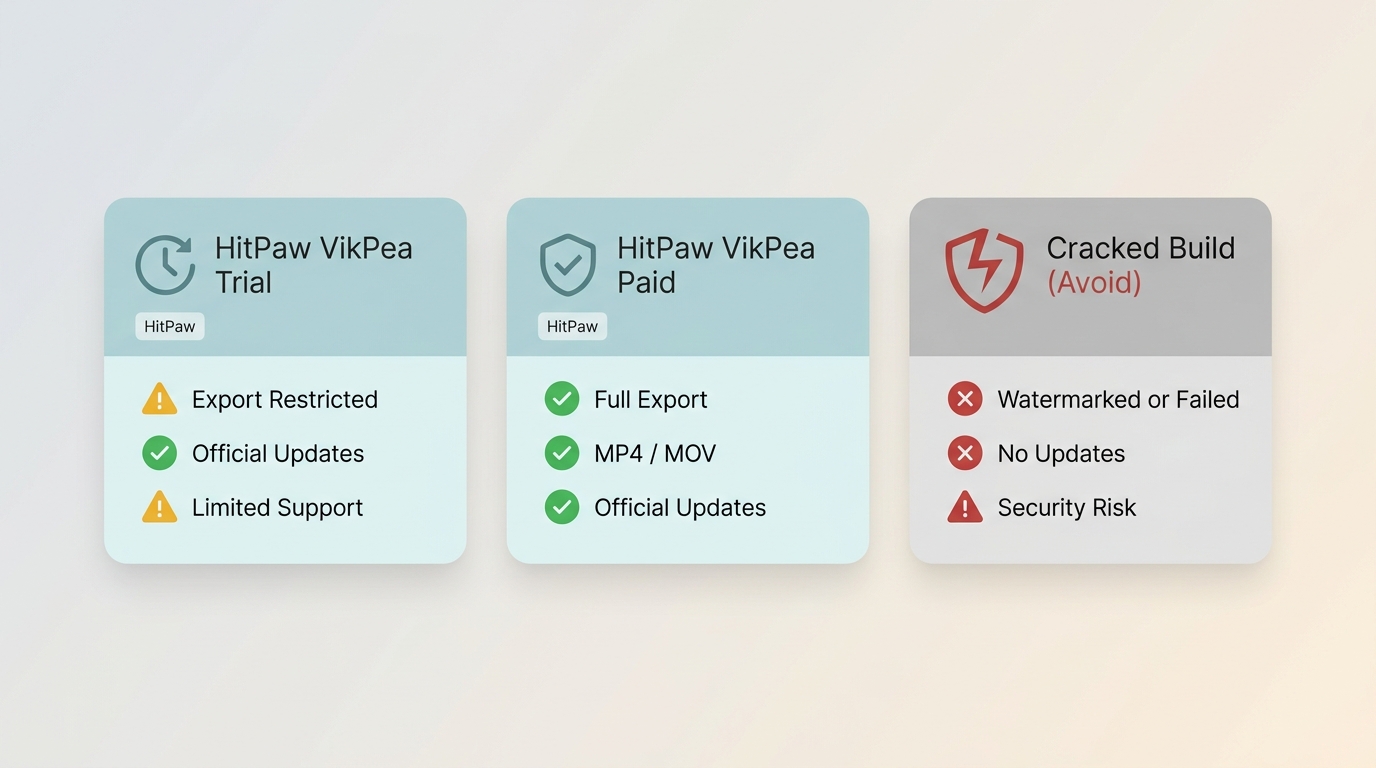
| Dimension | Official VikPea trial | Paid VikPea license | Modified build |
| Source authenticity | Vendor's official domain | Vendor's official domain | Unverified third-party mirror |
| Preview availability | Preview available for supported models | Full preview | May run, but output is unreliable |
| Save or export | Restricted; refer to current official trial terms | Save and export supported | Frequently fails at export or writes watermarked output |
| Supported output | Standard HitPaw output formats, including MP4 | Standard HitPaw output formats, including MP4 | Export format support depends on the modified binary |
| Hardware or cloud | Local processing; some features may use cloud credits | Local processing; some features may use cloud credits | Cloud-dependent features typically unavailable |
| Updates | Receives vendor updates | Receives vendor updates | No updates; AI dependencies drift out of sync |
| Official support | Vendor support channels | Vendor support channels | None |
Reading the row that matters most: the modified build is the only column where "Save or export" can fail after the render already ran. That is the row that costs the reader hours, not dollars.
Why Modified Builds Fail or Put Data at Risk
Malware and Fake-Installer Risks
Documented cases from security vendors describe unofficial software installers that were repackaged with information stealers, cryptominers, or remote-access trojans, sometimes signed to look legitimate. Common payload categories seen with modified installers include:
- Ransomware: encrypts local files and demands payment.
- Info-stealers: extract saved browser credentials, session cookies, and wallet data.
- Cryptominers: consume GPU and CPU cycles in the background.
- Remote-access trojans: create a backdoor into the machine.
Whether a specific "HitPaw crack" file carries any of these is impossible to predict without analyzing that exact binary, which is precisely the problem.
Missing Updates and Broken AI Dependencies
HitPaw ships updates that refresh AI models, fix codec and compatibility issues, and patch security vulnerabilities. A modified build cannot pull those updates without breaking its own bypass, so it drifts out of sync with the shipping AI pipeline. That is why users often see modified copies fail specifically on newer input formats or on export: the local binary no longer matches what the model expects.
License and Copyright Risks
Running an unauthorized copy of commercial software violates the vendor's end-user license agreement and, in most jurisdictions, applicable copyright law, including the DMCA in the United States and equivalent statutes elsewhere. The specific exposure, whether that means account termination, civil action, or something else, depends on the jurisdiction, the scale of use, and whether use is commercial. Consult local counsel rather than fixed penalty figures if this concerns you.
No Official Support for Modified Builds
Modified builds are ineligible for HitPaw's official support channels, and legitimate community forums generally will not troubleshoot unauthorized copies. When a specific model fails on a specific input, there is no vendor path to a fix.
MP4 Export and Output Failures
User reports about unofficial HitPaw builds cluster around output-side failures: MP4 export that errors out at 99%, watermarked files where the reader expected clean output, resolution capped below what the source supported, or processing that completes but produces visible artifacts. Taken together, they undermine the one thing the reader actually paid render time for.
The through-line across all five subsections is source authenticity. A promised feature list means nothing if the binary delivering it isn't the one the vendor shipped.
Recognizing Fake HitPaw Download Pages
Now that the risk categories are clear, the practical question is: how do you recognize an unsafe source before you download? There is no verified safe channel for a modified HitPaw build, so the goal here is defensive recognition, not acquisition. The recurring warning signs cluster into three groups: search-and-ad Chrome that mimics the vendor, file-distribution channels that host unverified installers, and social channels that push files through trust rather than verification.
Search and Ad Chrome That Mimics the Vendor
Search results and sponsored links for phrases like "HitPaw Video Enhancer crack" routinely surface pages designed to look like the vendor's own download page. Common warning signs: a domain that isn't hitpaw.com, a "Download" button that redirects through an ad network, aggressive pop-ups asking to enable notifications, and a URL that hides the real destination behind a shortener.
The same pattern appears on aggregator sites that host "pre-activated" installers. The installer may be signed with an unrelated certificate, be much larger or smaller than the vendor's build, or trigger warnings from Windows SmartScreen or macOS Gatekeeper. Any of these is enough reason to close the page.
File-Distribution Channels You Cannot Verify
Forum threads, Reddit posts, and links shared through Telegram, Discord, or WhatsApp look reassuring because a human is on the other side, but the file itself is still unverified. There is no signature check, no vendor manifest, and often no way to know whether the uploader ran the binary before sharing it. Recommendation from a stranger is not authentication.
Torrents, Tutorial Redirects, and Unsolicited Links
Torrent listings labeled as HitPaw Video Enhancer torrent or HitPaw torrent typically bundle license-bypass tools or installers of unknown provenance, and no seed count or comment history authenticates the binary. YouTube-style tutorials that place a "download link" in the description usually redirect through ad networks, survey walls, or private-channel invites. Unsolicited emails offering a free copy fall in the same category: the attachment or link is the payload, regardless of the message tone.
Impersonated Repositories and Fake Keys
Code-hosting platforms occasionally host repositories that impersonate the vendor and offer activation keys, license patches, or modified executables. The binaries are typically outdated, unsigned, and unverifiable. Registration codes and product keys circulated online for phrases like "HitPaw Video Enhancer Crack 3.2.2" are not reproduced in this article; they are either fabricated, revoked, or fingerprinted, and even a working-looking key does not authenticate the binary it activates.
The pattern across all these channels is the same: a persuasive human wrapper around a file no one has actually verified. When that check fails, the safe move is to leave and start from the official domain.
The Official VikPea Download-to-Export Workflow
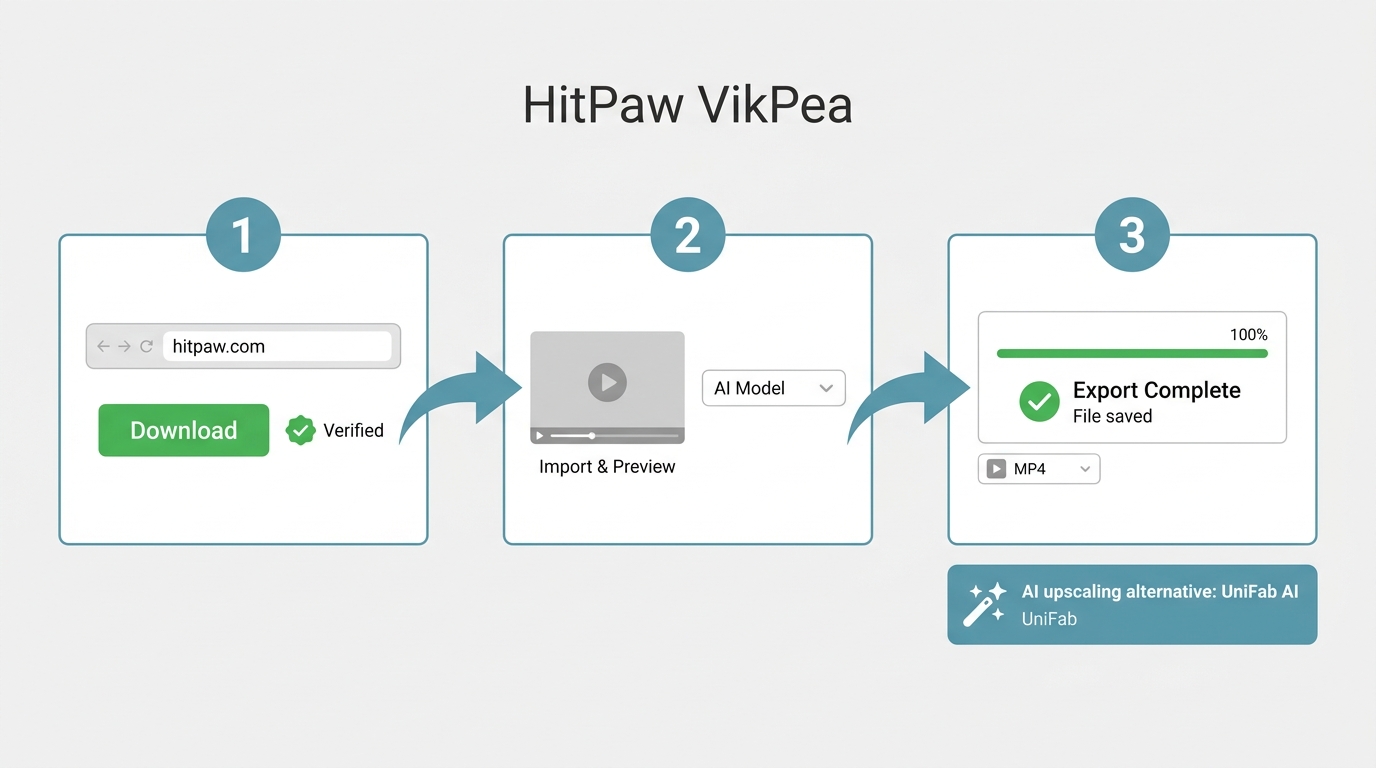
With unsafe sources identified, the next practical question is how far the official route can actually take you before any purchase decision. The path below is designed to surface export limits early, so a preview limitation you hit in five minutes costs less than a failed render you discover in five hours.
Download the Current Official Installer
Start on HitPaw's official domain and download the current VikPea installer for Windows or Mac. Confirm the installer is signed by the vendor and matches the file size shown on the download page; unofficial mirrors often ship altered binaries under the same file name.
What the Trial Can Preview or Export
The trial is best used to evaluate enhancement quality on a short representative clip: import 15 to 30 seconds of footage that represents your worst-case source, run the model you plan to use in production, and inspect the preview. Whether the trial can save or export the processed file, and any watermark or resolution restrictions, depend on the current product mode, so verify the current trial terms on HitPaw's product page before committing to a long render.
Hardware, Processing Time, and Output Formats
Processing time varies with source duration, the chosen model, target output resolution, GPU capability, and whether an acceleration or cloud mode is engaged. A short representative clip is the single most reliable check I know of: it exposes speed, model behavior, and export path in minutes rather than hours. Standard output formats include MP4 among others; treat any cloud-credit or acceleration claim as version-specific and verify on the current official page.
Legal Alternatives by Setup Effort
If the official trial cannot save what you need, or the paid plan doesn't fit, legal alternatives exist along a setup-effort spectrum. Ready-to-run options include commercial desktop tools; if you prefer no license cost and don't mind configuring dependencies, free video enhancer software and the open source video upscaler route can work well for hobby projects. Pick by effort tolerance, not by feature list alone.
UniFab: Local Processing and Broader Enhancement Options
If the official HitPaw route doesn't fit, one legal alternative worth naming, and disclosure: UniFab All-In-One is our own product, so weigh this section accordingly, is UniFab. It processes locally on Windows and Mac and covers a broader range of enhancement tasks in one app.
Where UniFab Fits
Best for: readers who want local processing for privacy or offline use, footage they own or are authorized to edit, and a single app that also handles SDR-to-HDR10 conversion or stereo-to-5.1/7.1 audio upmixing alongside upscaling.
Not ideal for: readers who specifically want to stay inside HitPaw's workflow, teams committed to a cloud-only pipeline, or anyone whose only need is a quick one-off online upscale.
16K, HDR10, and Audio Options
UniFab's Video Upscaler AI supports output up to 16K, which is useful when the source is genuinely capable of it and the target display can benefit; for typical footage, 4K or 8K is the practical ceiling. The HDR Upconverter converts SDR sources to HDR10, and Audio Upmix AI reconstructs stereo into 5.1 or 7.1 surround, which are the two capabilities most often absent from single-purpose upscalers. If you want to compare the broader field of no-cost tools before deciding, see the best free AI video upscaler roundup. UniFab also includes Video Converter for format conversion at no cost.
How to Use UniFab All-In-One
Before switching to UniFab All-In-One as a HitPaw Video Enhancer alternative, see how easy it is to use its enhancement tool.
30-day Free Trial for full features, without watermark!
- Step 1
Launch UniFab and select your desired module (Upscaler, HDR, Denoise, etc.). Click "Add Video" to import your file.
- Step 2
Configure output settings—choose resolution (4K/8K/16K), format, quality, and AI model options.
- Step 3
Click "Start" to begin enhancement. Preview the results and export your enhanced video.
Conclusion
The decision rule I'd use, boiled down:
- If you want to stay in HitPaw's ecosystem, use the current official VikPea installer and validate export on a short representative clip before any long render.
- If export limits or fit are the blocker, compare a legal alternative, whether commercial like UniFab All-In-One or a configuration-heavy open-source option, by setup effort and the specific capability you need.
- Do not run an unverified modified build. The failure mode that costs the most is a broken export after a long render, not the license fee you saved.
Disclaimer: This article is for informational purposes only. Use legitimate software from official sources.
HitPaw Video Enhancer Crack FAQ
What should I do after running a suspicious HitPaw installer?
Disconnect the machine from shared drives if you see unfamiliar processes or file changes, run a full scan with a reputable security product, uninstall the unverified build, and change passwords for accounts you've signed into on that machine, especially email, banking, and any browser-saved credentials. Then reinstall from the official HitPaw domain if you still want to use the tool. Avoid diagnosing a specific infection without evidence; the response to "unknown installer" is containment first.
Are online HitPaw activation keys safe to use?
No. Registration codes and product keys shared on forums, repositories, or resale sites are either fabricated, revoked, or associated with modified binaries you cannot verify. A key that appears to activate does not authenticate the installer itself, and using one still means running an unauthorized copy. For the same reason, this article does not reproduce any codes.
Can I request a refund after a failed VikPea export?
Refund eligibility depends on the purchase channel and the current official HitPaw refund policy at the time of purchase, so check the terms shown at checkout and contact HitPaw support with your order details. If the export failed on a technical issue with a supported source, that is usually the right first channel; if the failure came from a modified build, no vendor refund applies.
Does VikPea work offline, and what affects processing time?
Core enhancement in VikPea is designed to run locally, while some features may depend on cloud processing or credits; verify the current split on HitPaw's official page for the model you plan to use. Processing time for a given clip is driven by source duration, the selected AI model, target output resolution, GPU capability, and whether hardware acceleration is enabled. A 15 to 30 second representative clip is the fastest way to estimate a longer job.