How to Depixelate a Video: 6 Best Tools & Methods in 2026
Pixelated videos are frustrating — whether it's old home footage, a compressed social media clip, or a poorly exported project file. The blocky, distorted visuals strip away every detail that makes video worth watching. The good news? Modern AI technology can actually reverse much of this damage. In this guide, we'll explain exactly what causes video pixelation, compare 6 proven tools to depixelate video files, and share expert tips to prevent pixelation from happening in the first place.
4K at 60fps: What It Means, Why It Matters, and How to Get It in 2026
Shooting or watching video in 4K at 60fps delivers an experience that's hard to beat—razor-sharp detail combined with buttery-smooth motion. Whether you're a gamer chasing competitive clarity, a filmmaker capturing fast action, or a content creator leveling up your YouTube channel, understanding 4K 60fps helps you make smarter choices about gear, settings, and workflows. This guide covers everything from the basics to camera picks, storage math, troubleshooting, and the best tools for enhancing your footage.
How to Unblur Face in Video [Best AI Face Unblur Tool 2026]
Blurry faces in videos are a persistent problem for content creators, archivists, and anyone restoring old footage. Low-resolution cameras, motion blur, poor lighting, and heavy compression all strip away the facial details that matter most. Traditional sharpening filters only amplify existing noise without recovering lost information. AI face unblur technology changes this entirely. Modern deep-learning models trained on millions of facial images can detect degraded faces, predict missing details, and reconstruct photorealistic clarity frame by frame. This guide walks through the causes of facial blur, how AI restoration works, and a step-by-step tutorial using UniFab Face Enhancer AI to unblur faces in video.
How to Unblur a Video in 2026: Proven AI Methods & Editing Techniques That Actually Work
Blurry videos are frustrating — whether it's shaky handheld footage, an out-of-focus interview, or a low-resolution clip that looked fine on your phone but falls apart on a bigger screen. The good news is that video unblurring technology has improved dramatically, and in 2026 you have more options than ever to rescue unclear footage. This guide walks you through every practical method to unblur a video, from quick AI-powered fixes to manual editing workflows in professional software. We'll cover why blur happens in the first place, how to choose the right repair approach, and step-by-step instructions you can follow today.
How to Deinterlace Video: 6 Best AI Deinterlacing Methods in 2026
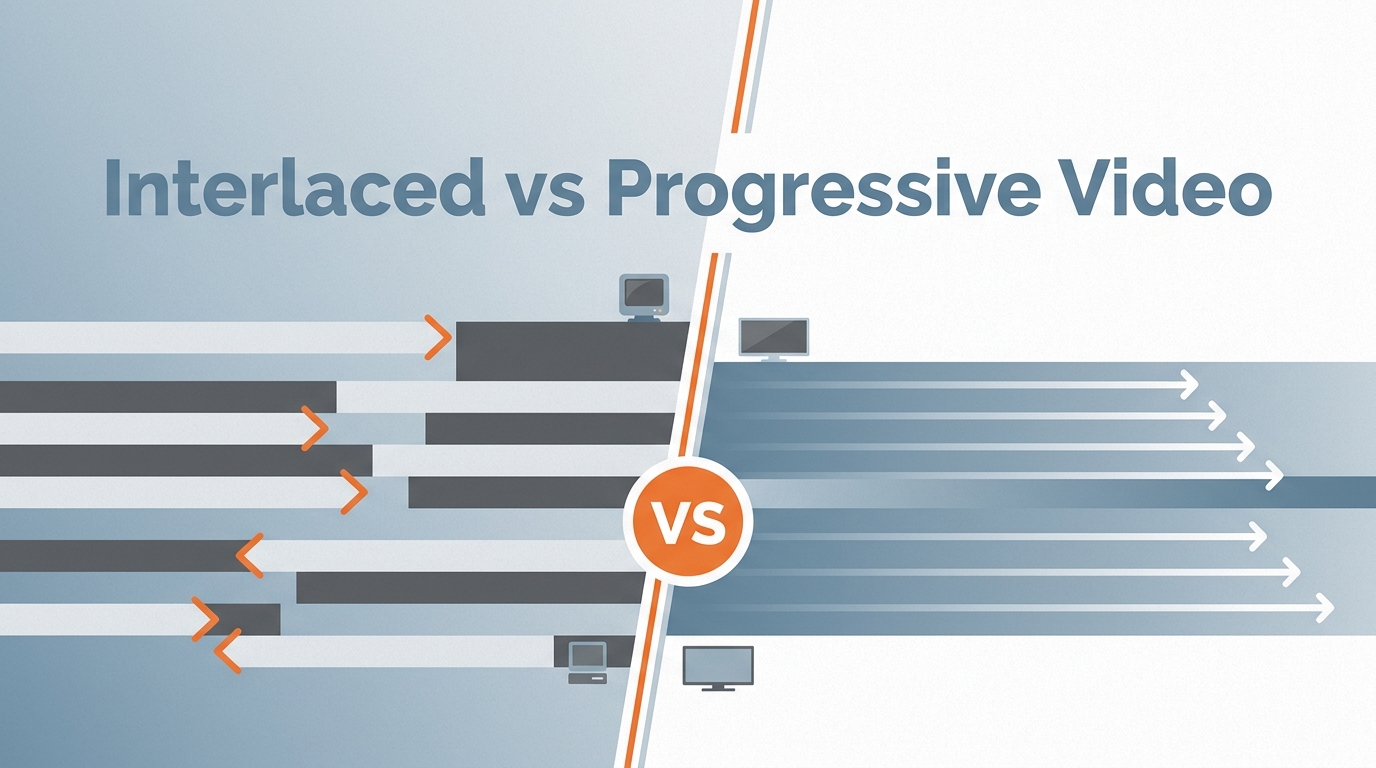
Interlaced video was designed for CRT televisions, but on today's progressive-scan monitors, phones, and streaming platforms it produces ugly combing lines, flickering edges, and jittery motion. Whether you are digitizing old family tapes, repurposing broadcast footage, or preparing content for YouTube, deinterlacing is the essential first step toward clean, watchable video. This guide walks you through what deinterlacing is, how modern AI approaches outperform legacy filters, and the 6 best tools to deinterlace video in 2026 -- from one-click AI solutions to free open-source options.
12 Best Sites for Free HDR Video Download in 2026
Looking for high-quality HDR video downloads? You are in the right place. Whether you need 4K HDR stock footage for a commercial project, Dolby Vision samples to test your TV, or free HDR clips for creative work — the right source matters. We tested dozens of platforms and picked the 12 best sites for HDR video download in 2026. Most are completely free. We also show how to convert standard SDR footage into stunning HDR quality using AI tools. That way, you are never limited by what you find online.
How to Remove Background Noise from Video on All Devices [2026 Guide]
You've just finished recording a great video — but when you play it back, all you hear is the hum of an air conditioner, wind rumbling through your microphone, or the distant sound of traffic. Background noise can ruin an otherwise perfect recording, whether it's a professional interview, a YouTube tutorial, or a casual vlog. The good news? You don't need expensive studio equipment to fix it. In this guide, we'll walk you through the best ways to remove background noise from video using both free and paid tools on Windows, Mac, mobile, and online — so your videos always sound crystal clear.
How to Enhance Video Quality in 2026: Proven Steps to Fix Blurry, Low-Resolution Videos
Poor video quality can ruin an otherwise great piece of content. Whether you are dealing with grainy surveillance footage, a shaky phone recording, or an old family video stuck at 480p, restoring clarity is no longer a guessing game. This guide walks you through every stage of video quality enhancement -- from capturing better source material to leveraging AI-powered tools that upscale resolution, remove noise, and sharpen detail automatically.
Clideo Review (2026): Is It Safe, Free, and Worth Using? | Honest Pros & Cons
This Clideo review explores its key features, provides a step-by-step guide on how to use it, highlights its pros and cons based on real user feedback, and suggests a better alternative for those seeking faster performance and higher-quality results.
How to Increase FPS on PC: 10 Proven Methods + AI Solution [2026 Guide]
If your games or videos look choppy, laggy, or blurry, your PC likely struggles to maintain a stable frame rate. You can increase FPS on your PC by adjusting performance settings, updating GPU drivers, and optimizing display options. For faster, more dramatic improvements, AI frame interpolation tools like UniFab Smoother AI automatically boost video frame rates up to 120 FPS — delivering smooth, lifelike motion without hardware upgrades. Whether you want smoother gameplay or crystal-clear video playback, this 2026 guide covers 10 proven methods to increase FPS on PC plus one powerful AI solution that handles it in a few clicks.