In short, choose a video sound enhancer app by the problem: background noise, unclear speech, uneven loudness, or low volume. A volume booster can make audio louder, but it cannot replace voice isolation or noise reduction when clarity is the real issue.
CapCut for Fast Social Video Fixes
CapCut is available on iOS and Android as a free download, although optional paid features or plans may apply. Its audio tools suit quick TikTok and Reels edits, including basic volume adjustment and noise cleanup, rather than controlled audio restoration.
Useful features:
- One-tap volume boost
- Built-in noise reduction
- Fast workflow for short videos
Where it falls short:
- Audio sounds louder, but not necessarily cleaner
- Limited control over voice vs background sound
- Not ideal for longer or more complex videos
My take: Choose CapCut when speed and social-video editing matter most. For voice isolation, severe noise, or detailed repair, use a more audio-focused workflow.
Canva for Simple Voice Cleanup
Canva offers an active Audio Enhancer within its broader video-editing workflow. Its mobile apps are available as free downloads on iOS and Android, while some features and plans may require payment.
Strengths:
- Extremely easy to use
- Clean interface
- Good for beginners
Limitations:
- Very light audio processing
- No advanced noise control
- Audio tools feel secondary to visuals
Recommended use: Canva fits projects where voice cleanup is one part of a broader design task. It is less suitable for detailed audio repair or precise control over competing sounds.
Adobe Premiere Mobile After Rush
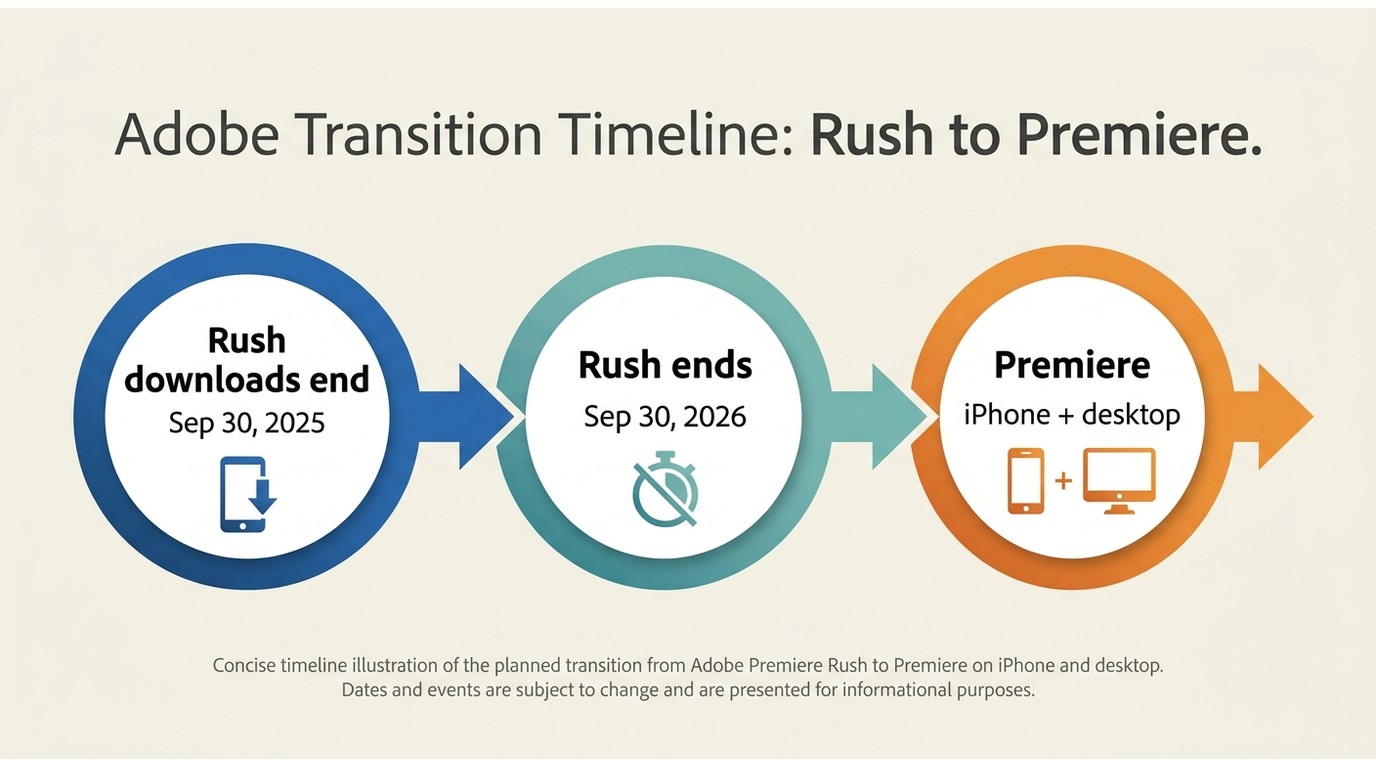
Adobe removed Premiere Rush from download on September 30, 2025, and plans to discontinue it on September 30, 2026. Adobe now directs mobile users to Premiere on iPhone or to Premiere on desktop.
Current fit:
- Premiere on iPhone supports editing within the Adobe ecosystem
- Desktop Premiere remains the more controlled option for complex audio work
Limitations:
- The current mobile app is limited to iPhone
- Rush should not be treated as a new-download recommendation
Recommended use: Consider Premiere on iPhone if you already use Adobe tools and want a mobile editing workflow. For a broader comparison, see these Adobe audio enhancement alternatives.
AudioFix for Speech and Noise
AudioFix is an active iOS app focused on improving audio in phone-recorded video. It is a free download with in-app purchases and offers a three-day introductory period tied to an annual subscription.
Useful features:
- Good speech enhancement
- Decent noise reduction
- More audio-focused than most apps
Downsides:
- Limited video editing flexibility
- Not ideal for complex projects
Recommended use: AudioFix is suited to quick speech and noise cleanup in phone recordings, but not to complex projects with multiple audio sources. For a focused workflow, see how to remove background noise from video.
VideoMaster for Volume and EQ
Video Sound Editor VideoMaster remains active on iOS as a free-download subscription app. A May 2026 update added a spectrogram and export fixes, supporting quick volume and EQ adjustments.
Pros
- Simple interface
- Fast volume boosting
Cons
- Little improvement in actual sound quality
- No advanced AI processing
My take: Use VideoMaster when a clip needs a quick volume or EQ adjustment. Raising the whole track also raises unwanted sound, so it is not a substitute for isolating speech from competing noise.
Quick comparison
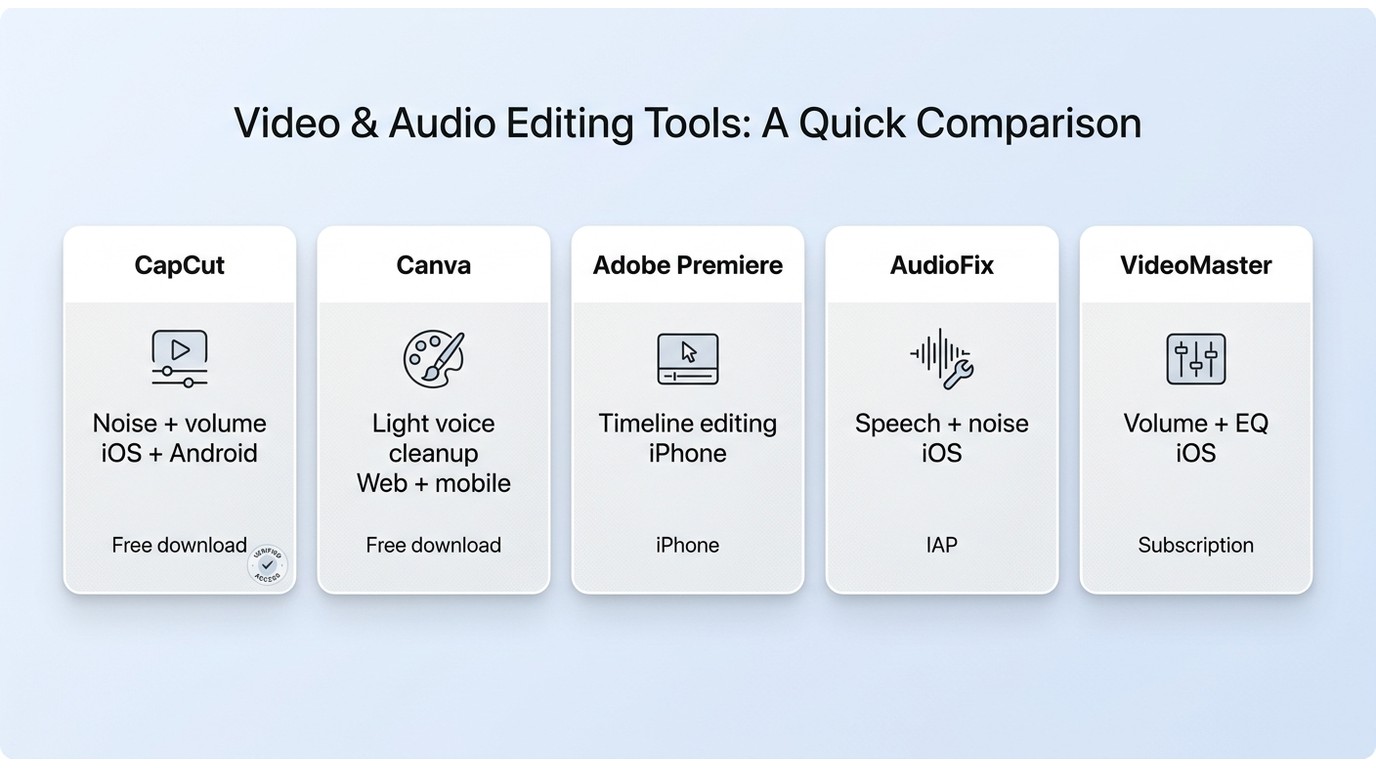
| App | Recommended use | Primary audio job | Platform and access | Import and export behavior | Key limitation |
| CapCut | Short social videos | Volume adjustment and basic noise cleanup | iOS and Android; free download with optional paid features or plans | Handles common phone-video workflows, including supported MP4 and MOV files, and exports a rendered video | Limited control for detailed restoration |
| Canva | Video and design projects with light voice cleanup | Basic speech enhancement within an editor | iOS, Android, and web; free access with optional paid features or plans | Imports common video files and exports the finished design as video; availability of tools depends on the project and plan | Audio controls remain secondary to visual editing |
| Premiere on iPhone | Mobile editing in the Adobe ecosystem | Timeline-based video and audio editing | iPhone; Rush is no longer available for new downloads | Imports phone media and exports a finished video; codec and container handling depend on the source media | Current mobile availability is limited to iPhone |
| AudioFix | Speech and noise cleanup in phone recordings | Voice enhancement, noise reduction, and volume adjustment | iOS; free download with in-app purchases | Processes video imported through the iOS workflow and saves a video result | Not designed for complex multi-source editing |
| VideoMaster | Quick volume and EQ changes | Volume boosting, EQ, and visual frequency review | iOS; free-download subscription app | Edits imported video audio and exports the processed video | Does not provide controlled separation of speech and competing noise |
Availability and pricing models as of July 2026.
Three-step workflow
Before starting, keep the original video, confirm that the app can open its file type, and make sure the device has enough storage for a second exported copy.
- Import the video. Open the clip from the phone library or upload it to the editor. Confirm that audio is present and synchronized before applying changes.
- Choose and preview the appropriate fix. Use noise cleanup for steady background sound, voice enhancement for unclear dialogue, or volume and EQ controls for a quiet but otherwise clean recording. My editorial rule is to compare the preview with the original instead of accepting a one-click result at face value.
- Export and inspect the result. Check speech clarity, distortion, metallic artifacts, lip sync, video resolution, and any watermark or output restriction before deleting the original.
What Mobile Apps Cannot Repair
Problems an App May Improve
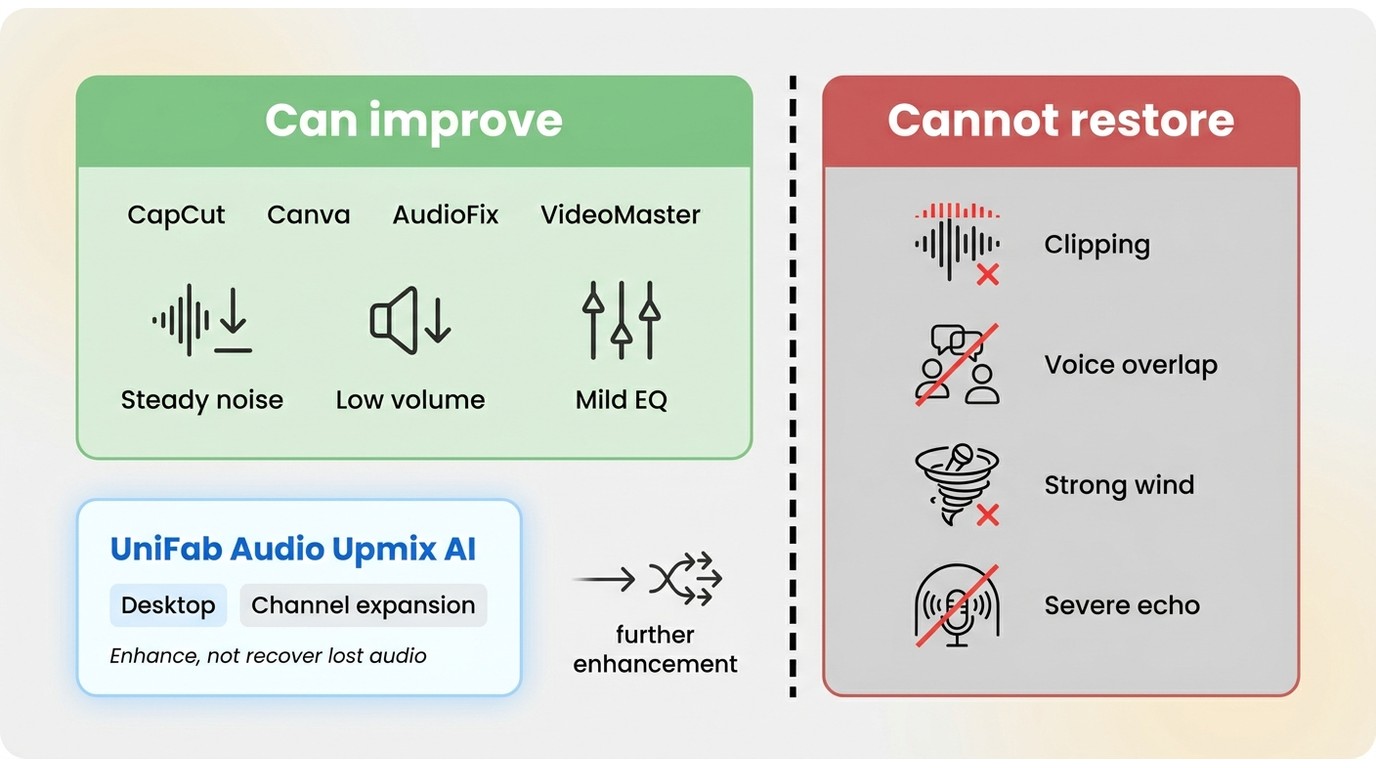
Mobile apps may improve steady background noise, low overall volume, mild loudness differences, and speech that needs modest EQ or clarity adjustment. Results are more predictable when the wanted voice is already distinct from the unwanted sound.
When Rerecording or Desktop Work Is More Practical
Severe room echo, clipped or distorted speech, overlapping voices, strong wind, and noise that occupies the same frequency range as dialogue are harder to repair. Aggressive processing can remove parts of the voice or produce metallic artifacts, so rerecording is often the cleaner choice when the original signal is badly damaged.
Volume controls also cannot create genuine spatial detail that was never captured. For more context on channel structure, see mono versus stereo sound.
When a project needs a desktop workflow, UniFab Audio Upmix AI is a Windows and Mac app that locally batch-processes supported video into MP4 or MKV and reconstructs stereo audio as 5.1 or 7.1 surround sound, with output up to 4K. It fits authorized personal projects that need local processing, file control, or surround upmixing, but not someone who wants only a quick phone-based volume boost.
For other desktop and web options beyond this mobile-app comparison, see the broader video sound enhancer guide.
The practical limit is simple: an app can rebalance usable audio, but it cannot reliably recover information that the microphone failed to capture.
Video Sound Enhancer App FAQs
Can I enhance video audio without paying?
Several apps are free to download or offer basic access without an upfront charge. Advanced processing, additional assets, longer workflows, or some export options may require an in-app purchase or subscription.
Do video sound enhancer apps support MP4 and MOV files?
Support varies by app, device, codec, and source file. The practical test is whether the app can import the exact phone video and export a playable video file rather than saving audio alone.
Will enhancing audio reduce my video quality?
It can. Strong noise reduction or voice enhancement may introduce metallic sound, pumping, or distortion, while exporting may re-encode the video. Preview the audio and verify resolution, synchronization, and output restrictions before keeping the new file.
Can an app make one quiet speaker louder without boosting everything?
Only if it offers selective voice isolation, track-level control, or automatic leveling that can distinguish the speaker. A global volume boost raises dialogue, music, and background noise together.