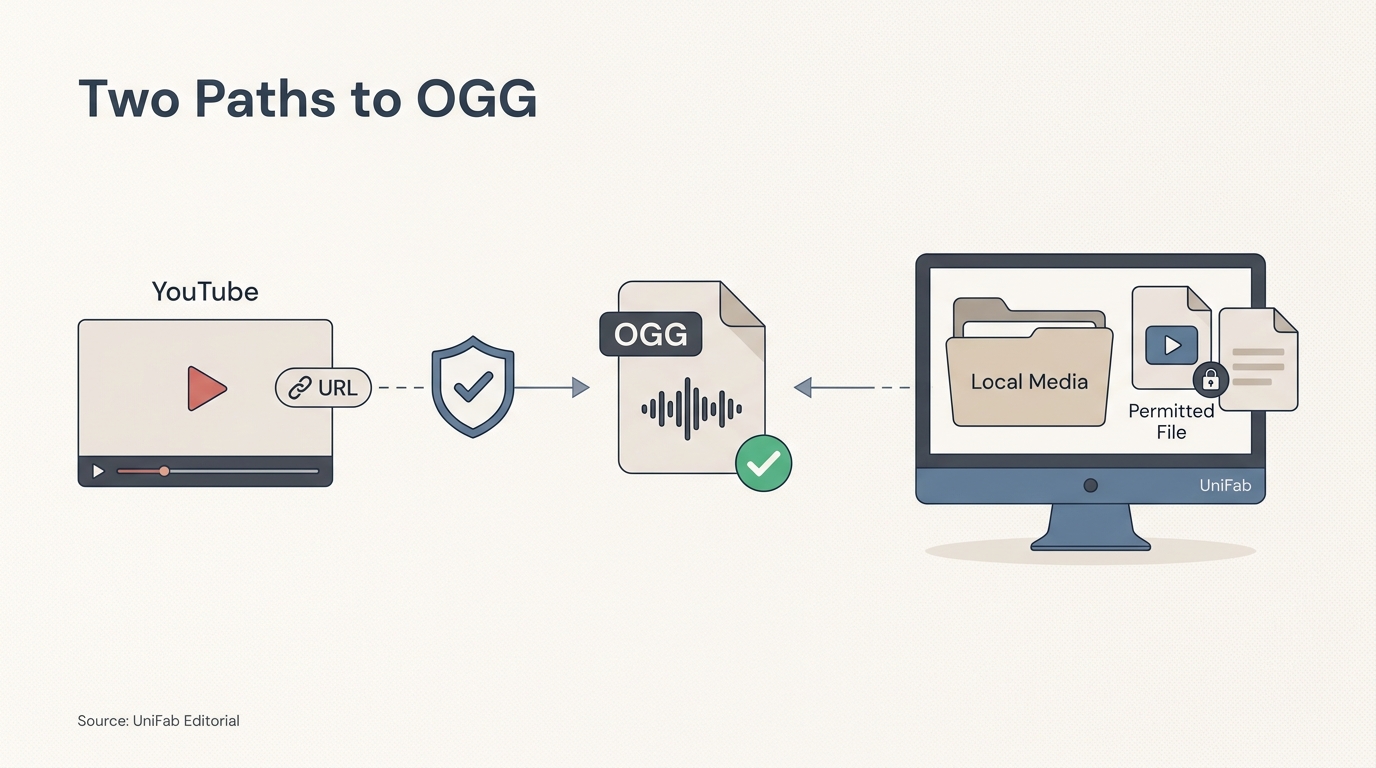
YouTube does not offer native OGG export. To convert YouTube to OGG, use an online converter only for an authorized link, or use a desktop converter after obtaining a permitted local file. Choose between them based on permission, codec compatibility, privacy, and whether you need batch processing.
I draw the line at repeat work: when a web tool stops working, adds redirects, or limits batches, local processing is the more defensible path. A safer workflow makes the input boundary explicit: use an authorized URL for a one-off job, then switch to local files when repeat work matters. The guide moves from permission and codec checks to a comparison of direct-link and desktop paths. That distinction matters because not every link is eligible or produces a file your target app can actually use.
Before You Convert: YouTube's OGG Limit and Permissions
Before using a YouTube to .ogg workflow, confirm that you are allowed to use the source, check the target app's codec requirements, and remember that conversion cannot restore detail already removed by compression. The resulting YouTube to OGG file still comes from a third-party or local-file workflow because YouTube has no native OGG export.
Why YouTube Does Not Provide an OGG Export Option
YouTube is built around playback, not a user-controlled audio-export menu. OGG requires a separate conversion step whose success depends on the link, service availability, and exposed output settings. A successful download does not prove the video is eligible or the file fits its intended use.
Permission and Copyright Checks for US Users
Use a link only when you own the material, have permission, hold an appropriate license, or use public-domain material. Platform Terms of Service and copyright are separate: a platform may restrict automated access, while redistribution creates a different rights question. A converter does not grant permission.
OGG, Vorbis, and Opus in Plain Language
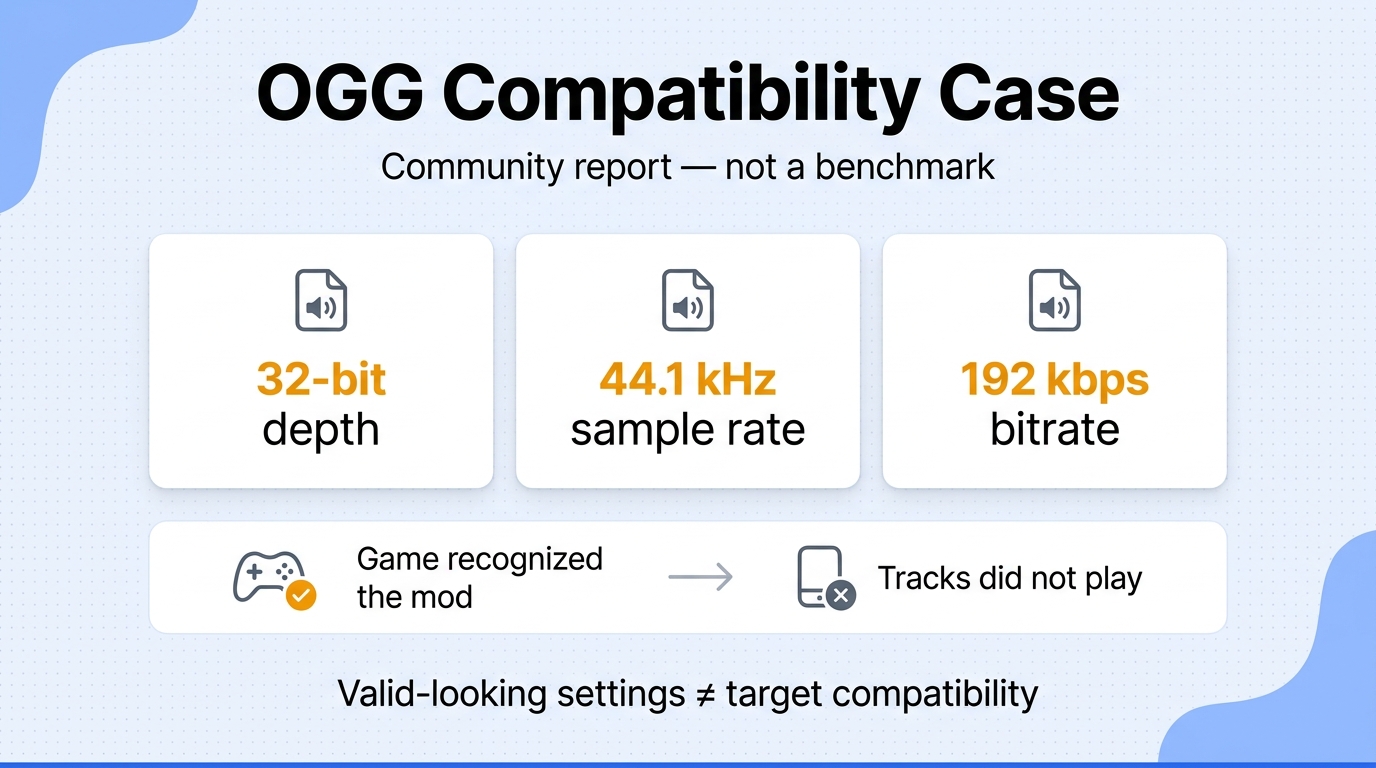
OGG is a container; Vorbis and Opus are codecs that can sit inside it. The filename alone does not tell a game, phone, or music library which codec or bitrate mode it will receive. Also, converting an already compressed stream to OGG can change the encoding, but it cannot recreate detail that was absent in the source.
How to Convert a YouTube Link to OGG in 4 Steps
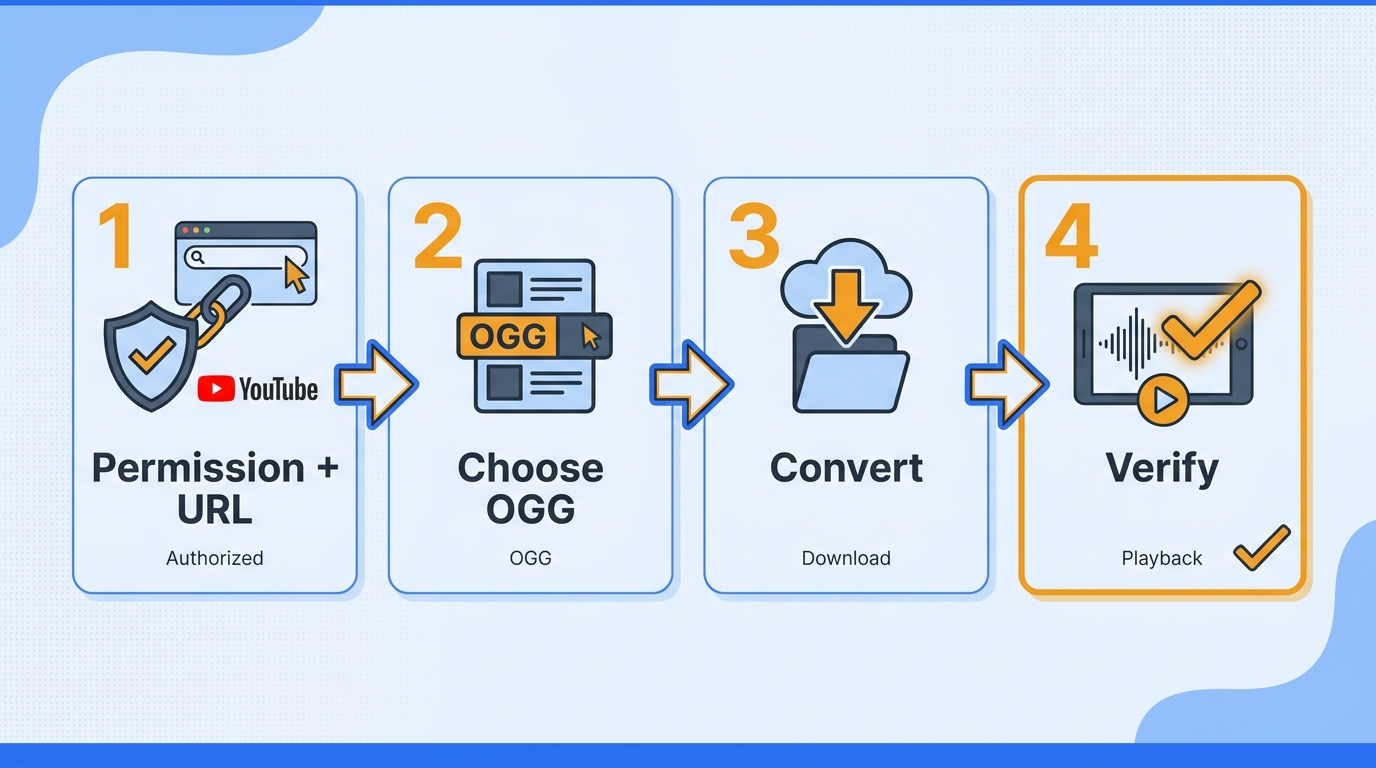
For an authorized link, this YouTube to OGG workflow uses four checks: copy the URL, choose an OGG output, run the conversion, and verify the codec before importing the file. Keep permission separate from technical success: a file can be created correctly and still be unsuitable to share.
Please note: Use a link only when you own the material, have permission, or the use is allowed by the uploader’s license and YouTube’s Terms. Keep the resulting file for that permitted purpose, and do not redistribute copyrighted material.
- Confirm permission and copy the video URL.
- Choose a reputable converter and an OGG output.
- Convert the link and download the file.
- Verify the codec, quality settings, and playback target.
Step 1: Confirm Permission and Copy the Video URL
Open the video page, confirm the rights basis, and copy the canonical URL. For this conversion, the URL is only the input; avoid treating a public video as permission to make any copy you want.
Step 2: Choose a Reputable Converter and OGG Output
Look for HTTPS, a clear OGG control, limited redirects, and no unexpected installer. HTTPS protects the connection, but it does not certify the operator or the output. A converter that hides its format choice makes it harder to predict whether you will receive Vorbis, Opus, or another file with an OGG extension.
Step 3: Convert and Download the File
Start the download only after checking the filename and destination. Ignore buttons that open a new tab, request browser permissions unrelated to conversion, or offer an executable when you asked for an audio file. If the service fails, stop there rather than repeatedly retrying a questionable page.
Step 4: Verify Codec, Quality, and Playback
Inspect the file’s codec and bitrate mode in a media-information tool, then test it in the game, phone, editor, or library that will use it. Desktop playback is a weak compatibility test; the target application is the real acceptance check.
Online vs. Desktop YouTube to OGG Converters
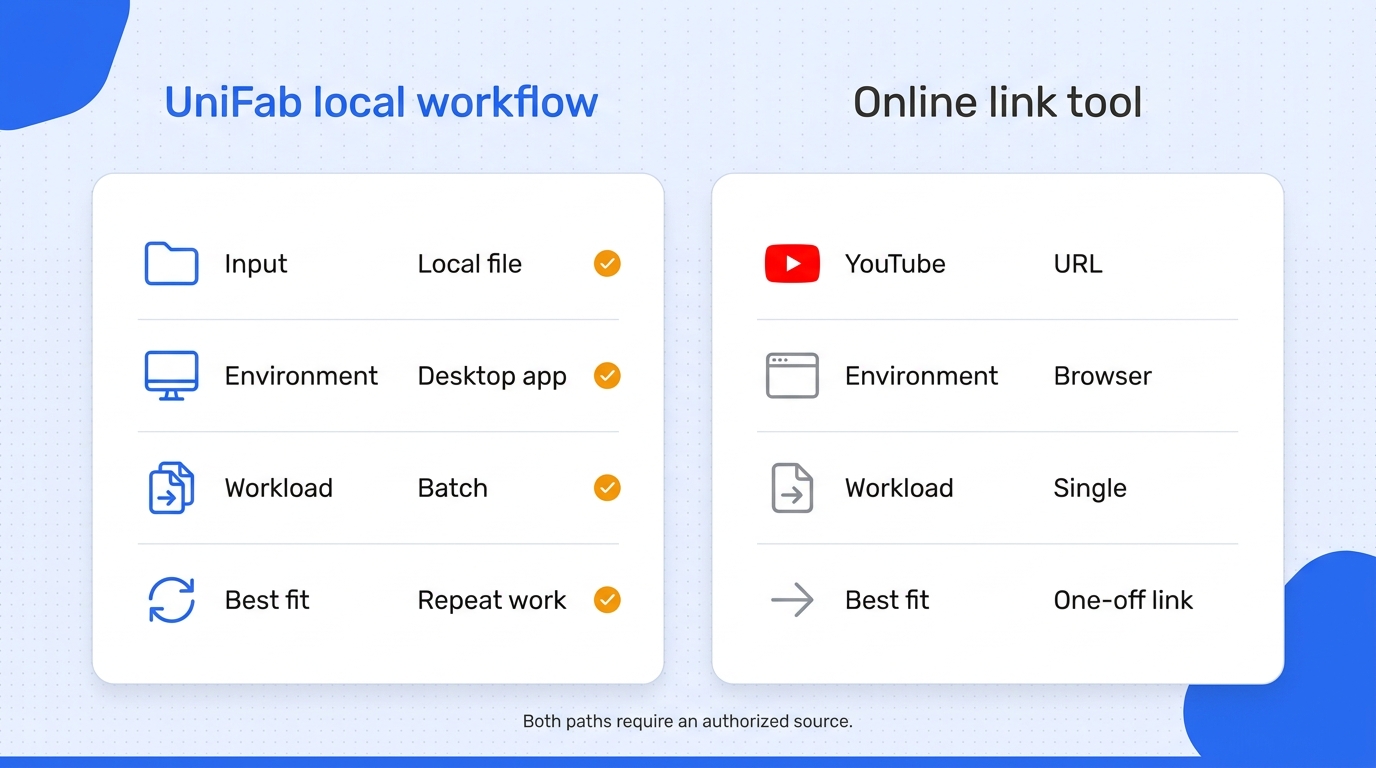
An online converter fits a single authorized link and minimal setup. For repeat work, a local converter such as UniFab begins after you have an authorized file and keeps processing on the computer. Neither path changes the permission requirement.
Online Converters: Fit for a One-Off Authorized Link
An online YouTube to .ogg converter removes installation for one permitted link, but remote processing can bring file limits, uncertain retention, and ads or redirects. A commenter in r/youtube described the reliability and malware concern directly: “The sites I used to use, like Cobalt, have stopped working altogether after Youtube's recent changes. Most of the other YouTube to MP3 converters I've found are either packed with ads or potential malware. I'm just looking for a safe, reliable, ad-free option that still works.”
Desktop Converters: Fit for Local Files and Repeat Jobs
Desktop software makes more sense after you already have authorized local media. It keeps processing on the computer, exposes repeatable output settings, and avoids uploading each file. In r/MySummerCar, a commenter documented a concrete batch limit: “online MP3 to OGG websites always limited me (only 5 files at once, slow, etc.).” It is less suitable for a single link when installing software adds more friction than the job warrants.
Selection Checklist: Safety, Quality, and Workload
| Path | Input | Processing | Batch fit | Use-case fit |
| Online direct-link converter | Authorized YouTube URL | Remote service | Varies | One-off link |
| UniFab Video Converter | Authorized local media | Windows or macOS local | Supported | Repeat or batch work |
The practical choice is simple: use a link-based service when the job is genuinely one-off and authorized; use local software when control, repeatability, or batch size is the real problem. For repeat jobs, I would not trade local control for one-click convenience: the cited five-file cap turns the browser route into queue management, while UniFab's verified batch support removes that bottleneck.
Convert Authorized Local Files to OGG with UniFab
UniFab Video Converter fits when you already have a permitted local file and need repeat or batch work. It is not a native YouTube-link exporter; use it after lawful acquisition.
If you searched for a YouTube to OGG converter free of per-file browser limits, UniFab Video Converter handles authorized local files instead. UniFab handles local files; it does not accept YouTube links.
When the Local Workflow Fits
The local path fits when media should stay on the computer, several files need the same treatment, or the receiving app requires a repeatable codec setting. This boundary keeps conversion and file-use permission separate.
Convert One File or a Batch to OGG
- Import the authorized local video or audio files.
- Select an OGG-compatible output profile.
- Adjust only the codec or bitrate settings your target app requires.
- Start the local conversion and test one output before processing the full batch.
A small test output catches a codec or bitrate mismatch before a long queue produces unusable files.
Verified Capabilities and Practical Limits
As of August 2026, UniFab Video Converter is a $0 Windows and macOS local converter with batch support across 1,000+ formats. It is not a fit if you need to paste a YouTube URL directly or have not obtained the source lawfully.
For OGG work, I would treat 4K as a video-master feature, not an audio-quality promise; UniFab's relevant advantage here is local batch conversion across 1,000+ formats from an authorized source.
YouTube to OGG FAQ: Quality, Safety, and Compatibility
I use one decision rule across the edge cases below: settle permission first, choose the one-off link path or the local repeat-workflow, then match the codec to the receiving app. This YouTube link to OGG FAQ covers the safety, quality, legality, and compatibility questions that remain after you choose a conversion path.
Is It Legal to Convert a YouTube Video to OGG in the US?
There is no universal yes or no. Conversion is on firmer ground when you own the work, have an explicit license, or are using public-domain material; platform rules may still limit automated access. Redistribution and commercial use raise separate copyright questions, so check the relevant license, Terms of Service, and local law.
Is It Safe to Paste a YouTube Link into an Online Converter?
Treat safety as a checklist, not a label. Prefer a clear HTTPS page with a direct output control, avoid installers and browser permissions that are unrelated to conversion, and never enter your Google or YouTube password into a converter. A familiar brand name or padlock alone is not enough to establish good data handling.
Does Converting YouTube Audio to OGG Improve Sound Quality?
No. A converter can change the container or codec, but it cannot restore detail removed by the source encode. Select the bitrate and codec your target app documents; a higher output setting does not turn a compressed source into a lossless master.
Why Does an OGG File Work in VLC but Fail in a Game or Phone?
The application may require a particular codec, bitrate mode, sample rate, or metadata layout. An r/Ultrakill compatibility report describes the symptom: “I've downloaded a few songs off of youtube and converted them to .ogg. The files play fine in VLC and the windows player, but when I try to use them during cybergrind, they all get skipped.” Check the game or device specification, then create a small test file that follows it.
Should an OGG File Use Vorbis or Opus?
Use the codec named by the target application. If its documentation says Vorbis, choose Vorbis; if it explicitly supports Opus, choose Opus. The .ogg extension is not a substitute for checking that codec requirement.
Can You Convert an MP3 or MP4 File to OGG Instead?
Yes, if you have the right to use the local file. Import the MP3 or MP4 into a desktop converter, choose the target codec and bitrate, and test the result in the final app. This route avoids the link-handling step, but it still cannot improve the quality of an already compressed source.