
What Is Remaker AI?
The main distinction for a quick photo swap is access: the official photo face-swap page advertises free use without signup or a watermark, while Remaker AI video face swapping requires purchased-credit VIP access. Use the official browser site, not a same-name app.
Remaker AI is a browser-based AI toolkit offering face swapping, photo editing, AI image generation, background removal, image upscaling, AI video generation, and video enhancement. Access and credit rules vary by tool, and paid features use one-time credit packs. Remaker AI says it has no official mobile app, but its website is accessible through a mobile browser.
Quick Access Facts:
- Access: Official website through a desktop or mobile browser
- Official mobile app: None
- Photo face swap: Advertised as free without signup or a watermark
- Video face swap: Requires purchased-credit VIP access
- Paid usage: One-time credit packs
Remaker AI Key Features
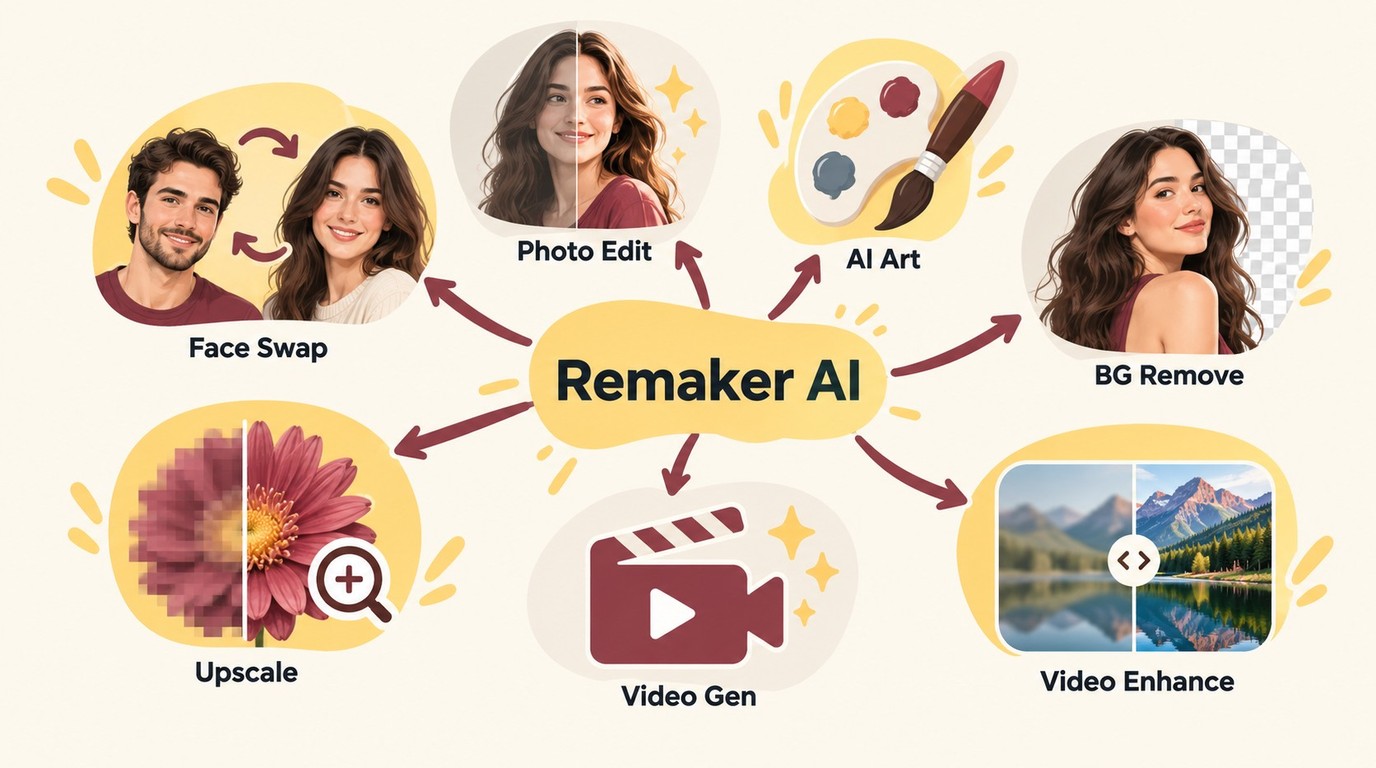
Remaker AI provides separate modes for single-photo, multiple-face, batch, and video face-swapping tasks. Access rules depend on the selected mode.
Choose the Right Remaker AI Face-Swap Tool
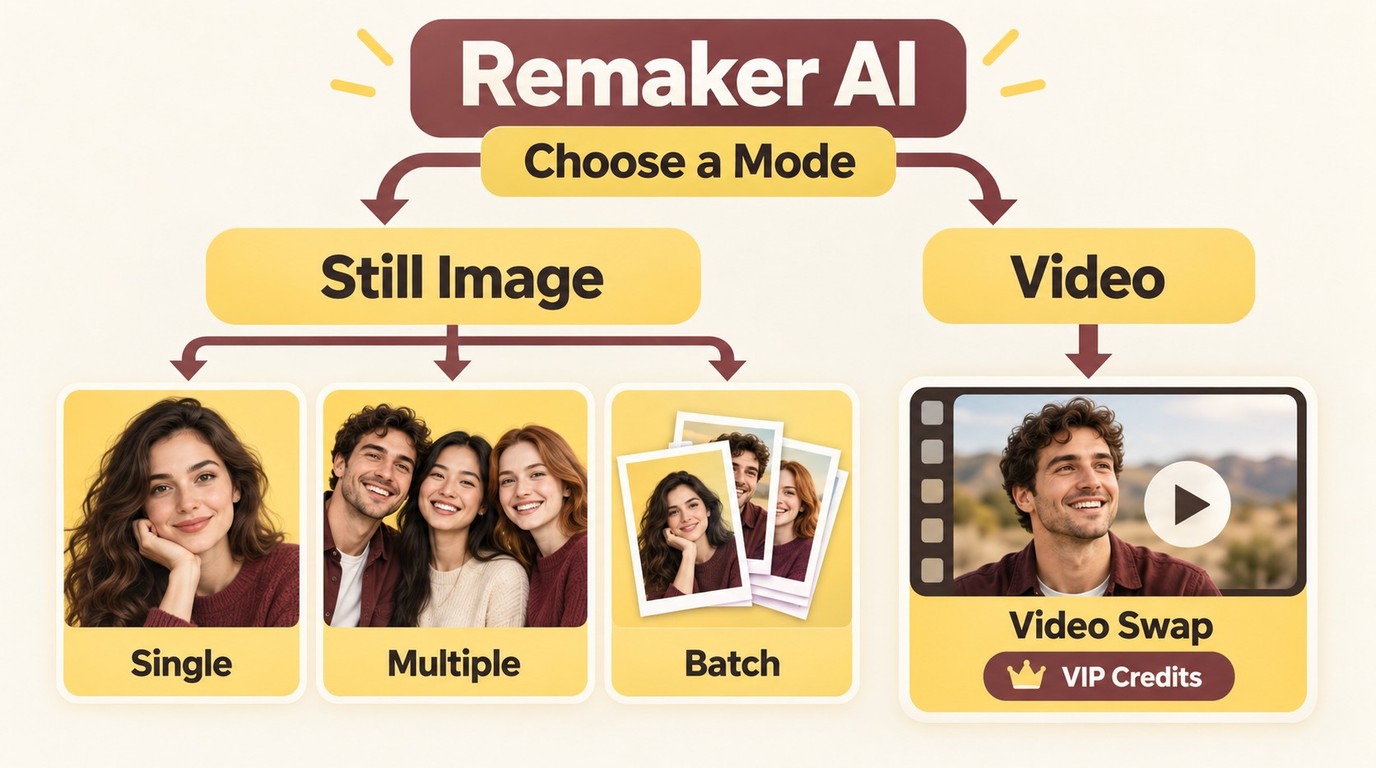
Select the face-swap mode that matches your source material and intended result before uploading.
Face swapping replaces identity, video generation creates a new clip, and video enhancement improves existing footage. For a face swap, use the photo workflow for still images and the video workflow for moving footage.
AI Face Swap
Face swapping is Remaker AI's signature feature — the tool that originally put the platform on the map. It supports:
- Single face swap: Replace one face in a photo with another
- Multiple-face swap: Swap multiple faces in a group photo simultaneously
- Batch processing: Process multiple images in one go
- Video face swap: Apply face swaps to video clips (requires VIP/paid credits)
The official single-photo face-swap page advertises free use without signup or a watermark. Video face swapping follows a different access rule and requires purchased-credit VIP access. Choose the photo tool for a still image and the video tool only when its paid workflow and upload limits fit your clip.
Single Photos, Group Photos, and Batches
Use single-photo mode to replace one face in one receiving image. Use multiple-face mode to map identities to different people in a group photo. Batch mode applies processing across multiple photos rather than assigning several faces within one image.
Video Face Swaps and Input Limits
Remaker AI video face swapping requires purchased-credit VIP access. Its interface accepts MP4, AVI, and MOV inputs up to 500 MB and 30 minutes, so confirm the displayed limits and credit quote before uploading a clip.
Swap and Save a Photo With Remaker AI
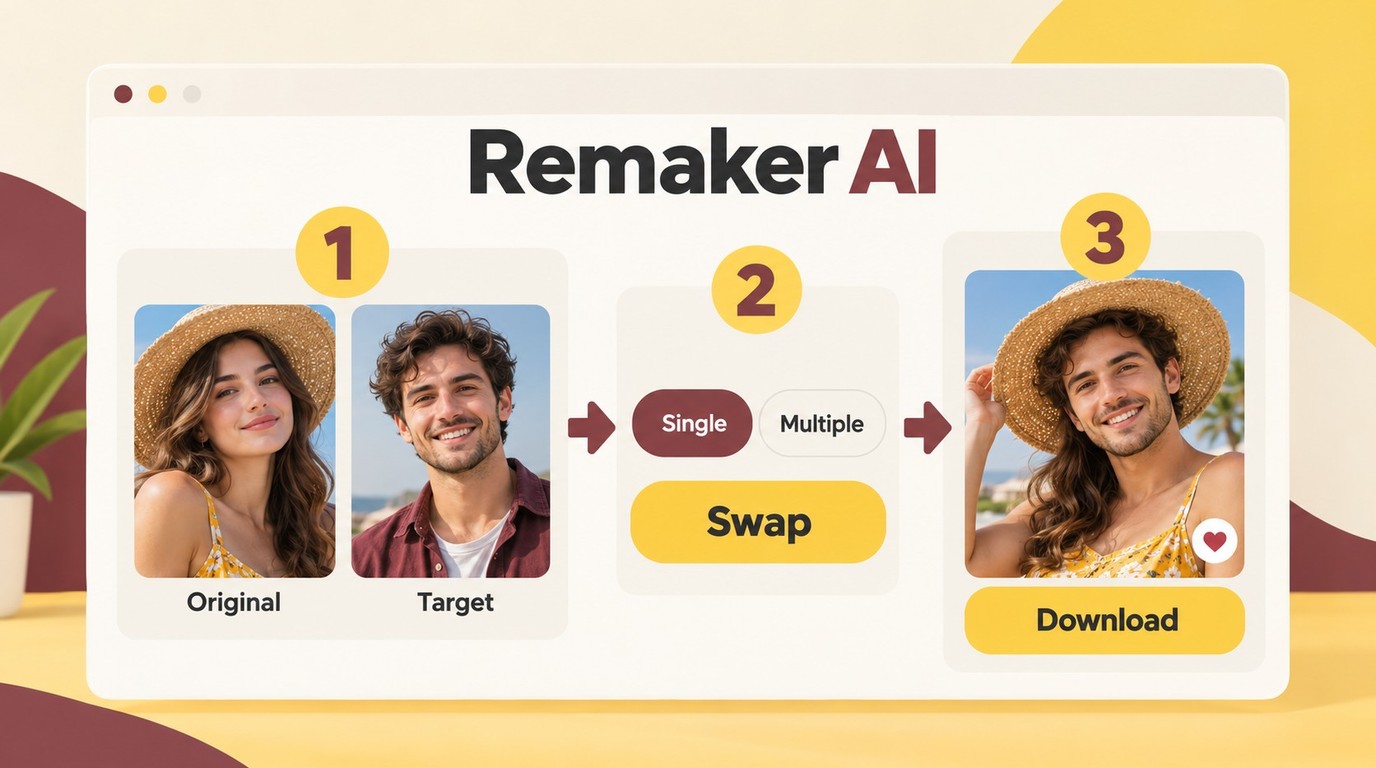
Before you begin, prepare an Original Image containing the receiving scene and a Target face that supplies the replacement identity. Use images you are authorized to upload, preferably with clear faces, similar viewing angles, and compatible lighting.
Select the Original Image and Target Face
- Open the official Remaker AI photo face-swap tool in your browser.
- Add the Original Image that should retain the scene, pose, clothing, and background.
- Add the Target face whose identity should appear in the result.
- Select single-face or multiple-face mode. For a group photo, map each target identity to the intended detected face.
- Start the face-swap operation and wait for the displayed result.
Inspect the Result and Save Your File
- Check the eyes, hairline, face edges, skin tone, and lighting for visible mismatches.
- Confirm that the clothing and background still match the receiving image.
- If the blend looks uneven, try a clearer target face with a more similar angle and lighting direction.
- Use the available download control to save the displayed result.
For a completed video face swap, inspect movement, expressions, motion blur, and moments when an object or hand covers the face before saving or sharing the clip.
AI Photo Editor
Remaker's photo editor offers two main editing modes:
- Prompt Edit: Type text instructions to modify your image (e.g., "make the sky sunset orange")
- Transform Object: Brush over specific areas to remove or repaint objects
Use Prompt Edit for broader changes described in text, or Transform Object when you want to target a selected part of an image.
AI Art Generator
The AI art generator lets you create images from text prompts with several customization options:
- Prompt input: Describe the image you want to generate
- Style and model selection: Choose from the options displayed in the generator
- Generation settings: Adjust image quantity, aspect ratio, and negative prompts where available
- Image variation: Generate variations of an existing image
Select the settings that match the intended subject and format, then inspect the generated image before downloading or sharing it.
Background Remover
The background removal tool separates a foreground subject from its background for reuse in product images, listings, and marketing assets.
This tool is particularly practical for e-commerce sellers, print-on-demand businesses, and marketing teams that need to prepare product images.
AI Image Upscaler
The image upscaler uses machine learning to enhance resolution by inferring missing pixel data. It handles:
- Restoring old or low-resolution photos
- Enhancing social media assets for larger displays
- Upscaling images for print materials
- Batch processing for large image libraries
After processing, inspect fine textures and edges before using the upscaled image.
AI Video Generator
Remaker's video generator creates short animated clips from text prompts or still images. Choose an available generation option, review its displayed credit cost, and inspect the completed clip before saving.
Enhancing Existing Video
Remaker AI's browser-based enhancer processes existing footage. A practical guide to how to enhance video quality includes checking clarity, motion, color, and Edge detail in the completed result.
This tool is intended to improve existing footage rather than replace a face or generate a new clip.
Remaker AI Video Enhancement: Uses and Limits
Remaker AI video enhancement processes an existing clip rather than replacing a person’s identity. Compare the completed result with the source for clarity, edges, motion, color, and unintended changes.
Video Enhancement and Face Swapping Serve Different Tasks
- Video enhancement improves an existing clip, while face swapping replaces a person’s identity in the footage.
- Select the tool that matches your task before uploading a video.
- Both workflows run in a browser, but their access and credit rules differ.
Source Quality and Output Checks
- Inspect the completed video for sharpness, stable details, and unintended changes before saving it.
- Read the displayed credit quote before starting an operation.
Remaker AI Pricing and Credit System
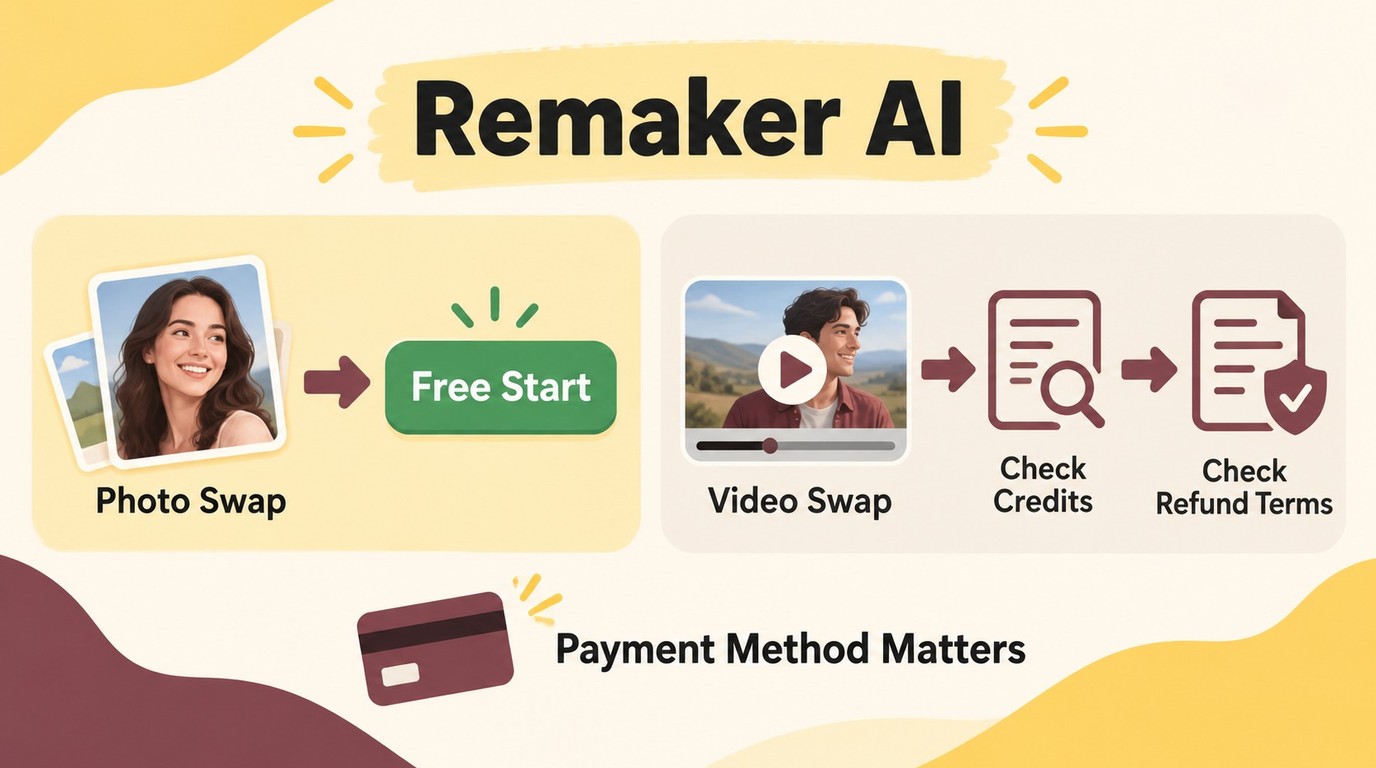
Remaker AI uses one-time credit packs rather than a universal subscription. As of October 2026, the pricing page lists five USD packs, says purchased credits do not expire, and provides payment-specific refund terms that differ from the general terms.
Web Pricing
| Credits | Price |
| 200 | $5.99 |
| 530 | $9.99 |
| 1,100 | $19.99 |
| 3,000 | $49.99 |
| 20,000 | $299 |
Purchased credits do not expire. The purchase-page FAQ lists Crypto and Telegram payments only, while the homepage advertises Stripe, cards, Google Pay, and Apple Pay.
The purchase-page FAQ states that Crypto and Telegram Stars payments are non-refundable. Separately, the general terms describe a first-purchase refund within three days when no more than 50 credits have been used; that wording does not state that it overrides the payment-specific exclusion.
Mobile Browser Access, Not an Official App
Remaker AI is accessible through a mobile browser, but the company says it does not offer an official mobile app. Similarly named App Store, Google Play, or APK listings should not be treated as official Remaker AI products.
Important Pricing Notes
Bonus credits have separate next-purchase redemption and 30-day conditions.
For a still-photo task, the free photo face-swap route is the practical starting point. For paid video, review the displayed operation cost and the refund terms for the selected payment method before purchasing credits.
Remaker AI Video Enhancement Workflow
Before you start, prepare a video you are authorized to use and confirm that you have enough credits for the option shown by Remaker AI.
Open Remaker AI Video Enhancer and sign up using the "Sign up with Google" option.
Click "Upload" to upload your video. You’ll see a dashboard with a “Credits:30” option for free use.
Choose either the "Generate 5s Preview Video" (15 credits) or "Enhance Video Quality" (57 credits for 19s). The first option is free, while the second requires a paid plan.
Adjust the video’s start and end times using the blue playback bar to save credits.
Shorter videos (under 10 seconds) can be enhanced with the "Enhance Video Quality" option within 30 free credits.
After selecting the video duration and processing options, click the download icon to save the enhanced video.
Remaker AI Pros and Cons
Pros of Remaker AI
| Strength | Detail |
| Multi-tool suite | Face swap, photo editing, AI art, and upscaling |
| Browser-based access | No install; works in desktop and mobile browsers |
| Free photo option | Single-photo face swap without signup or watermark |
Cons of Remaker AI
| Weakness | Detail |
| Mixed review-platform ratings | Trustpilot: 2.2/5 (13); G2: 4.6/5 (29) |
| Paid video access | Video face swap requires purchased-credit VIP access |
| Conflicting payment information | Purchase page: Crypto/Telegram; homepage: Stripe/cards and digital wallets |
| Payment-specific refund limits | Crypto/Telegram Stars excluded; general terms are conditional |
| No official mobile app | Use the browser; similarly named apps and APKs are unofficial |
Remaker AI User Reviews and Trustworthiness
User reviews provide useful context, but they should not be treated as a security assessment. Feedback on Trustpilot and G2 reflects notably different user experiences with Remaker AI.
Trustpilot Snapshot
As of October 2026, the two platforms report the following separate snapshots:
| Platform | Rating | Review count | Profile context |
| Trustpilot | 2.2/5 | 13 | Unclaimed profile |
| G2 | 4.6/5 | 29 | Mixed experiences |
Positive and Negative User Experiences
A positive G2 review from 2026 states:
"What stood out immediately with Remaker.ai is how intuitive everything feels."
Another positive G2 review from 2026 states:
"I like how the platform brings multiple AI image and video tools into one place without making the experience complicated."
A negative G2 review from 2026 reports:
"A trial period includes 10 credits only for 24 hours to waste them."
A negative Trustpilot review from 2026 reports:
"After paying, I experienced issues with the service and did not receive the level of support I expected."
Trust Assessment
These platform-specific samples show differing user experiences rather than a uniform verdict. They are not a security certification or proof of a sustained decline, so payment terms, upload privacy, and task suitability should be assessed separately from reputation scores.
Remaker AI Upload Privacy and Consent
For a consensual, non-sensitive photo task, using the official Remaker AI browser site is a reasonable route. Upload privacy and payment are separate decisions, and reputation ratings do not establish how a service handles facial images.
Upload Retention and Tracking
Remaker states in its photo face-swap FAQ that uploaded images are deleted within 48 hours. This statement applies to that photo tool, while the general privacy policy also describes tracking technologies and international data transfers.
Avoid uploading identification documents, confidential images, or other sensitive material. Use any available history or deletion controls, and contact support through the official site if you have an account-specific deletion request.
Consent and Responsible Sharing
Upload and edit only content you are authorized to access, and use a person’s face only with their permission. Do not redistribute altered media without authorization. Follow applicable law and the service terms, as the appropriate boundaries depend on the people, content, and intended use involved.
UniFab AI as a Remaker Alternative
Users searching "Remaker AI review" in 2026 overwhelmingly fall into one of two buckets: existing Remaker users frustrated by the recent changes, and new users evaluating browser-based AI video tools. For both, the most direct like-for-like alternative is also a browser-based tool from a vendor with active customer support and standard payment processing.
UniFab Video Enhancer Online is a browser-based AI video enhancement tool, UniFab's cloud-compute backend, to deliver upscaling and enhancement without local install.
And UniFab also provides desktop app suite for power users. While enhancing and upscaling video to 4K, 8K, and even 16K, the AI video upscaler can also preserve video details, optimize color, and sharpen definition to add clarity and dimension to any low-quality video. It also offers multiple AI models for tackling versatile videos with specification.
Instantly Enhance Video Quality up to 16K!
- Free 30-day trial with full features
- No watermarks during the trial period
UniFab Video Upscaler AI
Instantly Enhance Video Quality up to 16K!
- Free 30-day trial with full features
- No watermarks during the trial period
UniFab Video Upscaler AI for Mac
Key Features & Performance of UniFab
UniFab Video Enhancer AI exposes four production-grade upscaling models, each optimized for a different content profile.
Vellum Model — Tuned for soft sources (camcorder, VHS, low-bitrate phone footage). Restores detail without over-sharpening.
Kairo Model — Tuned for compressed digital sources (downscaled streaming, social-platform re-uploads). Removes compression artifacts before upscaling.
Equinox Model — Tuned for high-motion content (sports, action footage). Avoids smearing on fast frames.
Titanus Model — Tuned for archival and film content. Preserves grain structure rather than smoothing it out.
Steps to Enhance Video With UniFab
30-day Free Trial with full feature access! No watermark!
Launch UniFab program on your system (Windows/ Mac), go to All Features to choose Video Upscaler AI module. Then, upload the video to initiate the video-enhancing process.
Next, set the output profile perimeters with resolution, models, formats, codec, etc, to get a personalized video. At the end, select the “Start” option to complete the video-enhancing process of your video.
Remaker AI vs. UniFab AI
Remaker AI and UniFab overlap only at a broad AI-video level. Remaker AI includes face replacement among its tools, while UniFab's relevant role here is enhancing existing footage rather than changing a person's identity.
Face Replacement and Video Enhancement
Use Remaker AI's face-swap workflow when the goal is to replace an identity in a photo or video. Use a video enhancer when the goal is to improve an existing clip without replacing the people in it; this is the task UniFab's online and desktop enhancement routes address.
For a quick still-photo identity swap, Remaker AI's photo workflow is the more direct route. For improving the visible quality of existing footage, choose the UniFab enhancement route that fits either browser-based or installed processing.
On equivalent 720p → 4K upscaling tests, UniFab's models produce cleaner detail recovery with less halo artifact than Remaker AI's single-pass model. Color balance remains closer to source. The gap widens on compressed Web video (typical user input) because Remaker's pipeline does not include a dedicated artifact-cleanup pass before upscaling.
Brand Ratings in Context
Remaker AI has a Trustpilot rating of 2.2/5 from 13 reviews and a G2 rating of 4.6/5 from 29 reviews. UniFab has a brand-level Trustpilot rating of 4.0/5 from 188 reviews.
These scores summarize experiences reported on different platforms and with different sample sizes. UniFab's score applies to the brand rather than a specific online enhancement product, and none of these ratings serves as a controlled measure of output quality, product capability, or upload security.
Conclusion
Remaker AI is best approached tool by tool: its official single-photo face-swap page advertises free use without signup or a watermark, while video face swapping requires purchased-credit VIP access. For a quick still-photo swap, the free photo route fits the task; for video, review the displayed credit cost and payment-specific refund terms before purchasing.
For the enhancement task, UniFab offers browser-based processing and installed desktop options, including the UniFab All-In-One suite; features and settings vary by product. If cost is the deciding factor, the best free AI video upscaler roundup can help you compare no-cost starting points.
FAQs about Remaker
These six answers summarize Remaker AI access, credits, safety, face mapping, scene preservation, and mobile-browser use.
Is Remaker AI free to use?
Yes, for the single-photo face-swap page, which advertises free use without signup or a watermark. That offer is tool-specific: video face swapping requires purchased-credit VIP access.
How does Remaker AI's credit system work?
Remaker AI sells one-time credit packs, and purchased credits do not expire. The video face-swap interface displays a regular rate of one credit per second, but that rate does not apply automatically to Remaker AI's other tools.
Is Remaker AI safe and trustworthy?
It is a reasonable option for a consensual, non-sensitive photo task when you use the official browser site. Remaker says it has no official mobile app, and its photo FAQ states that uploaded images are deleted within 48 hours; its general privacy policy also covers tracking and international transfers. Use only authorized content, obtain permission from people shown, avoid sensitive uploads, do not redistribute results without authorization, and follow applicable law and service terms. Trustpilot and G2 ratings reflect user experiences, not data-security certification.
Can I swap two faces in the same photo?
Yes. Use multiple-face mode for a group photo, then assign each intended identity to the corresponding detected face. Batch mode serves a different task by processing multiple photos rather than mapping two faces within one image.
Can a face swap leave the clothes and background unchanged?
A face swap targets identity rather than the entire scene. Before sharing the image, inspect the eyes, face edges, hairline, clothing, and background; if the blend looks unnatural, try a clearer target face with a similar angle and lighting.
Does Remaker AI work on phones and tablets?
Yes. Remaker AI is accessible through a mobile browser, but Remaker says it does not offer an official mobile app. Similarly named app-store listings and APKs are not official Remaker AI products. The photo face-swap page advertises free browser use, while video face swapping requires purchased-credit VIP access.