10 Best 4K Quality Converter in 2026 [Windows, Mac & Online]
Your old 720p vacation clips look terrible on a brand-new 4K TV. Your drone footage shot at 1080p doesn't hold up next to the crisp 4K content flooding YouTube and TikTok. And that wedding video from 2015? It deserves better than blocky, washed-out playback on a modern display. A 4K quality converter solves all of these problems — and the best ones in 2026 use artificial intelligence to rebuild missing detail rather than simply stretching pixels. This guide covers the 10 best desktop and online tools available right now, with honest pros and cons for each, a side-by-side comparison table, and practical advice on picking the right converter for your workflow.
CapCut Noise Reduction: Full 2026 Review, Tutorial & Best Alternative
Grainy, noisy video footage can ruin an otherwise great recording. Whether you shot in low light, used a high ISO setting, or recorded on an older smartphone, digital noise degrades visual quality and distracts viewers. CapCut noise reduction promises to fix this problem directly inside a free editor — but how well does it actually work in 2026? In this comprehensive guide, we test CapCut's noise reduction feature on real-world footage, walk you through the exact steps to use it, and compare its results against a dedicated AI denoising tool. By the end, you will know exactly when CapCut is "good enough" and when you need a more powerful solution.
How to Unblur a Video in 2026: Proven AI Methods & Editing Techniques That Actually Work
Blurry videos are frustrating — whether it's shaky handheld footage, an out-of-focus interview, or a low-resolution clip that looked fine on your phone but falls apart on a bigger screen. The good news is that video unblurring technology has improved dramatically, and in 2026 you have more options than ever to rescue unclear footage. This guide walks you through every practical method to unblur a video, from quick AI-powered fixes to manual editing workflows in professional software. We'll cover why blur happens in the first place, how to choose the right repair approach, and step-by-step instructions you can follow today.
How to Watch Amazon Prime Video in HDR and Dolby Vision [2026 Guide]
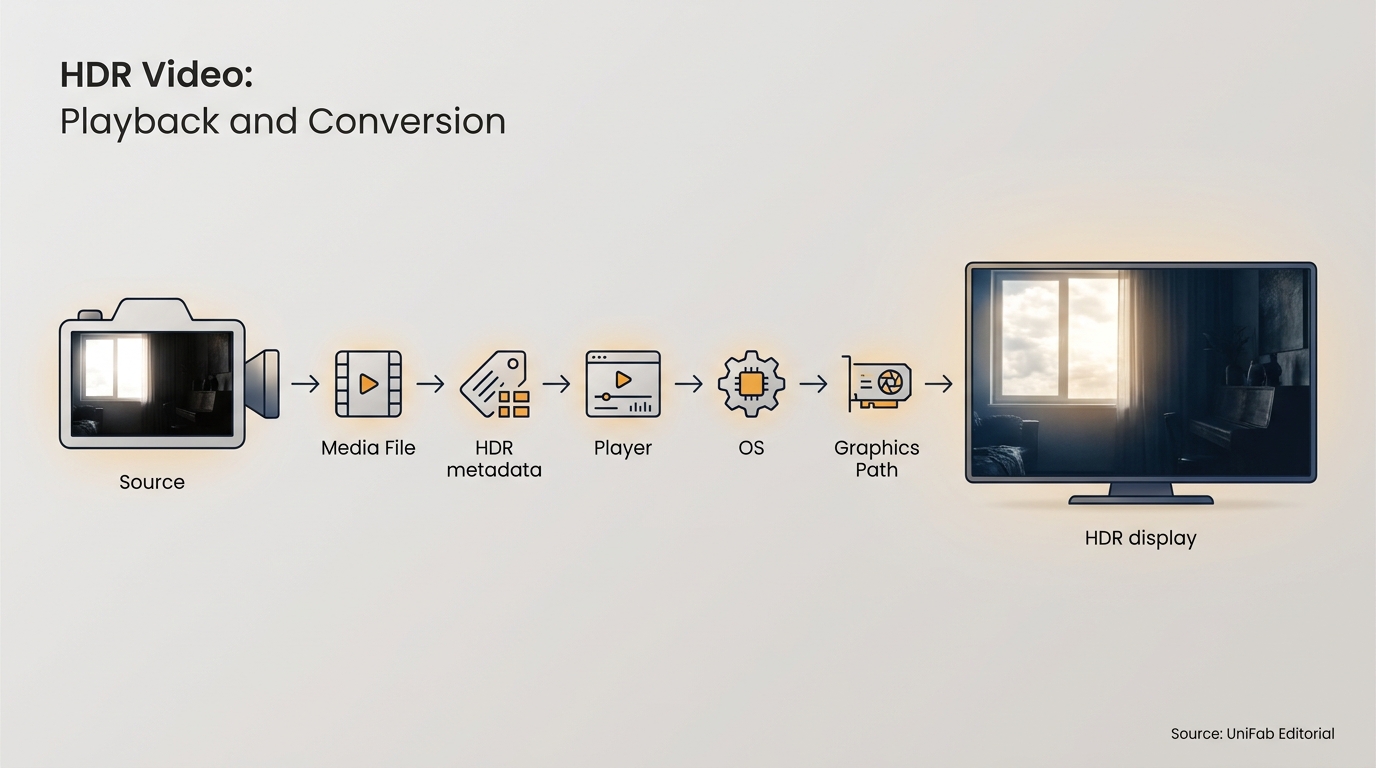
Amazon Prime Video offers thousands of titles in HDR10, HDR10+, and Dolby Vision — but actually watching them in these premium formats requires the right subscription tier, compatible hardware, and correct settings. Many users pay for Prime Video without realizing they are watching in standard SDR quality. This guide explains everything you need to know about Amazon Prime Video HDR and Dolby Vision in 2026: which subscription you need, which devices are compatible, how to enable HDR playback, and what to do when your setup does not support it natively.
Movavi Screen Recorder Review 2026: Features, Pricing, Safety & Honest Assessment
Looking for a reliable screen recording tool? Movavi Screen Recorder is one of the most popular options for capturing tutorials, webinars, gameplay, and presentations. But is it worth the price — and is it safe to use? In this detailed Movavi Screen Recorder review, we examine its features, pricing plans, free trial limitations, real user feedback, and safety record. We also compare it with UniFab Screen Recorder to help you make an informed decision in 2026.
Osmo Pocket 1 vs 2: A Complete Comparison Guide [2026]
Whether you are a vlogger, social media creator, or someone who loves capturing cinematic moments on the go, the DJI Pocket series remains one of the best compact gimbal camera options available. But choosing between the original DJI Osmo Pocket and the newer DJI Pocket 2 can be tricky. In this detailed Osmo Pocket 1 vs 2 comparison, we break down every key difference — from sensor and image quality to audio, features, and price — so you can decide which one fits your needs best in 2026.
After Effects vs Premiere Pro: Complete Comparison Guide [2026]
After Effects and Premiere Pro are both Adobe video tools, but they do very different things. Premiere Pro is a video editor — you cut clips, arrange them on a timeline, mix audio, and export a finished video. After Effects is a motion graphics and visual effects tool — you create animations, composite layers, and build effects that get dropped into your edit. Most professionals use both. The question isn't which one is "better" — it's which one you need for the job in front of you. This guide breaks down the real differences in features, pricing, performance, and use cases so you can make the right call.
CyberLink PowerDirector Review 2026: Features, Pricing, Pros & Cons
If you're searching for a video editor that bridges the gap between beginner-friendly simplicity and professional-grade capability, this CyberLink PowerDirector review will help you decide whether it deserves a spot on your editing workstation. PowerDirector has quietly grown into one of the most downloaded consumer video editors worldwide, and the 2026 release brings a significant UI overhaul alongside a wave of AI-powered creative tools. But does it truly deliver on its promises? We tested every major feature on an Intel i7-13700K / RTX 4060 system with 32 GB RAM — from the new AI Music Generator to the revamped timeline interface — so you don't have to guess. This guide covers pricing tiers, system requirements, feature deep-dives, platform differences between Mac and Windows, and how PowerDirector stacks up against the best alternatives available in 2026.
How to Change Video Resolution on Windows, Mac & Online [2026 Guide]
Whether you're trying to upload a 4K video to Instagram or upscale an old 480p clip for a presentation, knowing how to change video resolution is essential. The wrong resolution can mean rejected uploads, choppy playback, or wasted storage space. In this guide, you'll learn 11 proven methods to change video resolution on Windows, Mac, and online — including AI-powered upscaling that actually improves quality, not just stretches pixels. We've tested each tool so you can pick the right one for your needs.
Movavi Video Editor Review 2026: Features, Pricing, Safety & Honest Verdict
Movavi Video Editor has established itself as one of the most accessible video editing tools for beginners and intermediate creators. But is it worth your money in 2026? In this comprehensive Movavi review, we examine every aspect of the software — from its AI-powered features and pricing plans to safety concerns, real user feedback, and how it compares to alternatives like UniFab Video Enhancer.