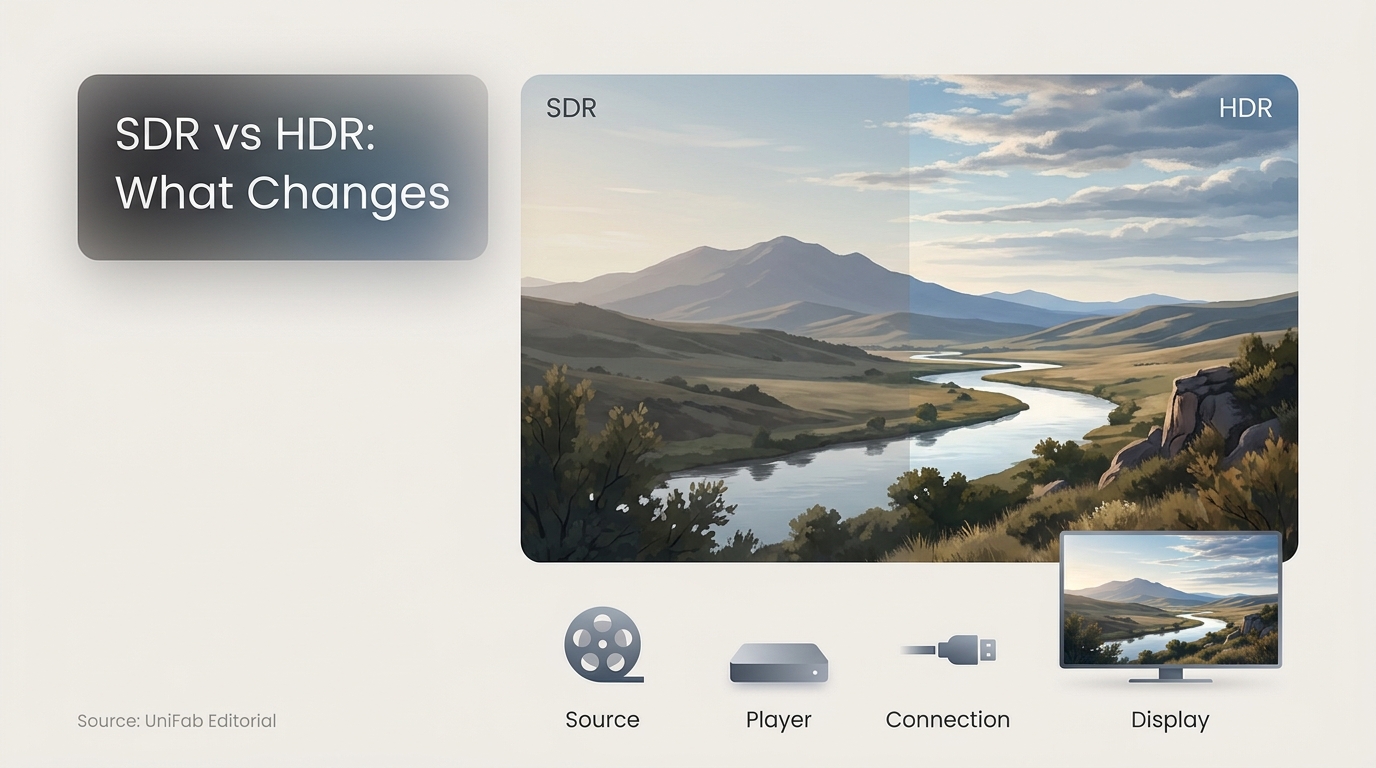
If HDR looks darker or less colorful than SDR on the same screen, the format label is not the whole story. In the SDR vs HDR comparison, HDR can look better through a compatible end-to-end chain, while SDR remains the safer choice for consistent playback.
I treat an HDR badge as conditional capability, not proof of better picture quality. My first check is the weakest link in the signal chain, because one bad handoff can make HDR look dark, flat, or inconsistent. This guide separates 4K SDR vs HDR, then moves from diagnosis to format choice and selective SDR-to-HDR conversion.
What SDR and HDR Mean in Practice
For readers searching what is SDR vs HDR, the practical distinction starts with SDR: standard dynamic range uses a familiar range of brightness and color designed for broad playback compatibility. HDR, or high dynamic range, can preserve brighter highlights, deeper shadow detail, and a wider range of color, but those gains appear only when the content, player, connection, and display all handle the signal correctly.
The useful question is not which label is newer. It is how much visual range the complete viewing chain can reproduce without distorting the creator's intent.
My editorial rule is to trust a stable SDR image over an HDR badge when the signal chain cannot preserve the source.
Dynamic Range Is Different From Resolution
Resolution describes picture detail through pixel count. Dynamic range describes the span between dark and bright parts of the image, along with how finely tones and colors can be represented. A video may be 4K and SDR, or 1080p and HDR, because these are separate picture-quality dimensions.
What SDR Prioritizes
SDR prioritizes predictability. It works across a wide range of televisions, monitors, phones, browsers, editors, and social platforms with fewer tone-mapping surprises. Its narrower tonal range limits intense highlights and subtle shadow separation, but a well-mastered SDR image can still look balanced, accurate, and intentionally cinematic.
What HDR Can Add
HDR gives compatible displays more room to separate a bright reflection from a sunlit sky, or a face in shadow from a dark background. It also allows richer color transitions where the source contains them. The gain is potential, not a guarantee: HDR cannot create detail that the camera never captured, and weak processing can turn extra range into clipping, crushed shadows, or odd color.
SDR vs HDR: Key Differences at a Glance
In an SDR vs HDR comparison, SDR is the more consistent format across mixed devices, while HDR has the higher picture-quality ceiling. HDR wins when the source is mastered well and the full chain supports it; SDR wins when compatibility, stable desktop use, or predictable delivery matters more.
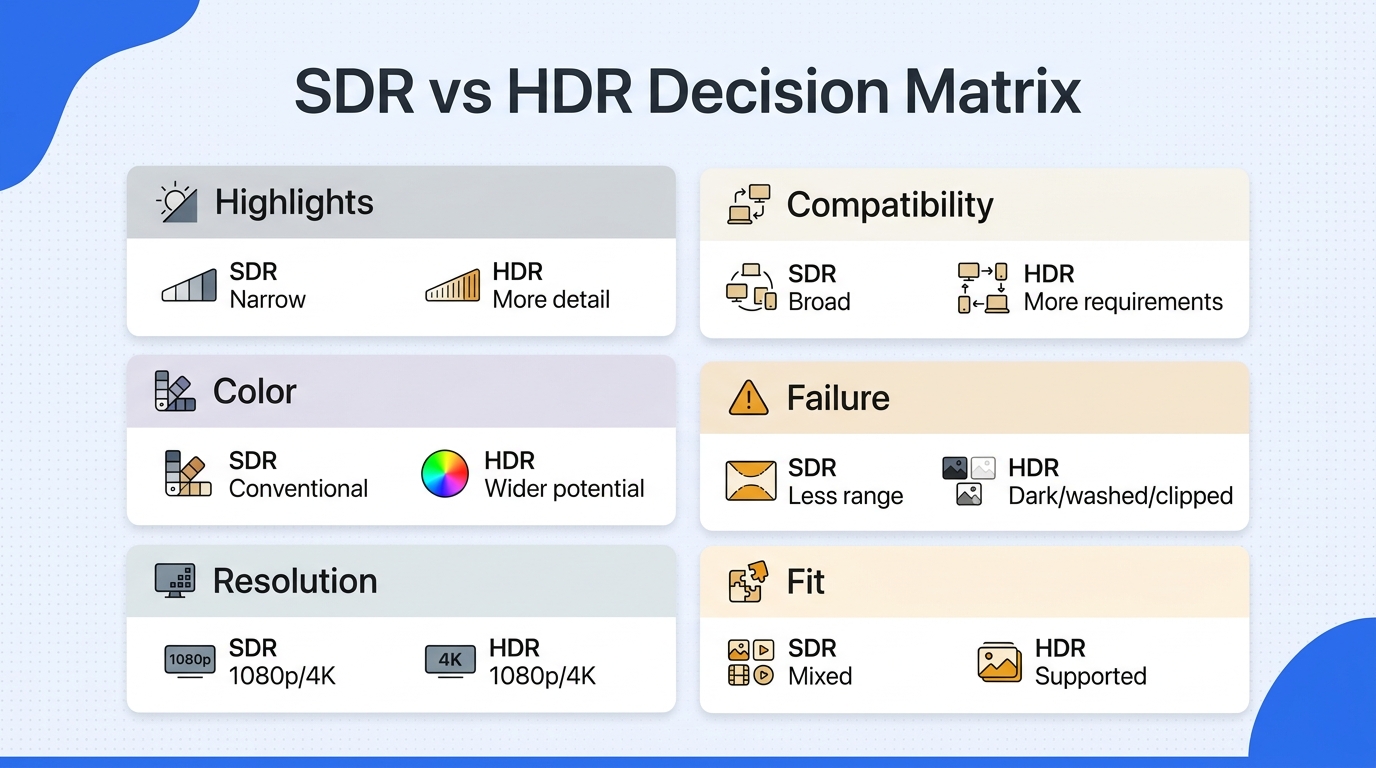
| Decision factor | SDR | HDR | What changes the verdict |
| Highlights and shadows | Narrower tonal range | More detail when supported | Mastering, tone mapping, panel |
| Color | Conventional range | Wider range potential | End-to-end color support |
| Resolution | Available at 1080p or 4K | Available at 1080p or 4K | Pixel count is separate |
| Compatibility | Broad and predictable | More chain requirements | Software, connection, display |
| Common failure | Less visual range | Dark, washed out, or clipped | Metadata, settings, room |
| Best fit | Mixed-device playback | Supported movies and games | Source, screen, and purpose |
Source: Dolby's official HDR vs. SDR guide, as of August 2026.
The table's practical message is that HDR is conditional capability, not an automatic quality badge. Treating it as a universal upgrade ignores the processing between the file and your eyes.
Brightness, Contrast, and Shadow Detail
HDR is not simply “brighter SDR.” A good HDR grade can keep a lamp or sunset intense without lifting every midtone, while also preserving texture in dark clothing or a dim room. A poor display or an aggressive picture preset may do the opposite: it can darken the main image, clip highlights, or hide shadow detail.
That is why peak brightness by itself is a weak buying shortcut. The display's local contrast, black level, and tone mapping, which adapts the source range to the screen's limits, matter just as much.
Color Depth and Color Gamut
HDR can carry smoother gradients and a wider range of colors than conventional SDR. Those benefits depend on every stage preserving the signal. If an editor, player, operating system, or display interprets the color space incorrectly, the image may look gray, oversaturated, or strangely flat rather than richer.
Color handling matters enough that a side-by-side comparison can change the verdict, especially when one browser or display mode is forced into sRGB while another uses its default profile. That is a useful diagnostic clue, but it does not make an uncontrolled screenshot a reliable format comparison.
Compatibility and Consistency
SDR has fewer points of failure. HDR adds requirements around content mastering, metadata, operating-system settings, cable bandwidth, player support, and panel capability. If one link mishandles the signal, SDR may look better despite having less theoretical range.
Best fit for HDR: a known HDR source, a capable display, controlled settings, and a viewing or creative goal that benefits from stronger tonal separation. Not ideal for HDR: mixed desktop work, uncertain delivery devices, or a display that makes HDR consistently dim or washed out.
4K SDR vs HDR: Resolution Is Only Half the Picture
In a 4K SDR vs HDR decision, 4K SDR can look sharper than 1080p HDR, while 1080p HDR can show more convincing highlights and shadows. The better choice depends on screen size, viewing distance, source detail, display quality, and which weakness is more visible in the scene.
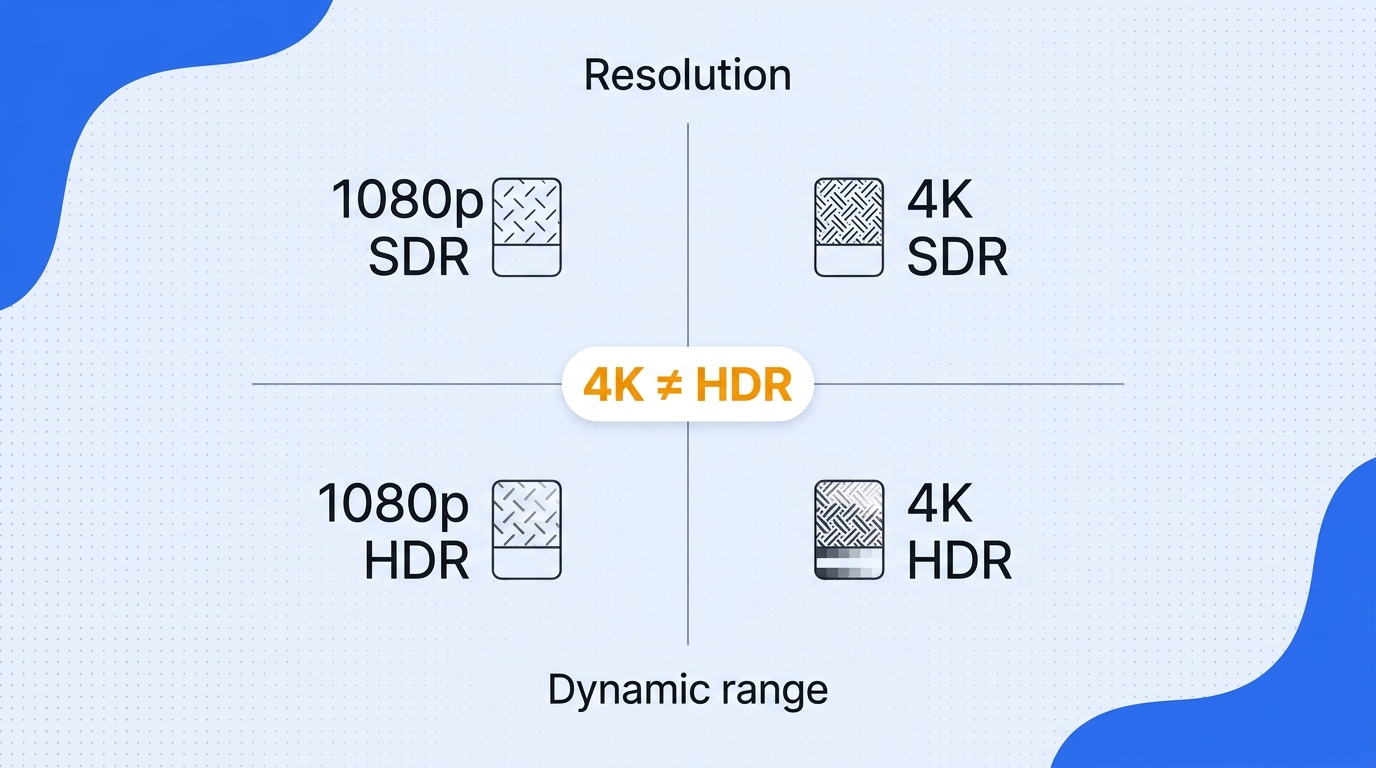
When a compromise is unavoidable, the more reliable choice is to solve the flaw that is easiest to see from the actual seat: softness favors more resolution; flat highlights or blocked shadows favor better dynamic range. A specification that cannot be seen in the room should not outweigh one that can.
4K Measures Detail, HDR Measures Tonal Range
A 4K image contains more spatial detail than a 1080p image when the source, lens, compression, screen, and viewing distance preserve it. HDR works on another axis. It gives the image more room between dark and bright values and can improve color volume, even when resolution stays the same.
This two-axis model prevents a common mistake: comparing “4K” and “HDR” as though they were competing formats. A video can offer either benefit, both benefits, or neither.
4K SDR vs 1080p HDR
Choose 4K SDR when fine texture and text clarity dominate, especially on a large screen viewed close enough to reveal the extra detail. It is also the safer choice when the display has limited HDR performance or the playback chain handles SDR more consistently.
Choose 1080p HDR when the source has strong highlight and shadow information, the display maps HDR well, and the viewing distance makes the resolution gap hard to notice. For a dark movie with bright practical lights, the tonal improvement may be more visible than the loss of fine detail. For coding, desktop use, or a weak HDR monitor, 4K SDR may be easier to read and more stable.
When 4K HDR Delivers Both Benefits
4K HDR removes the forced tradeoff when the content is genuinely detailed and well mastered, the connection carries the correct signal, and the display has enough contrast and color capability to show it. It is one common high-spec delivery choice for premium movies, games, and finished video, but the extra labels still do not repair a poor source or inaccurate processing.
When HDR Looks Better, and Why It Sometimes Looks Worse
HDR looks better when the source is mastered for it and every link interprets the signal correctly. It can look dark, washed out, clipped, or no better than SDR when tone mapping, metadata, display capability, software settings, or room conditions are mismatched.
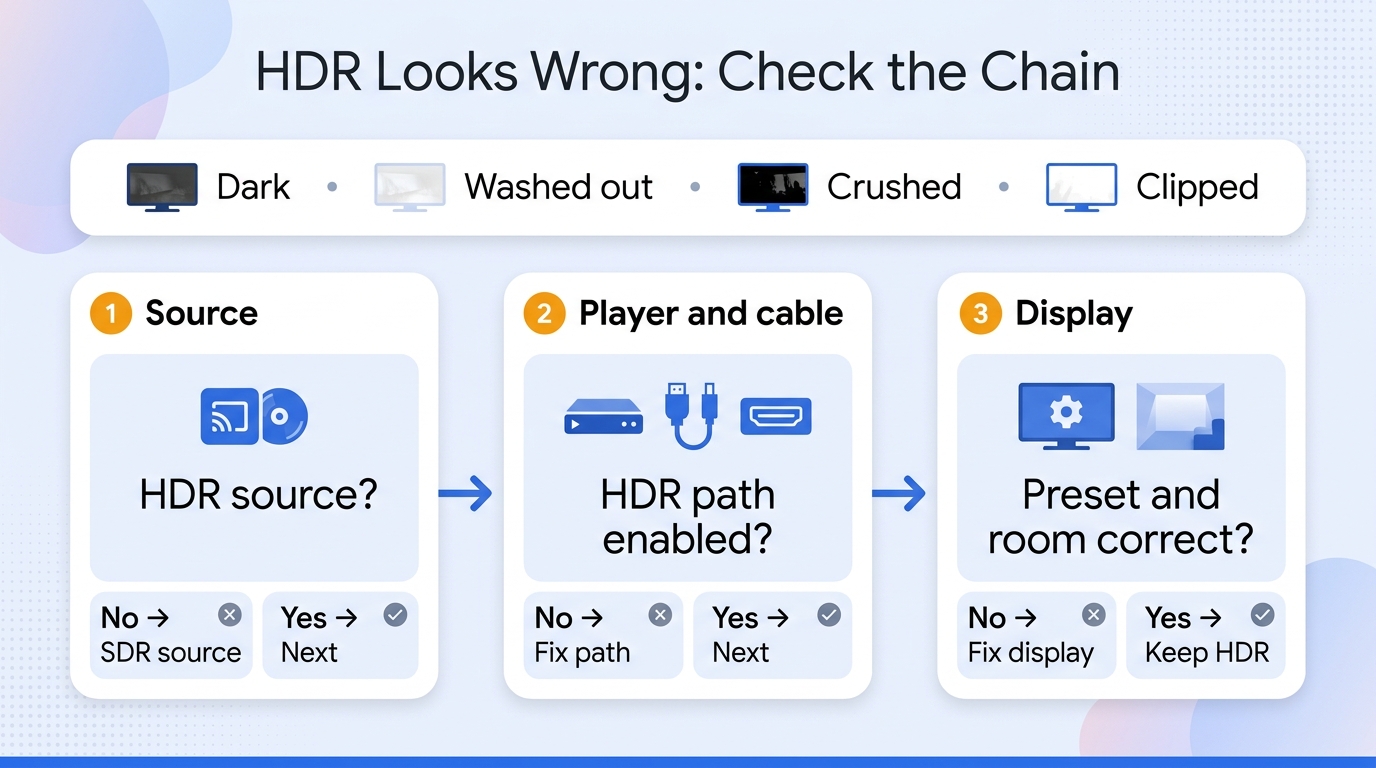
The sensible response is diagnosis, not loyalty to a format. A stable SDR image is preferable to HDR that hides shadow detail or changes color unpredictably.
I would switch back to SDR before compensating for broken tone mapping with random brightness changes, because that hides the fault instead of fixing it.
The Signal Chain That Determines HDR Quality
Think of HDR as a relay. The source contains luminance and color information. Metadata tells compatible equipment how to interpret that information. The app or player passes it through the operating system and connection, and the display maps it to the panel's real limits. Picture settings and room light then affect what reaches your eyes.
Work through the chain in this order:
- Confirm that the title, game, or file is actually HDR.
- Check that the app, player, and operating system are outputting HDR rather than converting it incorrectly.
- Confirm that the connection and selected input mode support the signal.
- Use an accurate HDR picture preset before changing individual controls.
- Compare in the room where you normally watch, not just in a dark demo environment.
This order matters because random brightness changes can mask the real fault while creating a new one.
Dark, Washed-Out, or Crushed HDR
Dark HDR often means the display cannot reproduce the mastered range and is compressing it poorly. Washed-out color can point to a mismatch in color space or range. Crushed blacks suggest that shadow values are being mapped below what the screen can show, while clipped highlights indicate that bright detail is being pushed beyond the panel's usable range.
A Reddit user in r/AndroidTV described an HDR file played through an SDR television as “darker if compared with the SDR version of the same video.” That observation supports the signal-chain diagnosis: incompatible output and tone mapping can distort HDR, but they do not prove that HDR itself is inferior.
If a known HDR source remains worse after the output path and picture mode are corrected, switch to SDR for that setup. The viewing result matters more than keeping an HDR indicator lit.
Gaming: Use HDR Only When the Game and Display Support It Well
For HDR vs SDR gaming, use HDR when the game has a good native implementation, the operating system is configured correctly, and the display can show useful highlight and shadow separation. Use SDR when the game is authored for SDR, desktop switching causes inconsistent color, or HDR calibration produces a persistently dim image.
Manual switching is reasonable when automatic handling is unreliable. Calibrate HDR inside supported games, then judge a bright scene, a dark scene, and the user interface. If one of those breaks, SDR is the better fit for that title and display.
Movies, Streaming, and Everyday Desktop Use
Well-mastered movies and series are strong HDR use cases because controlled highlights, dark scenes, and production color can benefit from the wider range. Streaming still depends on the title, app, subscription, device, connection, and display. A compatible HDR video player is part of the chain for local files, but it cannot compensate for a weak panel or incorrect metadata.
For everyday desktop work, SDR is often the cleaner default. Web pages, office apps, screenshots, and mixed media do not always share one color-management path. In a bright room, a balanced SDR mode may also remain easier to see than an HDR mode that reserves output range for highlights.
Video Creation and Delivery
An HDR workflow must be managed from capture through export. The camera or source needs usable highlight and shadow information; the editor must interpret the color space correctly; the export must carry the intended format and metadata; and the platform must recognize it. The creator also needs an SDR fallback or tone-mapped version when the audience uses SDR displays.
Before delivery, review the video on a suitable HDR screen and an SDR screen. Check skin tones, bright lights, dark clothing, gradients, captions, and graphics. For online delivery, the practical details in a guide to uploading HDR video to YouTube matter because an otherwise good grade can appear as SDR when the export or metadata is wrong.
Best for HDR delivery: controlled capture, color-managed editing, compatible review hardware, and a platform that preserves the format. Not ideal: rushed social exports, unknown playback devices, or source footage with clipped highlights that no later conversion can recover.
How UniFab Converts SDR Video to HDR10
For an SDR vs HDR video workflow, UniFab HDR Upconverter AI converts suitable SDR footage to HDR10 on Windows and macOS. The practical fit is footage that can be reviewed on compatible HDR hardware, not material chosen only because it carries an SDR label.
SDR-to-HDR conversion should be treated as a selective finishing decision, not a rescue button. It can remap available information, but it cannot reconstruct highlight detail or color that was never captured.
When SDR-to-HDR Conversion Makes Sense
Conversion can suit personal footage, licensed archives, or SDR masters prepared for an HDR presentation. It is less suitable when the grade is intentionally restrained, the source is heavily compressed, highlights are clipped, or delivery is mainly SDR.
Best for: a clean SDR source with room for a wider tonal presentation and a known HDR destination.
Not ideal for: damaged footage, intentionally stylized SDR, or projects that cannot be reviewed on an HDR display.
A Local, GPU-Accelerated Batch Workflow
Rights reminder: Process footage you own, are authorized to edit, or may lawfully modify. You remain responsible for copyright and platform publishing requirements.
Use the workflow as a review loop:
- Import a supported source video, such as MOV or MP4, and confirm that its highlights and color are suitable for conversion.
- Select SDR-to-HDR10 enhancement and a target resolution suited to the source.
- Batch clips only when they share similar capture and delivery conditions.
- Process locally with GPU acceleration.
- Review bright, dark, skin-tone, and saturated scenes before export.
Clips from different cameras, grades, or compression levels should be reviewed separately rather than forced through one setting.
4K HDR10 Output, Dolby Vision Context, and MP4/MKV Containers
For the SDR vs HDR vs Dolby Vision decision, UniFab's supported path is SDR to HDR10 at up to 4K in MP4 or MKV; it should not be treated as direct SDR-to-Dolby Vision mastering or complete Dolby Vision metadata preservation.
Quality Checks Before Export
Review clipped highlights, blocked shadows, skin tones, gradients, and saturated objects. Compare the result with the SDR source on the same display and check SDR fallback playback. If conversion makes the image less natural or harder to deliver reliably, keep the SDR master.
I would keep the SDR master whenever conversion clips highlights or makes skin tones less natural; the HDR10 label is not worth a less faithful result.
Up to 4K output and HDR10 mapping describe the delivery target; they do not guarantee added native detail. The source remains the practical limit.
Bottom Line: Match the Format to the Whole Chain
For anyone asking “SDR vs HDR which is better?”, HDR is the better fit when the source, software, connection, display, settings, room, and purpose support it. SDR is the better fit when consistency and broad compatibility matter, or when HDR processing makes the image visibly worse.
Use 4K to solve a detail problem and HDR to solve a tonal-range problem. For existing SDR video, consider HDR10 conversion only after checking source quality and the target display. The final decision should follow the image you can verify across the delivery chain, not the most impressive label in the settings menu.
SDR vs HDR FAQ
This HDR vs SDR comparison FAQ covers platform, capture, and sharing questions that can change the practical format decision. The short rule is to preserve native HDR when the full chain supports it and favor SDR when compatibility or tone mapping is uncertain.
Does Netflix Use SDR or HDR?
Answer: Netflix uses both SDR and HDR. The result depends on the title, subscription, playback device, app, connection, and display. A 4K label describes resolution, not dynamic range, so a title can be 4K SDR or 4K HDR. If the chain does not meet the HDR requirements, SDR is the predictable fallback.
Is HDR Better for Instagram Uploads?
Answer: HDR is useful when the capture, edit, export, upload, and viewer device preserve it correctly. For mixed audiences and fast social workflows, SDR remains the more predictable delivery choice. If HDR is essential to the look, check the processed upload rather than judging the local master alone.
Should Apple TV Match Dynamic Range or Force HDR?
Answer: Match Dynamic Range is usually the more faithful setting because it lets SDR play as SDR and HDR play as HDR. Forcing HDR can remap SDR menus and video, which may change brightness or color without adding source detail. Force HDR only when the specific television handles that conversion well and the result is visibly preferable.
Does an iPhone Record Video in SDR or HDR?
Answer: An iPhone may record either SDR or HDR, depending on the model and camera settings. Choose HDR when the editing and delivery chain supports it and the scene benefits from the extra range. Choose SDR when you need simpler editing, broader device compatibility, or consistent social sharing.
Why Can an HDR Screenshot Look Wrong in SDR?
Answer: An HDR screenshot may contain values or color information that an SDR viewer cannot map correctly. Without suitable tone mapping, highlights can clip, colors can shift, and the image can look too dark or washed out. Compare SDR and HDR through color-managed playback rather than relying on an SDR screenshot as proof of the HDR image's quality.