Free vocal remover software varies most in what "free" includes: a downloadable track, a short preview, or a capped upload. This comparison separates those limits from sound quality, then matches each option to desktop, browser, video, batch, and multi-stem workflows.
The practical takeaway is simple: choose by the output you can actually download, the files you need to process, and how much vocal bleed or instrumental damage you can accept. For free vocal remover software, verify this point on the actual source before processing the complete file.
Quick Comparison: 10 Free Vocal Removers
Quick answer: free vocal remover software should be chosen or configured by matching the source, viewing device or platform, quality target, privacy needs, and export limits. Test a representative clip, compare the result at full size, and avoid settings that add artifacts or unnecessary recompression. The latest GSC comparison shows that the optimization priority is visibility remained comparatively stable, but fewer impressions converted to clicks, consistent with stronger serp features or less competitive snippets.
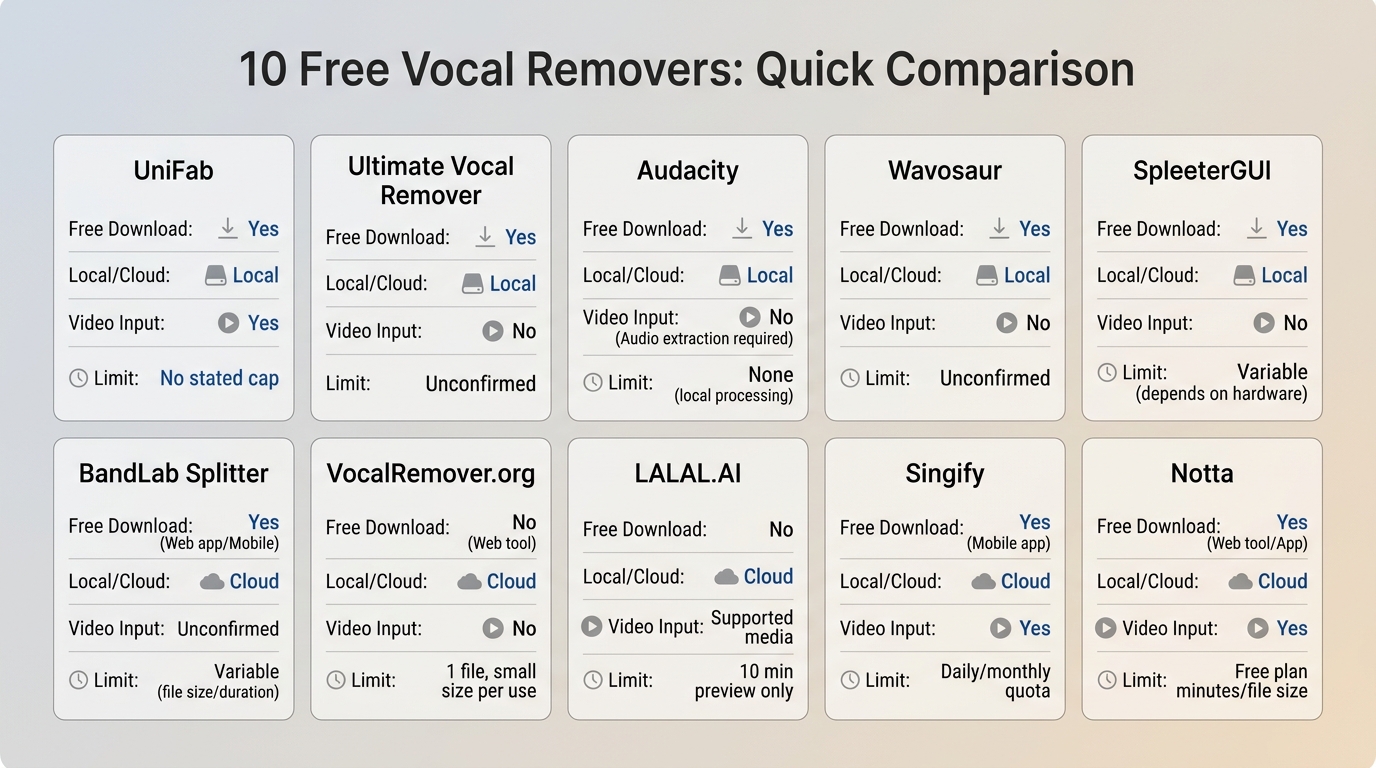
The best free vocal remover depends on usable output, not the label on the landing page. The table below compares free vocal remover tools by platform, download access, limits, formats, processing location, and the tradeoffs heard in the shared four-genre evaluation. For free vocal remover software, verify this point on the actual source before processing the complete file.
| Tool and platform | Best fit | Full-song download on free access | File and duration limits | Input and output formats | Video input | Local or cloud processing | Test result: bleed and artifacts | Maintenance note |
| UniFab Vocal Remover AI, Windows and Mac desktop | Local files, batch vocal removal, and video projects | Yes | No browser upload cap; local workflow | Audio or video input; MP4 or MKV output | Yes | Local | Low bleed on cleaner mixes; dense arrangements still need a listening check | Current UniFab desktop product |
| Ultimate Vocal Remover, desktop | Model choice and multi-stem control | Yes | Local files; processing depends on hardware and selected model | Common audio files; vocal, instrumental, and multi-stem output | No direct video workflow highlighted | Local | Strong separation control, with quality and timing varying by model | Latest visible packaged release: v5.6, September 2023 |
| Audacity, Windows, Mac, and Linux | Audio editing plus basic vocal reduction | Yes | Local files; no cloud upload cap | Common audio formats; export depends on installed encoders | Audio workflow | Local | Results vary when vocals are not centered; manual cleanup can help | Actively used general audio editor |
| Wavosaur, Windows desktop | Lightweight editing with existing VST tools | Yes | Local files; plugin-dependent workflow | Common audio formats through its editor and plugins | Audio workflow | Local | Quality depends more on the selected plugin than on Wavosaur itself | Useful niche editor, but not a current AI-first remover |
| SpleeterGUI, desktop | Existing Spleeter users processing folders | Yes | Local files; hardware affects queue time | Audio input with 2-, 4-, or 5-stem output | Audio workflow | Local | Serviceable on straightforward mixes; newer models may preserve detail better | Accessible version 2.9.5 dates to October 2023 |
| BandLab Splitter, web and mobile | Producers already working in BandLab | Yes, with an account | 100 MB and 15 minutes per song | Audio upload with four separated stems | Audio workflow | Cloud | Convenient stem handoff; dense mixes can leave bleed | Unlimited track uploads do not remove the per-song cap |
| VocalRemover.org, browser | Quick karaoke backing tracks with pitch and tempo controls | Generally available after processing | Practical access can vary across repeated sessions | Audio upload with vocal and instrumental outputs | Audio workflow | Cloud | Simple mixes fare better than layered vocals and heavy reverb | Browser availability and session limits can vary |
| LALAL.AI, browser | Previewing separation quality before paying for downloads | No on the Starter package | 10 minutes of preview processing | Audio and video support with selectable stem types | Yes | Cloud | Clear previews on many mixes, but free access does not include downloads | US Lite: $9.99 monthly or $90 annually |
| Singify Vocal Remover, browser | A provisional one-off browser option | Not consistently documented | Current detailed caps are not clearly published | Browser upload and separated output; exact current formats are not listed here | Not confirmed | Cloud | Use a preview to judge bleed before relying on the result | Feature and access details should be treated cautiously |
| Notta Online Vocal Remover, browser | Short audio or video files without desktop installation | Yes for supported jobs | One file up to 20 minutes; uploads deleted after 24 hours | Common audio and video input with separated output | Yes | Cloud | Practical for short speech or music clips; longer files exceed the cap | Active online vocal-removal tool |
Limits and prices checked in July 2026.
My editorial priority is download access first, sound quality second, and convenience third. A polished preview is not equivalent to a usable backing track if the free level does not let you save it. For free vocal remover software, verify this point on the actual source before processing the complete file.
Our Vocal Remover Test Method
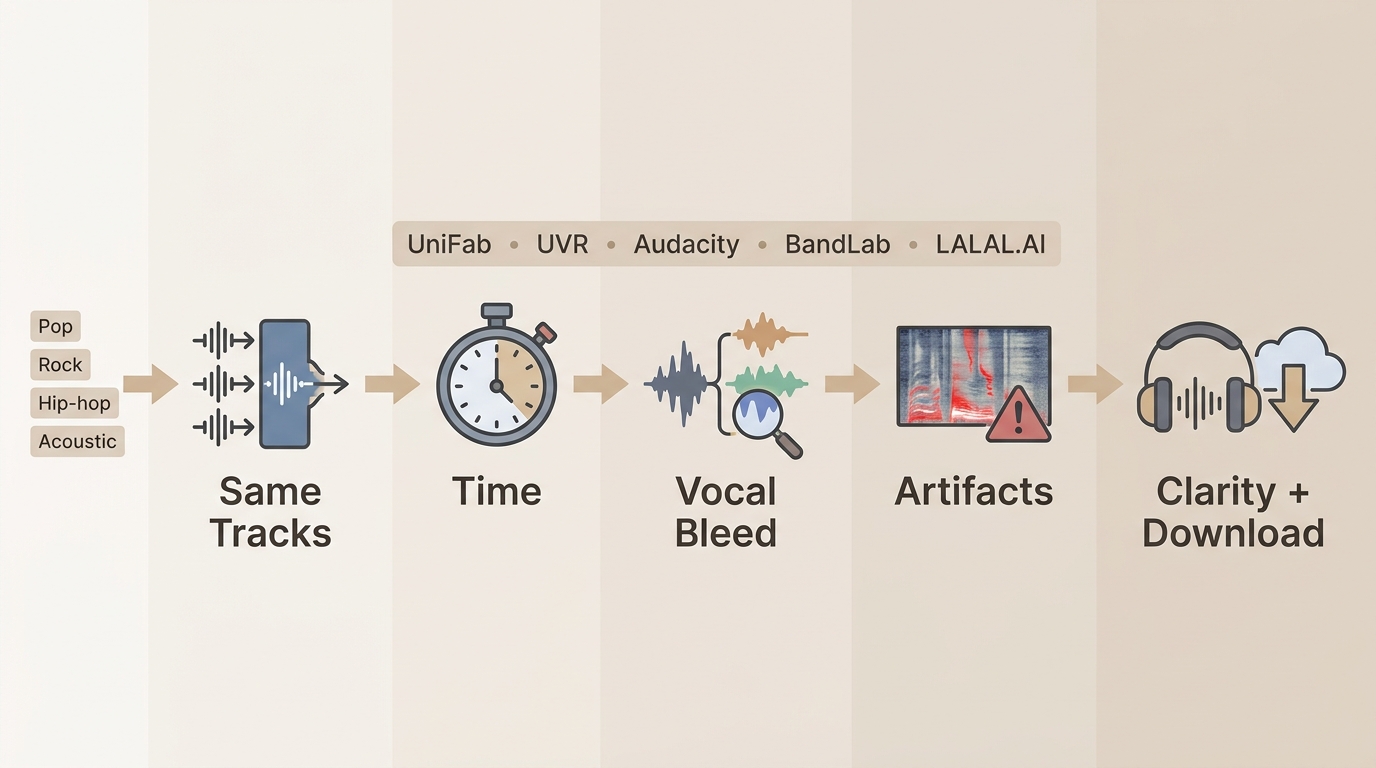
An AI vocal remover should be judged on both outputs. We used matched pop, rock, hip-hop, and acoustic samples, then listened for lead-vocal residue, backing-vocal echoes, thinned drums, phase-like textures, and loss of ambience. For free vocal remover software, verify this point on the actual source before processing the complete file.
Tracks, Timing, Bleed, and Artifact Checks
Each vocal removal software workflow received the same listening checks. Processing time was treated as a workflow factor rather than a universal speed claim because local hardware, upload bandwidth, file length, and selected separation model can change the result. For free vocal remover software, verify this point on the actual source before processing the complete file.
| Check | What we listened or looked for | Why it matters |
| Processing time | Whether the tool added a short cloud wait, a manual edit, or a longer model-based local run | A faster result is useful only if the output is downloadable and listenable |
| Vocal bleed | Lead phrases, harmonies, breaths, and reverb tails left in the instrumental | Residual voices are most distracting in karaoke backing tracks |
| Instrumental artifacts | Thinned cymbals, smeared guitars, unstable ambience, or hollow center information | A cleaner vocal cut can still be a worse musical result |
| Output clarity | Whether both the isolated vocal and backing track remained intelligible | Checking both outputs reveals damage that one track can hide |
| Best-performing use case | Simple centered vocals, dense mixes, spoken material, video, or multi-stem work | No single model behaves the same across every arrangement |
The key tradeoff was not maximum vocal removal at any cost. A faint vocal trace was often less disruptive than a backing track with damaged drums, guitars, or room ambience. For free vocal remover software, verify this point on the actual source before processing the complete file.
Best Free Desktop Vocal Removers
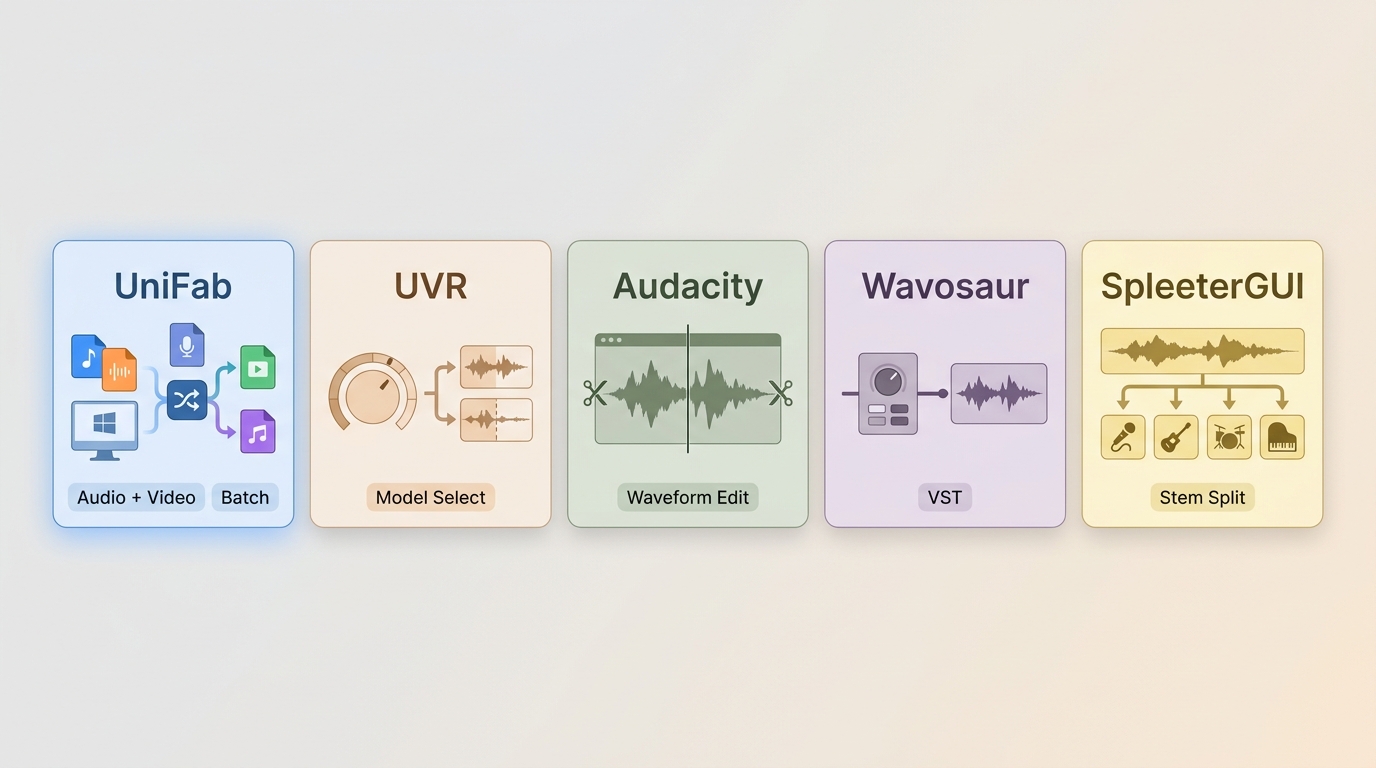
Desktop free vocal remover software is the better fit for local vocal processing, larger queues, and repeat work. It avoids browser upload caps, although model choice, hardware, and editor setup can add complexity.
1. UniFab Vocal Remover AI
UniFab Vocal Remover AI is a Windows and Mac desktop option for local batch vocal removal and direct audio or video input. It saves results as MP4 or MKV, which makes it relevant when the source is already a video project.
- Good fit: People who want local files, batch handling, and a vocal remover for video without a browser upload step.
- Less suitable: Anyone who needs audio-only export formats outside the verified MP4 and MKV output options.
- Editorial take: Local processing, batch work, and direct video handling are the three meaningful advantages here; unrelated video-enhancement features do not affect this comparison.
2. Ultimate Vocal Remover
Ultimate Vocal Remover remains capable stem separation software for readers who want model selection and more than a two-part vocal/instrumental split. Its packaged application is not a fresh 2026 release, so setup age belongs in the decision. For free vocal remover software, verify this point on the actual source before processing the complete file.
- Good fit: Experienced users comfortable choosing models, managing downloads, and comparing multi-stem results.
- Less suitable: Readers who want a current streamlined installer with minimal setup.
- Maintenance context: The latest visible packaged release is v5.6 from September 2023. Community model work can continue even when the application package itself is older.
I would choose UVR for control, not convenience. It earns its place when model choice matters more than a short setup path. For free vocal remover software, verify this point on the actual source before processing the complete file.
3. Audacity
Audacity is a general audio editor rather than a dedicated AI vocal remover. Its built-in reduction tools and optional plugins can help with centered vocals, while the full editor is useful for EQ, trimming, and cleanup after separation. For free vocal remover software, verify this point on the actual source before processing the complete file.
- Good fit: People who already need multitrack editing and want vocal removal inside the same local workspace.
- Less suitable: Anyone expecting one-click consistency across vocals that are wide, doubled, reverberant, or mixed into the instruments.
4. Wavosaur
Wavosaur is a small Windows audio editor that relies on VST tools for most vocal-removal capability. The software itself is light, but the final result depends on the plugin and the user's willingness to adjust settings. For free vocal remover software, verify this point on the actual source before processing the complete file.
- Good fit: Windows users who already have a trusted VST workflow and want a compact local editor.
- Less suitable: Readers seeking an integrated AI vocal remover or a modern cross-platform interface.
5. SpleeterGUI
SpleeterGUI is a legacy batch option built around Deezer's Spleeter model. It can still split folders into 2, 4, or 5 stems, but it should not be presented as a current peer to tools using newer releases and models. For free vocal remover software, verify this point on the actual source before processing the complete file.
- Good fit: Existing Spleeter users with a familiar local batch workflow.
- Less suitable: New users who want current models, active packaged releases, or the strongest preservation on dense arrangements.
- Maintenance context: The accessible version 2.9.5 dates to October 2023.
Browser-Based Options and Their Limits
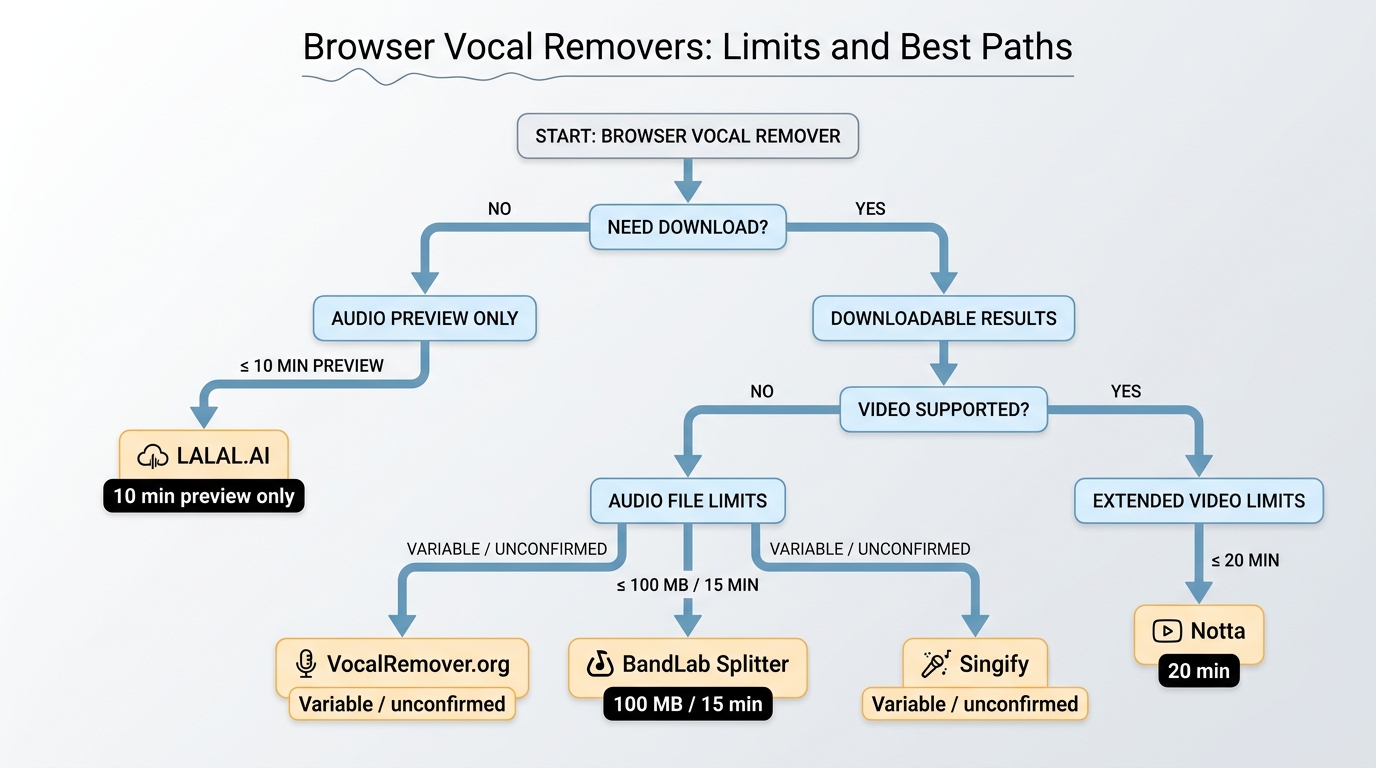
Browser-based free vocal remover tools are convenient for short jobs, but upload caps, preview-only access, accounts, and cloud processing matter. They suit quick karaoke backing tracks better than repeated local batch work.
6. BandLab Splitter
BandLab Splitter divides a song into vocals, drums, bass, and other stems, then connects those files to BandLab's production workflow. It supports web and mobile use, with a 100 MB and 15-minute limit for each song.
- Good fit: Producers already editing or remixing in BandLab.
- Less suitable: Files above the per-song cap or users who do not want an account-based cloud workflow.
7. VocalRemover.org
VocalRemover.org combines a vocal remover free workflow with pitch and tempo controls, which is useful when preparing a karaoke key or practice track. Complex arrangements and repeated sessions are where browser limits become more noticeable.
- Good fit: A quick instrumental where pitch or tempo adjustment matters.
- Less suitable: Repeat batch work, densely layered music, or a workflow that depends on predictable session access.
8. LALAL.AI
LALAL.AI is useful for previewing how an AI vocal remover handles a track before purchasing download access. The Starter package includes 10 minutes of processing, but results are preview-only and cannot be downloaded.
- Good fit: Comparing separation quality on a short sample before committing to a plan.
- Less suitable: Anyone looking for a downloadable full-song result on free access.
9. Singify Vocal Remover
Singify remains a provisional browser option because its current model count, sign-up rules, formats, preview behavior, and access terms are not clearly established here. Judge it by the preview on the exact track you plan to use.
- Good fit: A low-stakes one-off check when the current page clearly shows the needed output.
- Less suitable: Repeat work or any project that depends on a documented file cap, format, or download policy.
10. Notta Online Vocal Remover
Notta Online Vocal Remover accepts common audio and video files in a browser, with a 20-minute limit for each file. Uploaded material is deleted after 24 hours, making it a practical short-file option rather than a long-session editor.
- Good fit: Short audio or video jobs when installing desktop software is inconvenient.
- Less suitable: Longer recordings, local batch vocal removal, or files that should not be uploaded to a cloud service.
For a deeper online-only ranking, keep this mixed list focused on limits and use a dedicated browser-tool comparison rather than treating five web services as a second full roundup.
Choosing by Limits, Quality, and Workflow
The best free vocal remover is the one that matches the required download, format, privacy, and control. Before starting, use a file you own or are authorized to process, decide whether you need a vocal track, an instrumental, or several stems, and check the output requirement.
Four Steps From File to Instrumental
- Import or upload an authorized audio or video file.
- Choose vocal/instrumental separation or a multi-stem mode when the tool provides it.
- Preview both outputs and listen for vocal bleed, thinned instruments, unstable ambience, or phase-like artifacts.
- Download the instrumental in the format needed for editing, practice, or a karaoke backing track.
Readers who need a full methods guide should use the site's dedicated guide to removing vocals from a song; this comparison stays focused on choosing a tool and understanding its limits.
Full-Song Downloads Without Hidden Limits
A vocal remover free label can describe three different offers: downloadable output, a limited downloadable result, or a preview with no download. Check that distinction before spending time on an upload.
- For downloadable local output: UniFab, UVR, Audacity, Wavosaur, and SpleeterGUI keep the work on the computer, with different levels of setup and control.
- For a capped browser workflow: BandLab and Notta publish clear per-file limits.
- For previewing: LALAL.AI's Starter access is useful for evaluation, not a free full-song download.
Video Files and Local Batch Processing
An MP4 vocal remover is most useful when it accepts video directly and saves a format that fits the next editing step. UniFab combines direct video handling, local vocal processing, batch work, and MP4 or MKV output; Notta offers a capped cloud alternative for shorter files.
For batch vocal removal, a desktop queue is usually easier to manage than repeated browser uploads. For broader stem control, UVR is the more flexible choice, while UniFab is the clearer fit when the source and final deliverable are video.
Better Results With Fewer Artifacts
Cleaner separation starts with a clean source, but the right goal is a natural instrumental rather than total vocal suppression. Reverb, doubled vocals, distorted guitars, and shared frequencies can leave echoes or damage nearby instruments.
- Start with the cleanest source available. Heavy compression can make vocal and instrument boundaries harder to separate.
- Compare more than one model or tool. A mix that leaves bleed in one system may retain better drums or ambience in another.
- Listen to both outputs. The isolated vocal can reveal missing guitar, cymbal, or room detail that was removed from the backing track.
- Use light post-processing. Small EQ or level adjustments can reduce a distracting residue without stripping more of the arrangement.
- Keep the musical context. A faint echo may be preferable to an aggressively processed instrumental that sounds hollow.
My recommendation is to stop chasing a perfectly silent vocal channel once the backing track begins losing its rhythm, texture, or space. For practice and performance, musical stability matters more than a nominally complete split.
Frequently Asked Questions
What is the best way to use free vocal remover software?
Start with the source quality, target platform, privacy requirement, and final export settings. For free vocal remover software, use a short representative clip first, compare the result at 100% view, and keep the original file so you can revise the workflow without generation loss. This also applies to vocal remover software.
Is free vocal remover software free?
Some free vocal remover software workflows are free, while others limit file size, duration, resolution, credits, watermarks, or export formats. Verify the current plan on the provider's official page because free allowances can change. This also applies to remove vocals from song.
Does free vocal remover software reduce quality?
free vocal remover software can reduce quality when it adds unnecessary recompression, aggressive enhancement, or incorrect output settings. Match resolution, frame rate, codec, and bitrate to the source and delivery platform, then inspect motion, edges, audio sync, and fine detail. This also applies to free stem separator.
Which formats or devices support free vocal remover software?
Support depends on the chosen application and workflow. Check operating system, input and output formats, hardware acceleration, browser upload limits, and whether the destination platform accepts the selected settings before processing a full project. This also applies to vocal remover software.
How long does free vocal remover software take?
Processing time varies with duration, resolution, codec, AI model, hardware, and export settings. A short test provides the most reliable estimate; online tools also add upload and download time, while local tools depend more heavily on CPU and GPU performance. This also applies to remove vocals from song.
Can beginners use free vocal remover software?
Yes. Beginners can use free vocal remover software by following a conservative workflow: duplicate the source, choose an appropriate preset, process a short sample, compare before and after, and only then export the complete file. This also applies to free stem separator.
What should I check before choosing a tool for free vocal remover software?
Compare source fit, output quality, privacy, platform support, batch capability, watermark policy, free limits, price, and control. Do not choose a free vocal remover software tool only because it advertises the highest resolution, frame rate, or AI label. This also applies to vocal remover software.
Is desktop or online processing better for free vocal remover software?
Online processing is convenient for short, non-sensitive files, but it can impose upload, retention, watermark, credit, and resolution limits. Desktop processing is usually better for private, long, high-resolution, or batch free vocal remover software work. This also applies to remove vocals from song.
What are the main limitations of free vocal remover software?
The main limits are source quality, missing detail, motion artifacts, incompatible formats, hardware demand, upload constraints, and generation loss. free vocal remover software cannot always reconstruct information that was never captured, so results should be described realistically. This also applies to free stem separator.
How does free vocal remover software compare with manual editing?
Automated free vocal remover software is faster and easier to repeat, while manual editing gives more local control and may avoid overprocessing. A practical workflow uses automation for the first pass and manual review for difficult scenes, transitions, faces, text, and audio sync. This also applies to vocal remover software.
Final Recommendations
Choose by workflow rather than a universal winner. UniFab fits local Windows and Mac batch or video work, UVR fits detailed model and stem control, and BandLab or Notta fit short browser jobs within their published caps.
- Local batch and video: UniFab supports direct audio or video input and MP4 or MKV output, but it is less suitable when an audio-only export format is required.
- Model control: Ultimate Vocal Remover offers more separation choices, but its packaged release is older and setup is less streamlined.
- Quick browser use: BandLab suits connected production workflows, while Notta suits short audio or video files; both involve cloud processing and per-file limits.
- General editing: Audacity is the practical choice when vocal reduction is one step inside a larger audio-editing job.
For most readers, the deciding factor is not which listing sounds most impressive. It is whether the free access produces a file you can save, whether the tool accepts the source format, and whether the backing track remains musically intact.